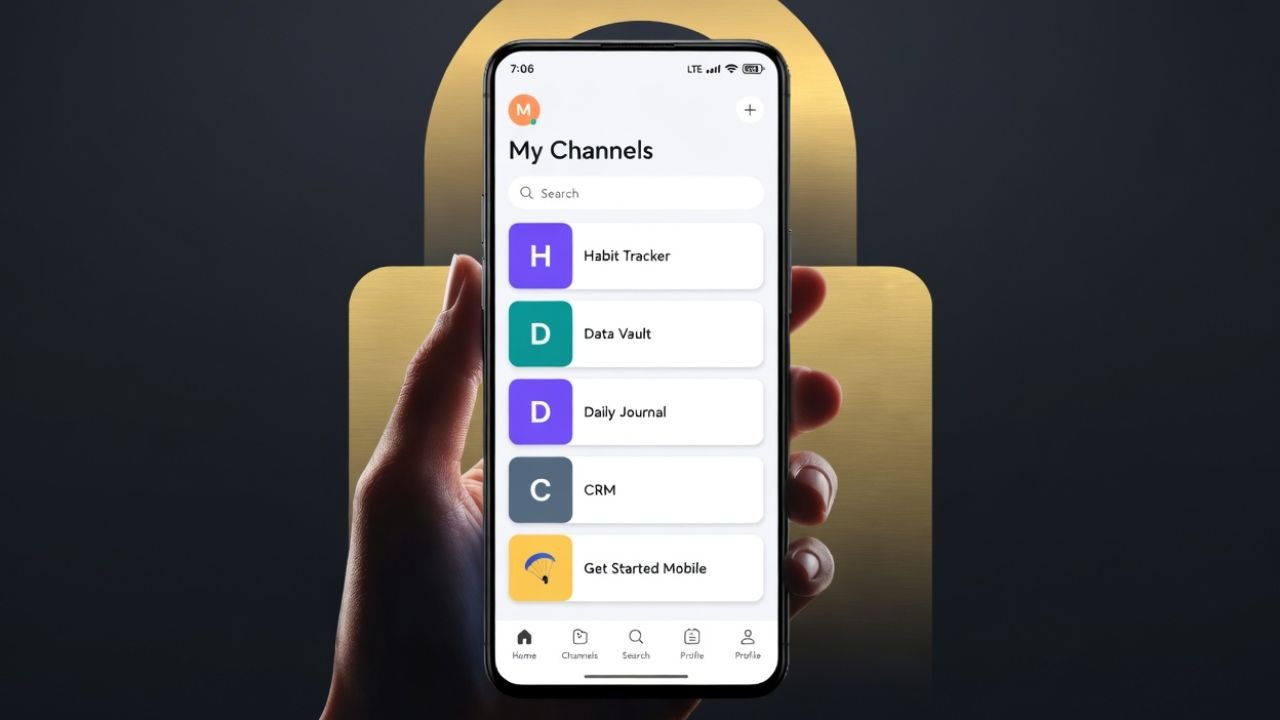
For years, the quest for the perfect “Second Brain” has been a battle between desktop power and mobile utility. Many of us have relied on Notion for its unparalleled structural capabilities, but for those of us who live and work primarily from an Android device, the experience has often felt like a compromise. The struggle isn’t just about features; it is about the friction between a thought occurring and that thought being captured.
After testing several Personal Knowledge Management (PKM) tools, the shift toward Anytype on Android represents more than just a change in software—it is a shift in philosophy. While Notion has made strides in improving its Android performance, Anytype approaches the mobile experience from a “local-first” perspective, promising a level of speed and privacy that cloud-centric apps struggle to match. In the comparison of Anytype vs Notion for Android, the difference lies in how the software integrates into a fast-paced daily workflow.
The core appeal of Anytype is its commitment to user sovereignty. Unlike traditional cloud services, Anytype ensures that data stays on the user’s device, utilizing local, on-device encryption and peer-to-peer (P2P) sync on local networks. This architecture means that the vault is not hosted on a central server controlled by a corporation, but is instead owned and controlled by the user according to Anytype’s official documentation. For a technology professional, this removes the “gatekeeper” element and ensures that access to data is never dependent on a third-party server’s uptime.
The Mobile Promise: Native Performance vs. Web Wrappers
One of the most significant pain points for Android users has been the “clunky” feel of productivity apps that are essentially web wrappers. While reports indicate that Notion has transitioned toward using more native components—resulting in launch speeds up to three times faster than previous versions—it still struggles with the “quick-capture” experience. For a PKM tool to be effective, the time from opening the app to typing a note must be near-instant.
Anytype is designed as a native application on both iOS and Android, providing a natural touch and scroll experience. This native architecture allows it to deliver on what some analysts call the “mobile promise,” effectively blending the structured power of a database-driven app like Notion with the speed and local-first reliability associated with tools like Obsidian as noted by Android Police. When a tool is offline-first, the lag associated with cloud syncing disappears, making the act of capturing a task or a fleeting idea seamless.
Building a Second Brain: Blocks, Databases and Graphs
The transition from Notion to Anytype is relatively intuitive because both utilize a block-based editor. This allows users to compose visually, creating everything from simple notes to complex databases, and templates. Anytype supports various visualization methods, including Table, Kanban, and Gallery views, ensuring that the “structured power” users love in Notion remains intact.
However, Anytype adds a layer of connectivity through its graph view, allowing users to visualize the links between different objects. This transforms a static list of notes into a dynamic network of information. The ability to create single objects with infinite possibilities—combined with widgets for the Android home screen—means that the workflow is no longer confined to the app’s internal hierarchy but extends to the OS level for faster access.
Key Technical Comparisons
| Feature | Anytype (Android) | Notion (Android) |
|---|---|---|
| Data Storage | Local-first / On-device | Cloud-based |
| Encryption | Local, on-device encryption | Standard cloud encryption |
| Sync Method | Peer-to-Peer (P2P) | Centralized Server |
| Offline Access | Full offline functionality | Limited/Cached offline access |
| App Architecture | Native Mobile | Improved Web-to-Native hybrid |
The Trade-offs: Where Notion Still Holds the Edge
No migration is without its frictions. While Anytype excels in privacy and speed, the ecosystem for capturing external web content is still evolving. For instance, while a Chrome extension exists for desktop users, the Android experience for web clipping is not as integrated as Notion’s established system. Users on platforms like Reddit have noted the desire for a web clipper that works seamlessly with the Android Anytype app, mirroring the “share-to-app” functionality found in competitors via community discussions.

the P2P sync model, while superior for privacy, requires a different mental model for users accustomed to the “save and forget” nature of the cloud. In Anytype, you are the administrator of your own data. This provides immense security—nobody can stop you from accessing your data because there is no central server to shut down—but it places the responsibility of data ownership squarely on the user.
Final Verdict: Why the Switch Matters
The decision to swap Notion for Anytype on Android comes down to a choice between convenience and control. Notion offers a polished, centralized ecosystem that is excellent for collaboration and web-based organization. However, for the individual power user who prioritizes data privacy, offline reliability, and a native mobile feel, Anytype is the more robust choice.
By removing the latency of the cloud and the vulnerability of centralized storage, Anytype turns the Android device into a true extension of the mind rather than just a window into a remote server. For those who have felt the frustration of a “loading” spinner while trying to jot down a critical thought, the move to a local-first architecture is a liberation.
As Anytype continues to develop its mobile ecosystem and refine its web-capture capabilities, it is positioned to become the gold standard for Personal Knowledge Management on Android. The “mobile promise” is no longer just about having a desktop app on a smaller screen; it is about software that is built for the way we actually move and suppose.
For those interested in migrating, the next step is to explore the Anytype Gallery for templates to replicate your existing Notion structures. We will continue to monitor updates regarding the Android web clipper integration and future P2P sync enhancements.
Do you prefer a cloud-based “Second Brain” or a local-first approach? Share your experience with Anytype or Notion in the comments below.
Related reading