
Choosing the right project management software is rarely about finding the “best” tool in a vacuum. it is about finding the one that aligns with how your team actually thinks and works. For most organizations, this decision boils down to a showdown between two industry titans: Asana and monday.com.
Both platforms have evolved from simple task lists into comprehensive “work operating systems,” integrating AI, automation, and complex reporting. However, they approach productivity from different philosophical angles. Asana is built around the logic of structured coordination and task dependencies, whereas monday.com emphasizes flexibility, visual customization, and no-code versatility.
As a technology editor with a background in software engineering, I have seen teams struggle not because of a lack of features, but because of “tool friction”—the cognitive load that occurs when a software’s workflow contradicts a team’s natural process. In 2026, the gap between these two tools has narrowed in terms of raw capability, but the distinction in user experience remains sharp.
Whether you are managing a lean marketing squad or a global engineering department, the choice between Asana vs Monday.com depends on whether you prioritize a structured, task-first hierarchy or a flexible, data-driven board system.
The Core Philosophy: Coordination vs. Customization
Asana is designed as a coordination engine. Its primary strength lies in its ability to map out complex projects with clear dependencies and ownership. For teams that operate on a linear or sequential basis—such as product launches or software development sprints—Asana’s structure reduces ambiguity. It excels at answering the question, What needs to happen next, and who is responsible for it?
Monday.com, by contrast, positions itself as a “Work OS.” It is less of a task manager and more of a customizable database. The platform allows users to build highly visual boards that can function as anything from a CRM to an inventory tracker or a content calendar. If Asana is a sophisticated blueprint, monday.com is a set of digital LEGO bricks. It is particularly effective for cross-functional teams that need to visualize data in multiple ways without writing a single line of code.
User Experience and Onboarding
From an implementation standpoint, Asana generally offers a shorter learning curve for teams accustomed to traditional list and board views. Its interface is clean, and the onboarding process is streamlined, focusing on getting tasks into the system quickly. This makes it a strong default for teams that need to hit the ground running without extensive administrative setup.
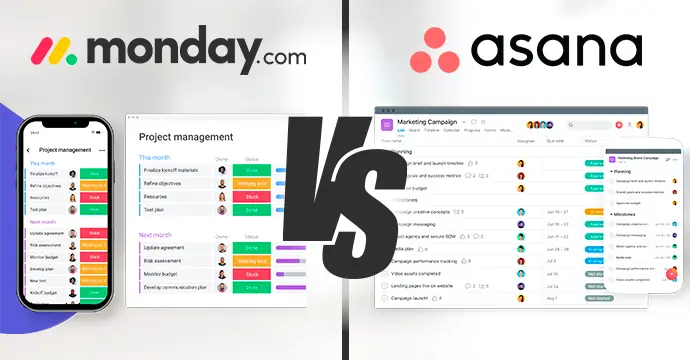
Monday.com offers a more vibrant, colorful interface that many users find engaging, but the sheer volume of customization options can initially feel overwhelming. Because you can change almost every column and view, the “blank canvas” problem is more prevalent here. However, once a workspace is configured, the visual feedback—such as color-coded status updates—provides an immediate snapshot of project health that is often more intuitive than Asana’s more muted aesthetic.
Feature Breakdown: Automation, AI, and Visibility
Both platforms have aggressively integrated artificial intelligence to combat the “manual entry” fatigue that plagues project management. In 2026, AI is no longer a bolt-on feature but a core part of the workflow, helping users summarize long comment threads, predict project bottlenecks, and automate repetitive task assignments.
- Automation: Monday.com has historically led in no-code automation. Its “if this, then that” recipe builder is exceptionally powerful, allowing teams to trigger complex actions across different boards. Asana has caught up with robust “Rules,” but its automation tends to be more focused on task-lifecycle management than general database manipulation.
- Views: Both support Kanban boards, Lists, Calendars, and Gantt charts (Timelines). Asana’s Timeline view is widely regarded as one of the most stable for managing dependencies. Monday.com’s strength is its “Dashboard” capability, which can aggregate data from multiple boards into a single high-level executive view.
- Scalability: Asana is often the preferred choice for massive, cross-functional organizations. Its ability to link goals (OKRs) directly to individual tasks ensures that every team member understands how their daily work contributes to the company’s quarterly objectives.
Pricing and Value Analysis
Pricing for both platforms is structured on a per-user, per-month basis, typically billed annually. While both offer free tiers for individuals or very compact teams, the real functionality begins in the paid tiers.
| Feature/Plan | Asana | monday.com |
|---|---|---|
| Free Tier | Available (up to 2 users) Asana Pricing | Available (up to 2 seats) monday.com Pricing |
| Entry Paid Tier | Starts at approx. $10.99 – $13.49/user/mo | Starts at $9/seat/month |
| Best For | Structured, dependency-heavy work | Flexible, visual workflows |
| Key Strength | Coordination & Goal Tracking | Customization & Dashboards |
It is important to note a critical difference in how these companies bill. Asana typically bills per user. Monday.com often uses a “seat” or “group” based pricing model, which can sometimes lead to a higher effective cost if you have a small number of users but need a specific tier’s features. For example, some reports indicate a minimum seat requirement for certain paid tiers on monday.com, which can impact the budget of very small teams.
Which Tool Is Right for Your Team?
The decision should not be based on a feature checklist, as both tools now offer nearly everything. Instead, evaluate your team’s “operational DNA.”
Choose Asana if…
Your work is sequential. If you are managing a product roadmap where Task B cannot start until Task A is finished, Asana’s dependency management is superior. It is the better choice for teams that value a clean, focused environment and need to connect daily tasks to high-level company goals without excessive configuration.
Choose Monday.com if…
Your work is fluid and multifaceted. If you need your project tool to too act as a light CRM, a lead tracker, or a complex resource allocator, the flexibility of monday.com is unmatched. It is the ideal choice for marketing agencies, creative studios, and operations teams who need highly visual dashboards to report progress to stakeholders.
the “winner” is the tool that your team actually uses. The most powerful software in the world is useless if it is so complex that employees revert to using spreadsheets and email. I recommend starting with a two-week trial of both, using a single, real-world project to test the “friction” of each interface.
As the industry moves toward more autonomous AI agents capable of managing their own tasks, the role of these platforms will shift from “task trackers” to “strategic orchestrators.” Expect further updates on AI-driven project forecasting in the coming quarterly releases from both vendors.
Do you prefer the structured approach of Asana or the flexibility of monday.com? Share your experience in the comments below.