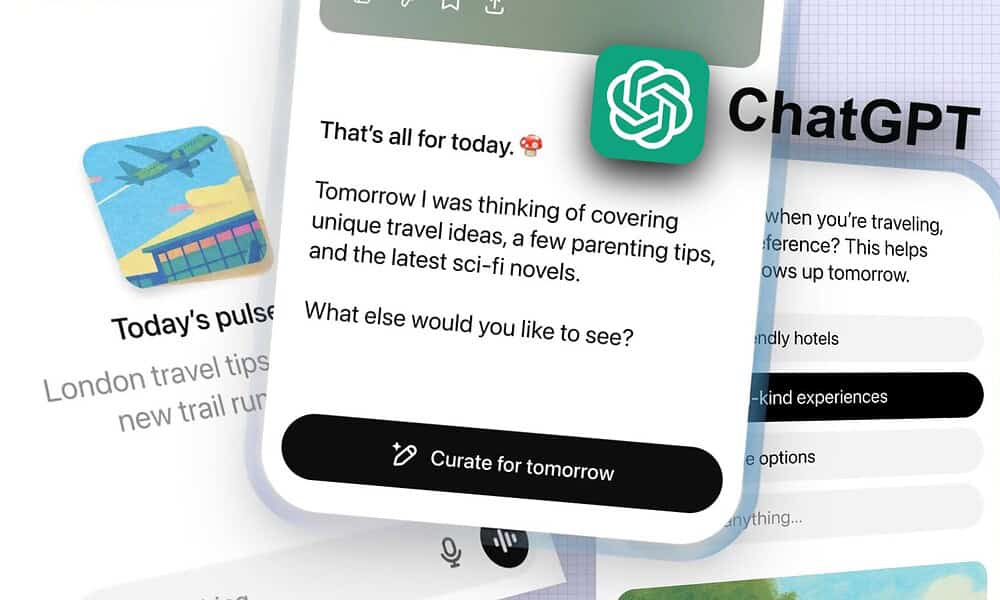
ChatGPT Pulse: The AI Assistant That Proactively Keeps You Informed
Are you tired of constantly initiating conversations wiht AI? Do you wish your AI tools could anticipate your needs instead of simply reacting to your prompts? OpenAI‘s latest innovation, ChatGPT Pulse, aims to do just that.This new feature, currently exclusive to ChatGPT Pro subscribers, marks a important shift towards a more proactive and asynchronous AI experience. Let’s dive into how it works, its potential benefits, and what you need to know.
What is ChatGPT Pulse and why Does it Matter?
ChatGPT Pulse isn’t just another chatbot update; it’s a fundamental change in how we interact with AI.Instead of waiting for you to ask questions, Pulse delivers a daily briefing tailored to your interests. Think of it as a highly personalized, clever newsfeed that proactively surfaces data you care about. This move addresses a growing need for AI to move beyond reactive responses and become truly assistive.
OpenAI is actively pushing for more asynchronous AI – meaning AI that works for you, not requiring constant input. This is a crucial step in making AI a seamless part of our daily lives, reducing cognitive load and information overload.
How does ChatGPT Pulse Work?
Here’s a breakdown of how this innovative feature functions:
* Daily Briefing: You receive one daily update, typically in the morning, summarizing relevant information.
* Personalized Updates: Pulse learns your preferences based on your interests, connected apps (like your calendar), and specified topics.
* Granular Control: You dictate what ChatGPT researches,from specific sports teams and local events to your upcoming meetings. Want to know about the latest developments in AI ethics? Or perhaps updates on your favorite local band? Pulse can deliver.
* disappearing Messages: OpenAI emphasizes a “work for you, not to keep you scrolling” philosophy. Briefings disappear ultimately unless you actively engage with them, minimizing notification fatigue.
This proactive approach contrasts sharply with traditional chatbots, which require constant prompting. It’s a move towards an AI that anticipates your needs,saving you time and effort.
Key Features & Benefits of Proactive AI
Beyond the core functionality, ChatGPT Pulse offers several compelling advantages:
* Reduced Information Overload: By filtering information based on your preferences, Pulse helps you stay informed without being overwhelmed.
* Time Savings: No more endlessly searching for updates on topics you care about. Pulse delivers them directly to you.
* Enhanced Productivity: Stay on top of significant information without disrupting your workflow.
* Personalized Experience: Pulse adapts to your individual needs and interests, providing a truly customized experience.
Recent research from Forrester (Q4 2023) indicates that 68% of business leaders believe proactive AI assistance will be critical for maintaining a competitive edge in the next two years.ChatGPT Pulse is a tangible example of this trend.
Addressing the Elephant in the Room: AI Hallucinations
While promising, ChatGPT Pulse isn’t without its potential drawbacks. Like all large language models, ChatGPT is prone to ”hallucinations” – confidently presenting inaccurate or fabricated information. Be mindful of this possibility, especially when relying on Pulse for critical information like weather updates or event details. Always double-check important facts.
OpenAI is actively working to mitigate these issues,but users should remain vigilant and exercise critical thinking.Consider Pulse as a starting point for information gathering, not the definitive source.
Getting Started with ChatGPT Pulse: A step-by-Step Guide
Currently, access to ChatGPT Pulse is limited to ChatGPT Pro subscribers (priced at $20/month). Here’s how to get started:
- Subscribe to ChatGPT Pro: If you haven’t already, upgrade your ChatGPT account to the pro plan.
- Enable Pulse: Within the ChatGPT interface, navigate to the Pulse section (location may vary based on updates).
- Customize Your Interests: Specify the topics, events, and apps you want Pulse to monitor.Be as specific as possible for optimal results.
- Review Your Daily briefing: check your daily briefing and engage with the information that’s relevant to you.
- Provide Feedback: help OpenAI improve Pulse by providing feedback on the accuracy and relevance of the information you receive.
Beyond Pulse: The Future of Proactive AI
ChatGPT Pulse is just the beginning. We can expect to
Related reading