
Fake WhatsApp messages claiming to be from Booking.com are targeting travelers worldwide, demanding confirmation of supposedly paid vacation bookings—even when no such reservation exists. The scam, which has surged in recent weeks, exploits urgency and confusion to trick victims into revealing payment details or clicking malicious links, according to cybersecurity advisories from UK’s National Cyber Security Centre (NCSC) and FBI Internet Crime Complaint Center (IC3). Booking.com itself has not confirmed the messages but urges users to verify requests through official channels.
The messages typically arrive via WhatsApp—Booking.com’s official customer service channel—with urgent language like “Please confirm your reservation #123456789 to avoid cancellation” or “Your payment of $XXX was processed, but we need verification.” Victims who respond often receive follow-up requests for credit card details or are directed to fake payment portals. In some cases, scammers have even impersonated Booking.com’s CEO, Glenn Fogel, to add credibility.
This scam is part of a broader wave of travel-related fraud targeting vacationers, with losses exceeding $2.7 billion globally in 2023, per the FBI’s IC3. The rise coincides with peak travel seasons, when scammers exploit heightened anxiety over booking errors or payment disputes.
How the Scam Works: Step-by-Step Tactics
Scammers use a multi-stage approach to manipulate victims:
- Initial contact: A WhatsApp message appears to come from Booking.com’s official account (@BookingComOfficial), often with a verified green checkmark. The message claims to be about a “confirmed” reservation or payment.
- Urgency pressure: Phrases like “24-hour window to avoid cancellation” or “your card was charged but verification failed” create panic.
- Fake verification: Victims are asked to click a link to “confirm” their details, which leads to a phishing page mimicking Booking.com’s login portal.
- Data theft: Any entered payment information or login credentials are harvested for identity theft or fraudulent charges.
According to a BBC investigation, similar scams have targeted Airbnb, Expedia, and other travel platforms, with scammers often spoofing official phone numbers (+44 20 7031 0000 for Booking.com UK, for example) to appear legitimate.
How to Verify a Booking.com Message: Official Steps
Booking.com advises users to follow these steps to confirm legitimacy:
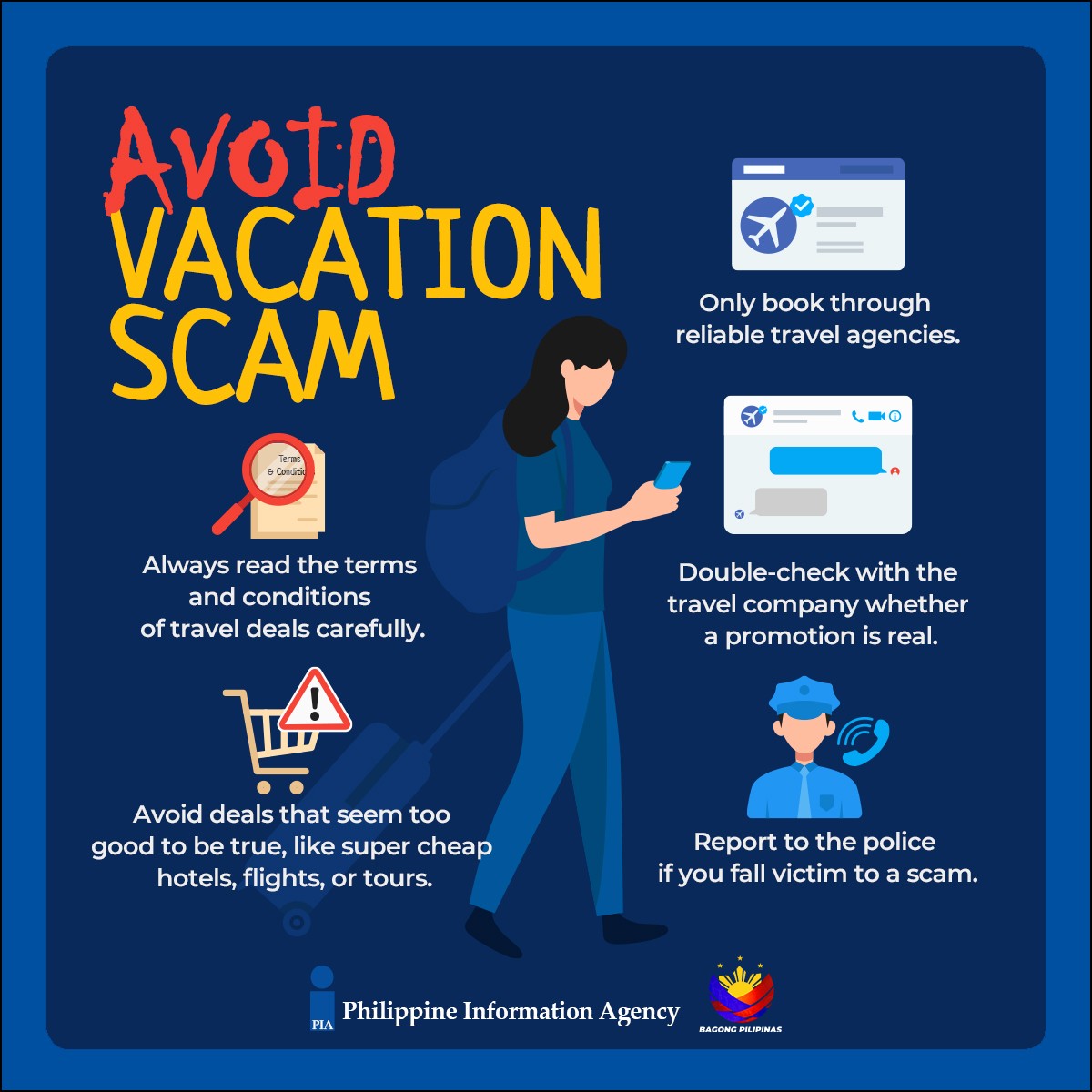
- Check the sender: Official Booking.com support messages will only come from the verified WhatsApp account @BookingComOfficial. Scammers may use similar usernames (e.g., @BookingComHelp) or spoofed numbers.
- Never click links: Hover over any URL in the message (without clicking) to check if it matches Booking.com’s official domain (booking.com). Scam links often redirect to suspicious domains like “booking-verification[.]com.”
- Log in separately: Open the Booking.com website or app independently and navigate to your account to check for genuine messages or reservations.
- Contact support directly: Use Booking.com’s official contact options:
- WhatsApp: Initiate a chat from within the Booking.com app (not via an unsolicited message).
- Phone: Call Booking.com’s verified customer service number (e.g., +31 20 703 1000 for international users).
- Email: Use the address listed on Booking.com’s official contact page.
- Report the scam: Forward suspicious messages to WhatsApp’s scam reporting tool and file a complaint with your local cybercrime authority (e.g., Action Fraud in the UK or IC3 in the U.S.).
If you’ve already shared payment details, contact your bank immediately to dispute unauthorized transactions. Booking.com does not request payment confirmation via WhatsApp messages.
Why This Scam Is So Effective—and How to Resist
The scam’s success stems from three psychological triggers:
- Authority: Booking.com is a trusted brand, and scammers exploit this by mimicking official communication channels.
- Urgency: Messages use deadlines (“24 hours,” “immediate action required”) to override rational thinking.
- Fear of loss: The threat of canceled reservations or lost payments taps into vacationers’ anxiety about financial risks.
Cybersecurity experts recommend enabling WhatsApp’s two-step verification and avoiding WhatsApp for financial transactions whenever possible. “Scammers count on victims not double-checking,” says Mickael Gendre, a cybersecurity analyst at McAfee. “A 30-second pause to verify could save thousands.”
What Booking.com Says—and What’s Next
Booking.com has not issued a public statement confirming the scam’s scale but has reiterated security warnings on its help center. In a statement to World Today Journal, a spokesperson said:
“Booking.com never sends unsolicited messages via WhatsApp or other platforms asking customers to confirm payment details or click on links. We encourage travelers to verify any unexpected messages through our official channels and report suspicious activity to us immediately.”
The company has also increased fraud alerts in its app, warning users about phishing attempts. Meanwhile, law enforcement agencies are tracking the scam’s origins, with authorities in the UK and the U.S. reporting clusters of reports.
Key Takeaways: Protect Yourself from Vacation Scams
- Never confirm payments via WhatsApp or text. Booking.com and other legitimate companies will never ask for payment details through unsolicited messages.
- Use official channels only. Log in to Booking.com’s website or app independently to check reservations or messages.
- Enable two-factor authentication. Add an extra layer of security to your accounts, especially for travel bookings.
- Report scams immediately. Forward messages to WhatsApp’s support and file complaints with your local cybercrime unit.
- Monitor your bank statements. If you’ve shared any details, contact your bank to freeze accounts or dispute charges.
What Happens Next: Tracking the Scammers
Law enforcement agencies are collaborating to trace the scam’s origins, with Europol and Interpol coordinating international efforts. The FBI’s IC3 has seen a 30% increase in travel-related fraud since 2022, and authorities are prioritizing cases involving WhatsApp and other encrypted platforms.
Booking.com is expected to release updated security guidelines in the coming weeks, potentially including AI-driven fraud detection in its app. In the meantime, travelers are advised to:
- Book directly through official websites or apps.
- Avoid sharing personal or financial details over messaging platforms.
- Use virtual private networks (VPNs) on public Wi-Fi to prevent data interception.
For further assistance, visit Booking.com’s official help center or report scams to your local cybercrime authority. If you’ve been targeted, share your experience in the comments below to help others stay alert.