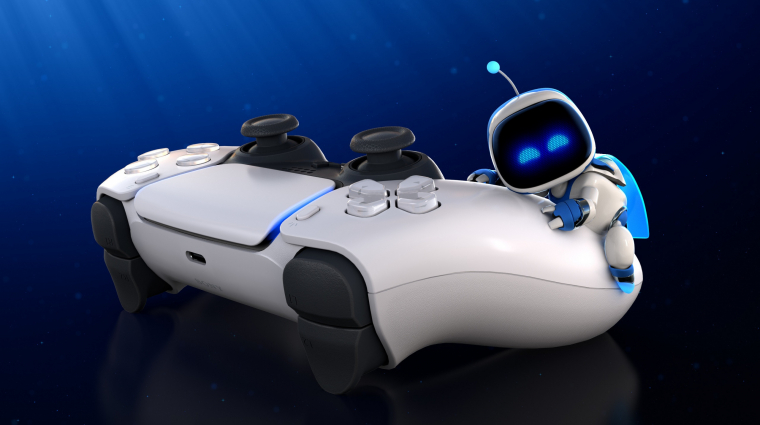
PlayStation 5 users are reporting instances of controller buttons becoming unresponsive or physically sticking during gameplay, a recurring issue that has prompted concerns regarding the long-term durability of the DualSense and DualSense Edge hardware. While Sony Interactive Entertainment has not issued a global recall for the hardware, consumer reports and independent teardowns suggest that mechanical wear—specifically concerning the conductive rubber membranes and internal spring mechanisms—remains a primary point of failure for many players.
The “sticky button” phenomenon, often characterized by a loss of tactile feedback or a failure of the button to return to its neutral position, typically manifests after prolonged use. According to the official PlayStation support documentation, users experiencing hardware malfunctions are directed to a series of troubleshooting steps, including resetting the controller or checking for debris, before considering professional repair services or warranty claims.
Understanding the Mechanical Causes of Controller Unresponsiveness
The internal architecture of the DualSense controller relies on precise mechanical tolerances to register input. Tech analysts and repair specialists, such as those documenting hardware repairs via platforms like iFixit, have identified that the primary cause of button sticking is often the accumulation of dust, skin oils, or debris within the button well. Over time, these particles can increase friction between the plastic button cap and the controller shell, causing the button to catch or “stiffen” during rapid input sequences.
Beyond external contamination, internal spring fatigue can also contribute to the issue. The DualSense utilizes a small, coiled spring within the button assembly to provide resistance and return force. If this spring loses its tension—a known risk in high-intensity gaming scenarios—the button may feel “mushy” or fail to register a full release. Sony’s warranty coverage generally addresses manufacturing defects, but users should be aware that accidental damage or standard wear and tear may fall outside the scope of free repair services, as outlined in the PlayStation hardware warranty terms.
Troubleshooting Steps for PlayStation 5 Owners
Before seeking professional repair or replacement, users can perform several maintenance tasks to mitigate button stiffness. The most effective method for cleaning involves using a small amount of high-percentage isopropyl alcohol (70% or higher) applied to a cotton swab. By gently cleaning around the edges of the affected button while the controller is powered off, users can often dissolve residue that causes friction.
It is important to avoid using excessive liquid, as internal electronics can be damaged by moisture ingress. If the button remains unresponsive after cleaning, a full hardware reset—performed by pressing the small pinhole button on the back of the controller for five seconds—may resolve software-related input delays. If these steps prove ineffective, consumers should consult the PlayStation online repair portal to determine if their specific device is still eligible for service under the standard one-year limited warranty.
Industry Context: The Challenge of Input Hardware Durability
The DualSense controller represents a significant shift in haptic technology, incorporating advanced adaptive triggers and voice coil actuators. This complexity, while enhancing immersion, increases the number of failure points compared to previous generations of gamepads. Industry observers note that the industry-wide trend toward miniaturized, high-density components has made modern controllers more susceptible to mechanical interference than their predecessors.
Sony’s introduction of the DualSense Edge, a pro-level controller with modular stick modules, serves as an acknowledgment of these durability concerns. By allowing users to replace the joystick modules independently, Sony has provided a pathway for longer hardware lifespans for at least part of the device. However, the face buttons on both standard and pro models remain integrated into the main chassis, meaning that a persistent button failure often requires a more involved repair process or a complete replacement of the unit.
As of late 2024, Sony has not announced any hardware revisions specifically targeting the button assembly mechanisms. Users are encouraged to document their controller issues with photos or video if they intend to file a formal warranty claim, as this evidence can expedite the support process when dealing with intermittent hardware faults. For updates on regional repair policies or potential service extensions, players should monitor the official PlayStation Blog for any future announcements regarding hardware support programs.
If you have experienced similar issues with your PlayStation 5 controller, we encourage you to share your findings in the comments section below. Community-driven data remains one of the most effective ways to track hardware trends and identify if specific production batches are more prone to these mechanical faults.
Worth a look