
The digital communication landscape is undergoing a subtle but nostalgic transformation. For a generation of internet users who grew up in the early 2000s, the concept of a persistent, organized contact list—complete with real-time status updates—is a core memory. Now, as WhatsApp continues to evolve its multi-device ecosystem, the messaging giant is introducing interface updates that feel strikingly reminiscent of the golden era of instant messaging.
Recent updates to the WhatsApp Web and desktop applications have focused on enhancing how users interact with their contact lists and manage presence. This shift toward a more robust, desktop-centric contact management experience is drawing comparisons to the legendary MSN Messenger, an era when “being online” was a central pillar of digital social life.
While WhatsApp has long been defined by its mobile-first, streamlined approach, the move toward a more detailed and accessible online contact list reflects a broader industry trend: the return of the desktop-heavy, productivity-focused chat client. As users increasingly rely on computers for work and long-form communication, the “mobile-only” simplicity of the past is being augmented by the structured utility of the desktop era.
The Nostalgia Factor: Revisiting the MSN Messenger Era
To understand why these updates are resonating with long-time tech enthusiasts, one must look back at the software that defined a decade of connectivity. MSN Messenger, which was later rebranded as Windows Live Messenger, was a dominant force in the instant-messaging market. Developed by Microsoft, the service was first released on July 22, 1999, and became a staple of digital interaction across various operating systems, including Windows, Mac OS X, and even mobile platforms like Symbian and BlackBerry OS.
At its peak, the service was a global phenomenon. In June 2009, Microsoft reported that the service attracted over 330 million active users each month, cementing its place among the most widely used instant-messaging clients in the world. The experience was centered around the “contact list”—a visual directory of friends and family that provided immediate feedback on who was available, away, or busy.
The era of the “status-driven” chat client eventually gave way to the mobile revolution. Following Microsoft’s acquisition of Skype Technologies in May 2011, the company began integrating interoperability between Skype and Microsoft accounts. However, the standalone MSN Messenger service was eventually discontinued in 2013 under the leadership of then-CEO Steve Ballmer, as Microsoft pivoted toward Skype and, eventually, Microsoft Teams.
The current evolution of WhatsApp’s interface—prioritizing a more visible and structured list of online contacts—effectively bridges the gap between the lightweight mobile experience and the feature-rich desktop environments of the past.
Why WhatsApp is Pivoting Toward Desktop Utility
The transition toward a more “MSN-like” contact experience is not merely an aesthetic choice; We see a strategic response to how modern users consume digital media. The modern messaging user is no longer tethered solely to a smartphone. With the rise of remote work and the “always-on” digital lifestyle, the desktop client has become a critical touchpoint.

By enhancing the visibility of the contact list and the ease of navigating through active conversations on the web and desktop, WhatsApp is addressing several key user needs:
- Increased Productivity: A structured contact list allows users to quickly scan for available contacts without the friction of scrolling through a singular, endless chat feed.
- Improved Presence Awareness: Much like the “Online/Away” statuses of the early 2000s, seeing who is currently active helps users decide when to initiate time-sensitive conversations.
- Multi-Device Fluidity: As WhatsApp expands its multi-device capabilities, the desktop experience must feel like a first-class citizen rather than a mere mirror of the mobile app.
This shift suggests that while the core of WhatsApp remains its end-to-end encrypted, mobile-centric messaging, its “peripheral” experiences—the Web and Desktop versions—are becoming more sophisticated, mimicking the robust utility of the classic desktop clients that preceded them.
Comparison: The Evolution of the Chat Client
The following table illustrates the functional shift from the era of dedicated desktop messengers to the modern, multi-platform approach used by services like WhatsApp today.
| Feature/Aspect | MSN Messenger Era | Modern Messaging (WhatsApp) |
|---|---|---|
| Primary Platform | Desktop (Windows/Mac) | Mobile-First / Multi-Device |
| User Interface Focus | Persistent Contact Lists & Status | Streamlined Chat Threads & Encryption |
| Core Connectivity | Desktop-to-Desktop | Mobile-to-Anywhere |
| Presence Indicators | Highly Granular (Busy, Away, etc.) | Simplified (Online/Last Seen) |
The Impact on Digital Social Habits
The return to a more organized contact-centric view has profound implications for how we perceive “digital presence.” In the early days of MSN, the contact list was a window into a social circle. You didn’t just send a message; you “checked in” on your friends. The visual cues of a list allowed for a form of passive social interaction that modern, feed-based social media has largely replaced with active, algorithmic consumption.
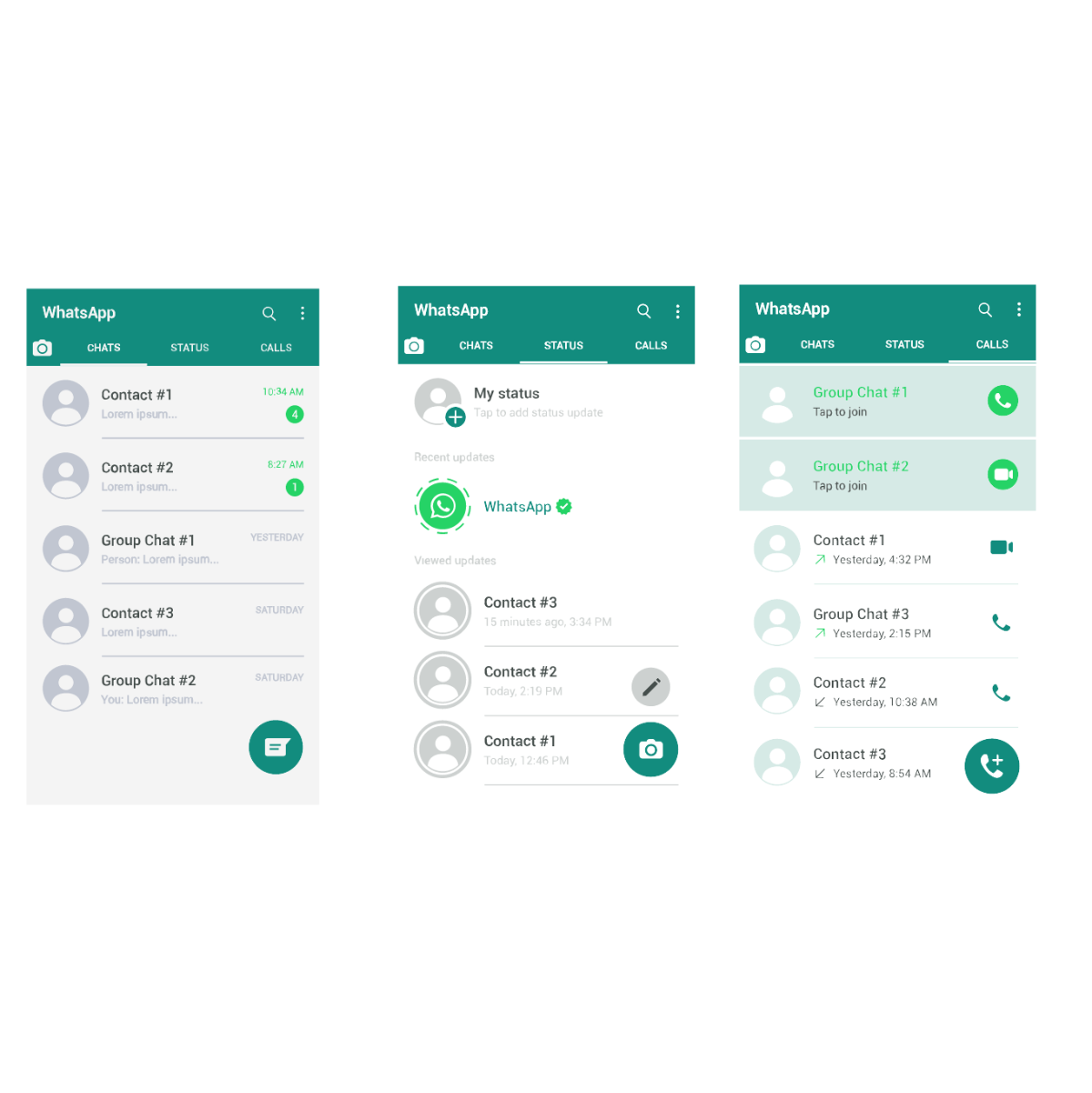
By reintegrating these elements, WhatsApp is catering to a desire for more intentional communication. Instead of being pulled into a “scroll” of content, users are being given the tools to engage directly with specific people. This mirrors the shift in consumer electronics and software trends where “utility” and “focus” are becoming as valuable as “engagement” and “distraction.”
this update helps WhatsApp compete in the growing “productivity messaging” space. As platforms like Slack and Microsoft Teams dominate the workplace, a more robust WhatsApp desktop experience allows the app to transition from a purely personal tool to a versatile communication platform that can handle both social and semi-professional interactions with greater ease.
Key Takeaways: What In other words for You
- Enhanced Navigation: Users should find it easier to locate specific contacts on WhatsApp Web and Desktop without excessive scrolling.
- Better Presence Awareness: The desktop interface is becoming more adept at showing who is currently online, facilitating faster communication.
- Desktop Parity: The gap between the mobile app and the desktop version is narrowing, making the desktop experience more powerful and independent.
- Nostalgic UI: The interface is adopting design philosophies that favor organization and visibility, reminiscent of classic clients like MSN Messenger.
As WhatsApp continues to roll out these updates globally, users may notice a gradual shift in their interface. These changes represent a maturation of the platform—moving from a simple mobile messenger to a comprehensive, multi-device communication suite that respects the diverse ways we connect in the modern age.
We will continue to monitor official updates from Meta regarding further interface rollouts and multi-device enhancements.
What do you think of the new WhatsApp interface? Does the desktop experience feel more intuitive to you, or do you prefer the simplicity of the mobile-only view? Let us know in the comments below and share this article with your tech-savvy friends!
Keep reading