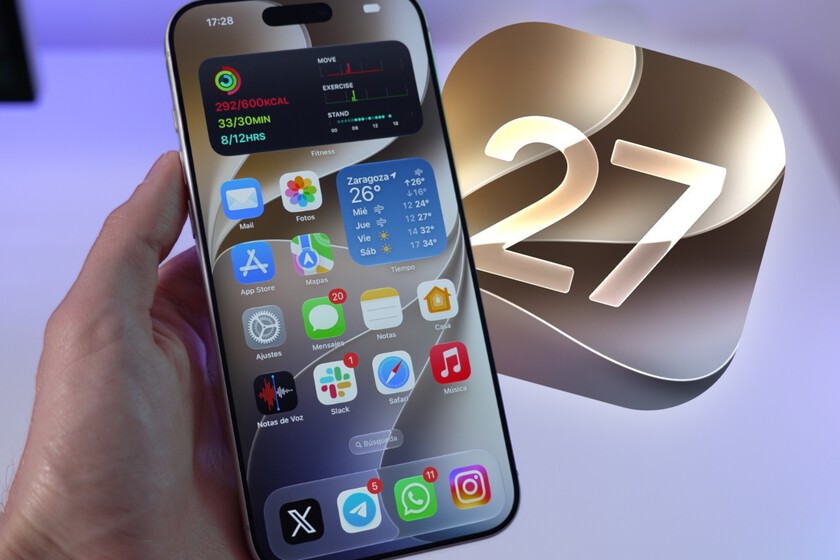
Apple has officially released the public beta versions of its latest operating systems, headlined by iOS 27, which introduces significant advancements in artificial intelligence integration through a redesigned Siri. Users can now enroll their eligible devices in the Apple Beta Software Program to access these features ahead of the general public release. The update represents a shift in how the company manages on-device processing and contextual awareness across its hardware ecosystem, including watchOS 27 and macOS 27.
As with any pre-release software, these builds are intended for testing purposes and may contain stability issues. Before installing, it is essential to back up your device using iCloud or a local machine to ensure your data remains secure should you choose to revert to a stable release. You can manage your enrollment and find official installation guides through the Apple Beta Software Program portal.
Evaluating Siri’s New AI Capabilities
The most prominent feature in the iOS 27 public beta is the integration of generative AI within Siri. Unlike previous versions, the assistant now demonstrates improved intent recognition and a deeper understanding of on-screen content. When testing this, users should focus on multi-step requests—tasks that previously required individual commands—to see how the system handles complex instructions without losing context.
This update relies heavily on the internal processing power of newer hardware. You can verify your device’s compatibility and current software status by navigating to Settings > General > Software Update on your iPhone.
Hardware Compatibility and System Requirements
Not every device capable of running the current operating system will support the full suite of new features. The rollout for iOS 27 focuses on hardware that can handle the increased computational load of the integrated AI models. If you are considering a transition to the beta, it is important to cross-reference your specific model number against the official list provided in the Apple support documentation, which details the cutoff points for legacy hardware support.
For those using wearable technology, watchOS 27 also introduces updates to the UI, mirroring the design language shifts seen on mobile. These changes prioritize glanceable information and better integration between the watch and the iPhone, particularly regarding health data synchronization. Similarly, the macOS 27 beta—often referred to in development circles by its internal codename—marks a continued transition away from legacy architectures, focusing on performance gains for Apple Silicon.
Key Areas for User Testing
If you have installed the beta, focusing your testing on these areas will provide the most insight into the system’s stability and feature set:
- Siri Context Awareness: Test how the assistant handles follow-up questions regarding emails, messages, or calendar events.
- Battery Performance: Monitor for abnormal drain, which is common in early beta cycles due to background indexing.
- Third-Party App Compatibility: Check your most frequently used apps for crashes or UI inconsistencies, as developers are still updating their code for these new APIs.
- New Design Elements: Evaluate the updated notification center and widgets, which have seen a significant visual overhaul to accommodate more dynamic information.
- AI-Powered Photo Editing: Explore the new tools in the Photos app that utilize on-device intelligence to suggest edits or identify objects in images.
What Happens Next
The beta process is iterative. Apple typically releases incremental updates every two to three weeks, addressing bugs reported by the public and refining the performance of new features. Users who encounter specific issues are encouraged to use the “Feedback Assistant” app, which is pre-installed on all beta builds, to send diagnostics directly to engineering teams.
The next major checkpoint for these operating systems will be the release of “Release Candidate” (RC) builds, which occur shortly before the software is finalized for the general public. Until then, ensure your device remains connected to Wi-Fi for automatic over-the-air updates. We will continue to track the stability and feature evolution of these builds as they move toward their final release later this year.
Have you installed the public beta on your device? Share your experiences with the new Siri features or any performance notes in the comments below.
Worth a look