
For years, power users, gamers, and creative professionals have engaged in a frustrating game of “driver whack-a-mole” with Windows. The scenario is familiar: a user manually installs the latest graphics driver from Nvidia, AMD, or Intel to unlock a performance boost or fix a bug in a new game, only to find that a few days later, Windows Update has silently reverted the system to an older, “certified” version of the driver.
This phenomenon, known as driver downgrading, has long been a point of contention within the PC community. It often results in an immediate loss of performance, the reappearance of previously patched bugs, and the removal of newest feature sets provided by hardware manufacturers. Microsoft has now confirmed that Windows Update does indeed downgrade GPU drivers in certain circumstances and is working on a system to mitigate the issue.
The company is developing a partial fix designed to reduce the frequency of these unexpected rollbacks, particularly on newer hardware. The core of the solution involves a shift in how the operating system identifies and prioritizes drivers, moving toward a system that utilizes multiple hardware IDs to better distinguish between generic manufacturer drivers and specific OEM-certified versions.
The Mechanics of the Driver Downgrade
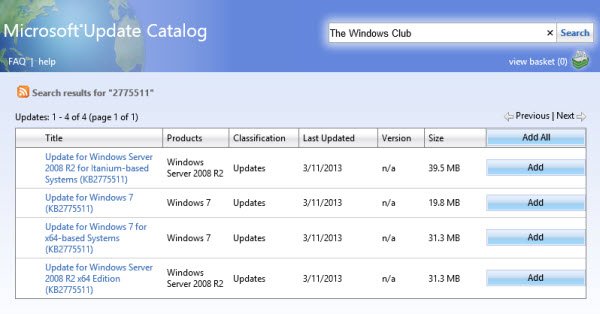
To understand why this happens, it is necessary to look at how Windows manages hardware. When a computer boots or a new device is connected, Windows uses a set of Hardware IDs to find a compatible driver. For many laptops and pre-built desktops, Original Equipment Manufacturers (OEMs) provide “certified” drivers that have been tested specifically for that exact machine configuration. These drivers are uploaded to the Windows Update Catalog.
The conflict arises because Windows Update often prioritizes these OEM-certified drivers over the “generic” drivers provided directly by the chipmaker (such as those downloaded from an Nvidia or AMD website). Even if the chipmaker’s driver is significantly newer and offers better performance, Windows Update may view the older OEM driver as the “correct” or “most stable” match for that specific hardware ID, triggering an automatic overwrite.
This creates a paradoxical experience for users: the very system designed to keep their computer current is actively pushing them toward obsolete software. For those utilizing high-end GPUs for 4K rendering or competitive gaming, even a few versions of a driver can mean the difference between a stable experience and frequent system crashes.
How the New Multiple ID System Works
Microsoft’s proposed fix centers on refining the identification process. By implementing a system that leverages multiple IDs, the operating system aims to create a more nuanced hierarchy of driver selection. Instead of a binary choice between “OEM” and “Generic,” the system will be better equipped to recognize when a user-installed driver is more recent and appropriate than the one hosted in the Windows Update Catalog.
This approach allows Windows to maintain the safety net of having a certified driver available if something goes wrong, while reducing the likelihood that the system will aggressively overwrite a newer, functioning driver. While Microsoft has described this as a partial fix, it represents a significant shift in policy toward respecting user-initiated driver installations.
The goal is to ensure that the “certified” status of a driver does not automatically override the “version” status. In the current logic, certification often outweighs the version number. the new system intends to balance these two factors more effectively.
Impact on Gamers and Professional Creators
The impact of driver downgrades is most acutely felt by those who rely on “Game Ready” or “Studio” drivers. Hardware manufacturers frequently release day-one updates for major software launches or AAA game releases. When Windows Update reverts these to a version from several months prior, users often experience significant frame rate drops or “stuttering” that was solved in the newer release.
For professional creators using software like Adobe Premiere Pro or DaVinci Resolve, driver stability is paramount. A silent downgrade can introduce instability in GPU-accelerated rendering pipelines, leading to application crashes during critical project exports. By reducing these automatic rollbacks, Microsoft is effectively improving the reliability of the Windows ecosystem for its most demanding users.
this move acknowledges a growing trend in the PC market where users are more comfortable managing their own hardware optimization. The shift toward a more flexible driver policy reflects a broader understanding that “stability” is not a one-size-fits-all metric, especially for hardware that evolves as rapidly as GPUs.
Managing Your Drivers Until the Fix Arrives
Because the fix is expected to roll out later this year, many users will still face this issue in the short term. There are several established methods to prevent Windows Update from overriding GPU drivers, though they vary in complexity.
One common approach is the use of the “Device Installation Settings” panel in the Control Panel. By navigating to System Properties, users can instruct Windows to not automatically download manufacturers’ apps and drivers for this device. However, this is a global setting and may prevent other necessary hardware updates from installing.
More advanced users often employ third-party tools or Group Policy Editor (on Windows Pro and Enterprise versions) to block specific hardware IDs from being updated via Windows Update. This allows the user to keep their network and chipset drivers updated while locking the GPU driver to the version they manually installed.
For those who notice a sudden drop in performance, the first step should always be to check the Device Manager. If the driver version has changed without the user’s knowledge, the “Roll Back Driver” feature can sometimes restore the previous version, although a clean re-installation from the manufacturer’s website is generally the most reliable path.
What Happens Next
Microsoft has indicated that the updates to the driver identification system will begin appearing in subsequent Windows updates later this year. While the company has not provided a specific date for the rollout, the fix is expected to be integrated into the standard update cycle for Windows 11.
Industry analysts expect that this move will put pressure on other OS components to adopt similar “user-first” update logic. As hardware becomes more specialized—particularly with the rise of AI-accelerated NPUs (Neural Processing Units)—the ability for users to maintain the latest specialized drivers without OS interference will become even more critical.
The next major checkpoint for users will be the upcoming cumulative updates, where the new ID-based logic is expected to be deployed. Once implemented, the frequency of reported “silent downgrades” should decrease significantly, particularly for users of the latest generation of graphics hardware.
Do you frequently deal with Windows Update overriding your GPU drivers? Share your experience and the workarounds you use in the comments below.
Worth a look