
Microsoft has expanded the functionality of its Phone Link application to include support for Apple Messages on Windows, enabling iPhone users to send and receive iMessages and SMS texts directly from their PC. This integration allows users to maintain communication across devices without needing to reach for their phone, provided they meet specific system requirements and pairing configurations. According to official Microsoft support documentation, this feature facilitates messaging through a Bluetooth connection between a Windows PC and an iPhone, ensuring that communication remains synced with the user’s mobile device.
For users looking to utilize this capability, the setup process requires the Phone Link app on a Windows 11 PC and the Link to Windows app on an iPhone running iOS 16 or higher. The connection is established by scanning a QR code within the Phone Link interface, which guides the user through the necessary Bluetooth pairing and permission settings. Once paired, users can enable features such as message notifications and contact syncing directly through the Bluetooth settings menu on their iPhone.
Understanding the Functional Limitations
While the integration provides a convenient way to handle individual text conversations, the current implementation has distinct limitations. Users should be aware that Phone Link does not support group chats, nor does it allow for the sending or receiving of attachments, photos, or GIFs. In the messaging interface, only emojis are supported for outgoing communication. Furthermore, the app does not provide full access to a user’s entire message history; instead, it displays a limited selection of recent conversations and suggested contacts.
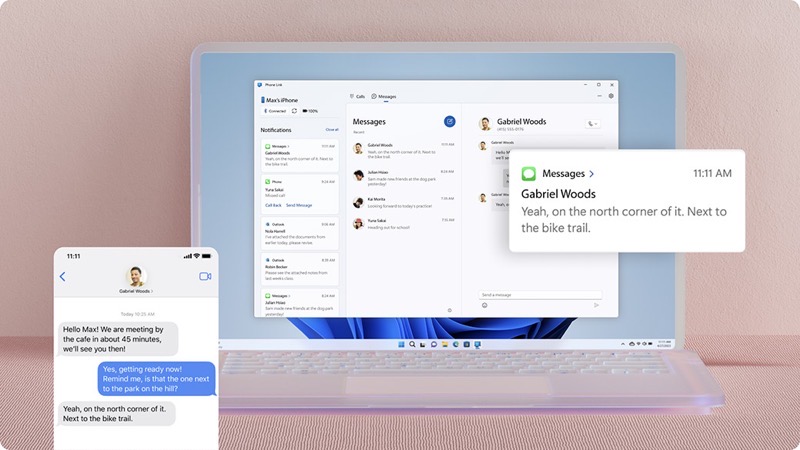
Because the connection relies on Bluetooth rather than cloud-based server routing, the integration does not interfere with the end-to-end encryption protocols used by Apple Messages. Messages sent or received via the PC interface are also reflected on the iPhone, allowing for a degree of continuity when switching devices. Despite these benefits, the current feature set is primarily designed for one-on-one text communication during work hours, rather than as a comprehensive replacement for the full messaging experience found on an iPhone.
Managing Your Messaging Settings
If you choose to enable messaging features during the initial setup, you can manage these permissions at any time within the Phone Link settings. By navigating to Settings > Features > Messages, users can toggle specific options on or off, including the ability to show text messages, send or receive MMS attachments, and control how those attachments are downloaded. Additional settings allow for the customization of notification banners and taskbar badges, providing a tailored experience for managing alerts on a Windows desktop.
For those who may have skipped the message permission prompts during the initial pairing, these settings can be enabled manually at any point. By visiting the Bluetooth settings on the iPhone and selecting the specific PC from the list of connected devices, users can toggle the “Show Notifications” and “Sync Contacts” options to ensure the connection remains active and functional.
Future Updates and Support
Microsoft continues to refine the Phone Link experience, though the company has also signaled changes to its broader messaging ecosystem. As of April 2025, Microsoft Teams will no longer support sending and receiving SMS messages from Android devices, as noted in the latest support guidance. However, this change does not impact the messaging features available through Phone Link, which remains the primary vehicle for cross-device text support on Windows. Users encountering difficulties with connectivity or message synchronization are encouraged to consult the official Microsoft troubleshooting resources available through their support portal.
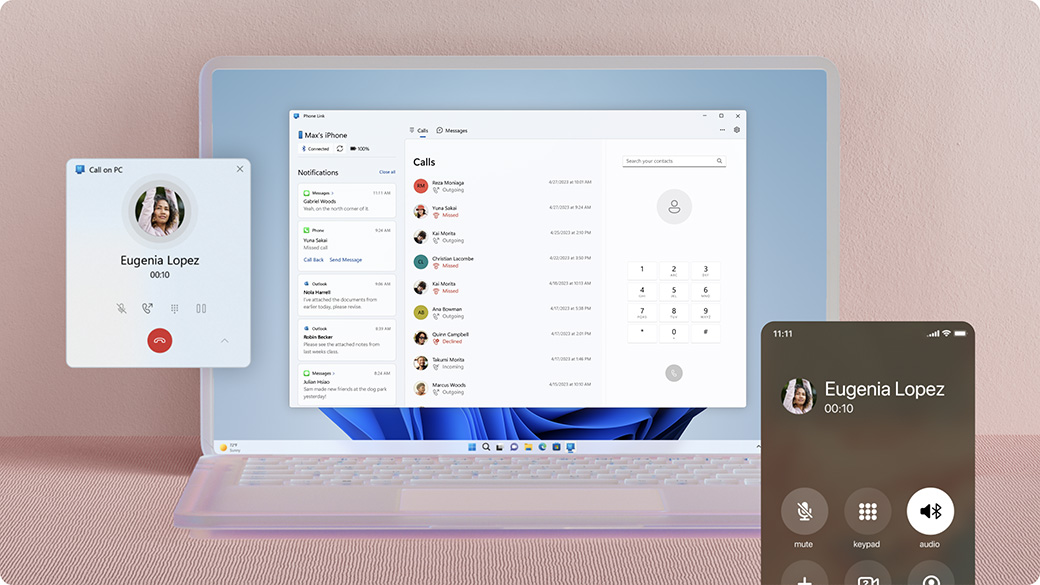
As of June 8, 2026, there are no further official announcements regarding upcoming expansions to the iPhone messaging feature set. Users interested in the latest software updates should monitor the Microsoft Store for version changes to the Phone Link application. We invite readers to share their experiences with this integration in the comments section below.