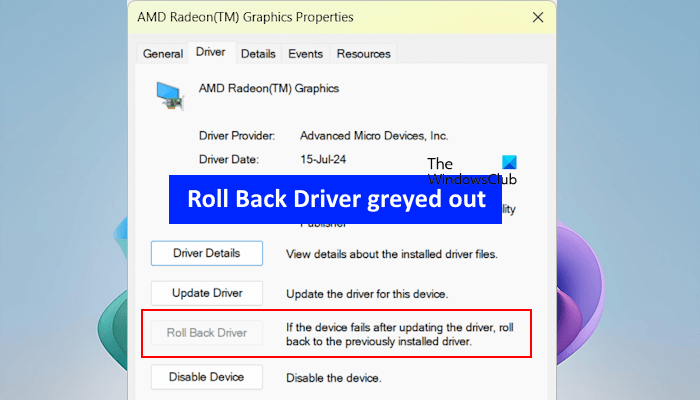
For millions of Windows users, the experience of a system crash or a malfunctioning peripheral often traces back to a single culprit: a bad driver update. Traditionally, fixing these issues required a level of technical comfort that many users lack, involving manual trips to the Device Manager or the stressful navigation of “Safe Mode” to revert a system to a working state.
Microsoft is moving to eliminate this friction with the introduction of Cloud-Initiated Driver Recovery (CIDR). This new capability allows Microsoft to remotely roll back a problematic driver to a previously known good version on affected PCs, effectively undoing a faulty update without requiring any action from the end user or intervention from the Original Equipment Manufacturer (OEM).
The rollout of CIDR represents a significant shift in how Windows manages system stability. By moving the recovery trigger from the local machine to the cloud, Microsoft can address widespread driver failures in near real-time, reducing the window of instability for users and decreasing the burden on IT help desks globally.
Inside the Cloud-Initiated Driver Recovery Process
The technical architecture of CIDR is designed to integrate seamlessly with the existing Windows ecosystem. According to details shared on the Microsoft Tech Community blog, the recovery process is initiated by a Windows developer who triggers a “recovery action directly from the Hardware Dev Center (HDC) Driver Shiproom.”

Once a driver is flagged as problematic, the system utilizes the existing Windows Update pipeline to deliver the previous, stable version of the driver to the affected machines. This represents not a haphazard replacement; Microsoft notes that the process is “handled through coordinated updates to the PnP driver stack and the driver flighting and publishing services.”
The “PnP” refers to Plug and Play, the standard that allows the operating system to recognize and configure hardware automatically. By coordinating the recovery through the PnP driver stack, Microsoft ensures that the rollback is handled at a fundamental system level, minimizing the risk of further corruption during the recovery process.
Crucially, the implementation of CIDR does not require the installation of new software. Microsoft has stated that “recovery is delivered through the existing Windows Update infrastructure — no new client agent or partner tooling is required.” This ensures that the feature can be deployed across a vast array of hardware configurations without adding overhead to the system’s resource usage.
Why Remote Rollbacks Matter for System Stability
To understand the impact of Cloud-Initiated Driver Recovery, the historical volatility of driver updates. Drivers act as the translator between the operating system and the hardware; when that translation fails, the result is often a “Blue Screen of Death” (BSOD), loss of internet connectivity, or unresponsive input devices.

In the past, when a buggy driver bypassed testing and reached the general public, the solution was reactive. Users had to wait for a new patch to be released or manually intervene to roll back the driver. As noted by Tom’s Hardware, a bad driver often forced users to manually intervene or remain stuck with a “low-quality driver for an extended period.”
CIDR changes this dynamic from reactive to proactive. By centralizing the recovery trigger in the Hardware Dev Center, Microsoft can essentially “recall” a digital component as soon as a trend of failures is identified. This is particularly vital for enterprise environments where a single bad driver update can incapacitate thousands of workstations, leading to massive productivity losses.
Scope and Limitations of the New Feature
While CIDR is a powerful tool for maintaining system health, This proves not a universal fix for all driver-related issues. The most significant limitation is its scope: Cloud-Initiated Driver Recovery will only work with drivers that are distributed via Windows Update.
Many power users and gamers prefer to download drivers directly from a manufacturer’s website (such as NVIDIA, AMD, or Intel) or use proprietary update software provided by the OEM. Because these drivers bypass the Windows Update pipeline, they fall outside the reach of the CIDR mechanism. If a driver installed manually causes a system crash, the user will still need to employ traditional manual rollback methods.
the effectiveness of the system relies on the “known-good” version being available in the cloud repository. If a driver is faulty from its exceptionally first release, there may be no previous stable version to roll back to, requiring a traditional fix-and-patch cycle rather than a remote recovery.
Key Takeaways: Cloud-Initiated Driver Recovery
- Automated Fixes: Microsoft can remotely revert faulty drivers to stable versions without user input.
- Infrastructure: Uses the existing Windows Update pipeline and PnP driver stack; no new software is required.
- Control Center: Recovery is triggered via the Hardware Dev Center (HDC) Driver Shiproom.
- Primary Limitation: Only applies to drivers delivered through Windows Update, not those installed manually from OEM sites.
- Goal: To reduce system downtime and eliminate the need for manual “Safe Mode” rollbacks.
As Microsoft continues to refine the Windows experience, the move toward “self-healing” operating systems becomes more evident. By automating the recovery of critical system components, the company is reducing the technical barrier for the average user to maintain a stable machine.
The next step for users is to ensure their systems are up to date, as this infrastructure is integrated into the standard Windows Update cycle. There is currently no manual “opt-in” for CIDR; it is a backend service designed to operate invisibly in the background.
Do you think automated rollbacks will solve the frustration of Windows Update bugs, or do you prefer having manual control over your drivers? Share your thoughts in the comments below.