
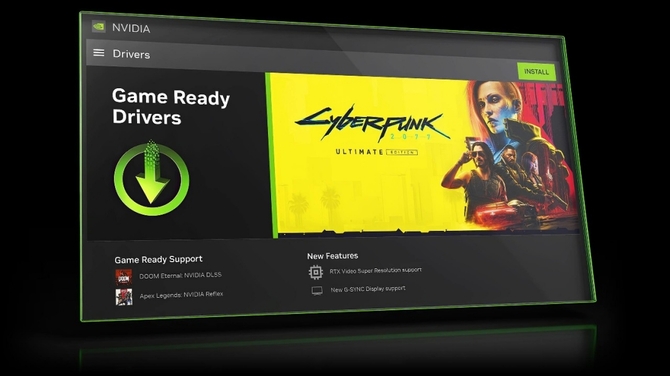
For two decades, the NVIDIA Control Panel has served as the command center for millions of PC users, providing the essential interface to manage graphics settings, display configurations, and performance profiles. However, as the computing landscape shifts toward more integrated, AI-driven software environments, the legacy utility is being phased out in favor of a modernized, unified experience. This transition marks a significant evolution in how users interact with their hardware, moving away from fragmented tools toward a centralized hub designed for the current era of high-performance computing.
The consolidation of these features into the new, standalone NVIDIA app represents a strategic effort to streamline the user experience. By merging the functionalities of the traditional Control Panel, GeForce Experience, and RTX Experience into one interface, the company is aiming to reduce the overhead associated with managing multiple software layers. This change is not merely aesthetic; it reflects a broader industry trend where hardware manufacturers are prioritizing software accessibility and ease of use to support increasingly complex enterprise and consumer AI workloads.
A Shift Toward Unified Software Architecture
The transition away from the legacy Control Panel is part of a larger roadmap to modernize the software suite that supports NVIDIA’s extensive range of graphics processing units. For years, the Control Panel functioned as a traditional Windows-style application, often criticized for its dated interface and lack of intuitive navigation. In contrast, the modern NVIDIA app is built with a focus on responsiveness, faster load times, and a simplified login process that does not mandate a user account for basic driver updates or core settings.
As the company continues to maintain its leadership in the semiconductor industry, with a market presence that includes high-performance computing and data center solutions, the necessity for a streamlined management tool has grown. The integration of features such as GPU tuning, game optimization, and performance monitoring into a single, cohesive dashboard allows both casual gamers and professionals to manage their systems more efficiently. This evolution aligns with the company’s broader mission to provide scalable solutions across the cloud, data center, and edge computing environments.
What This Means for Daily Users
For the average user, the migration of settings from the legacy Control Panel to the new application is designed to be a transparent process. Most of the granular controls—such as vertical sync, texture filtering, and power management settings—are being migrated into the “Graphics” tab of the new app. The goal is to ensure that users do not lose access to their preferred configurations while benefiting from a cleaner, more modern design language.

While the transition is mandatory for those seeking the latest features and driver optimizations, the company has emphasized that the new application is backward compatible with the vast majority of existing hardware configurations. Users who have grown accustomed to the classic interface may experience a brief learning curve, but the consolidation is expected to eliminate the common frustration of navigating between disparate software windows to achieve desired performance outcomes.
Key Takeaways: Navigating the Change
- Unified Interface: The new NVIDIA app replaces the need for multiple, separate software utilities by housing all core settings in one location.
- Performance Optimization: Features previously scattered across GeForce Experience and the legacy Control Panel are now integrated, allowing for quicker access to driver updates and game-specific settings.
- Simplified Access: The shift toward a modern interface is designed to improve usability and reduce the technical barrier for managing high-performance graphics hardware.
- Ongoing Support: As the legacy Control Panel is phased out, users are encouraged to download the official application to maintain compatibility with the latest graphics drivers and performance enhancements.
Looking Ahead: The Future of Hardware Management
The retirement of the legacy Control Panel is a clear indicator of the company’s commitment to evolving its software ecosystem alongside its hardware innovations. As we move further into 2026, the focus remains on providing tools that can handle the demands of modern gaming, creative workflows, and artificial intelligence applications. The move to a unified application is likely just one step in a broader strategy to simplify the user experience as hardware becomes increasingly powerful, and integrated.

For users concerned about the timeline of these changes, it is recommended to keep an eye on official support channels for the latest deployment updates. As NVIDIA continues to refine its software, the new app will likely receive frequent updates to incorporate user feedback and introduce new functionality. We invite our readers to share their thoughts on this transition—how has the new app improved your workflow, or are there legacy features you feel are missing? Let us know in the comments section below.