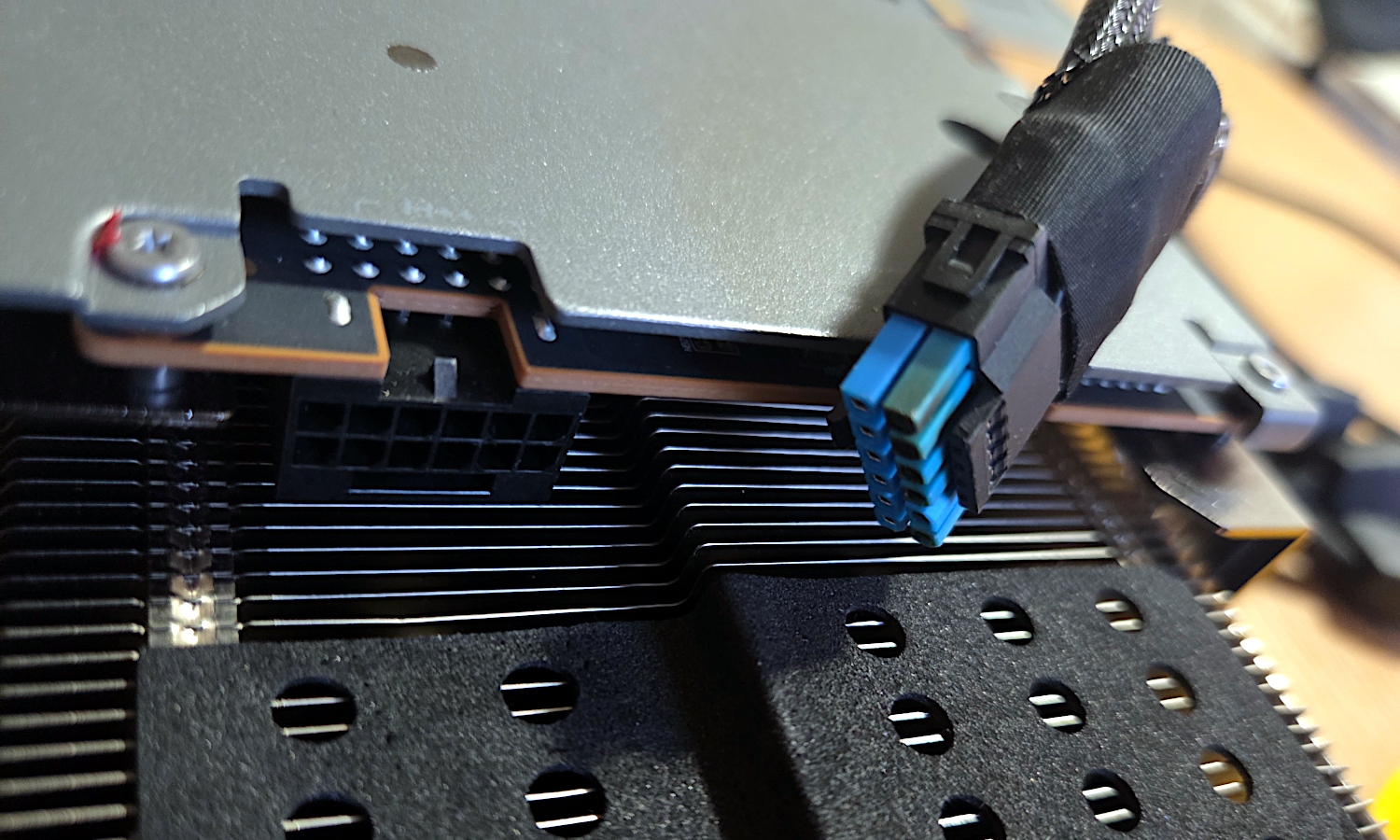
Hardware enthusiasts are reporting recurring instances of melting power connectors on high-end graphics cards, sparking concerns over the long-term reliability of the 12VHPWR and newer 12V-2×6 power standards. Users have documented cases where cables connected to flagship GPUs, such as the NVIDIA GeForce RTX 4090 and the newer RTX 5090, have sustained thermal damage despite the use of third-party adapters and routine physical inspections.
The issue of melting power connectors has become a focal point for the PC building community, particularly as power demands for high-performance graphics hardware continue to rise. According to reports from technical analysis outlets, even components equipped with supposedly improved connectors—designed to mitigate the failure points identified in earlier iterations of the 12VHPWR standard—are showing signs of thermal degradation. These incidents often place users in a difficult position regarding warranty claims, as retailers and manufacturers frequently dispute the cause of the damage, sometimes attributing it to improper seating of the connector rather than a hardware defect.
Understanding the 12VHPWR and 12V-2×6 Standards
The transition to the 12VHPWR (12-volt high-power) connector was intended to streamline power delivery for high-wattage graphics cards, allowing for a single cable to provide up to 600 watts of power. However, the standard has faced scrutiny since its introduction with the GeForce RTX 40-series. The subsequent 12V-2×6 connector was introduced as an evolution of the design, featuring recessed sense pins intended to ensure that the card does not draw full power unless the cable is fully and securely seated.
Despite these engineering adjustments, reports persist of connectors melting under load. Independent investigations, such as those conducted by Igor’s Lab, have historically pointed to a combination of factors, including high contact resistance caused by insufficient insertion depth and the physical stress placed on the cable at the point of connection. When a cable is not fully inserted, the increased resistance generates excessive heat, which can soften the plastic housing and eventually cause the pins to arc or fail.
Challenges in Warranty and Consumer Support
For many users, the failure of a power connector leads to a prolonged dispute with retailers over the terms of the warranty. Because the damage often presents as physical melting, retailers may categorize the failure as “customer-induced damage” or “improper handling” rather than a manufacturing defect. This designation can effectively void the warranty, leaving the consumer responsible for the cost of repair or replacement.
To protect their hardware, many users now utilize third-party adapters or specialized power bridges. However, even these components are not immune to failure. Reports from users on platforms like Reddit indicate that even when utilizing high-quality, aftermarket power bridges, thermal damage can occur if the connection remains compromised. It is essential for users to recognize that neither official cables nor third-party solutions currently offer a 100% guarantee against thermal failure if the installation does not meet the manufacturer’s strict mechanical tolerances.
Best Practices for Preventing Connector Failure
While the industry continues to debate the long-term viability of these power standards, hardware experts offer several recommendations to reduce the risk of connector failure during daily operation:
- Verify Insertion Depth: Ensure the connector is pushed firmly into the socket until a distinct “click” is felt. There should be no visible gap between the plug and the socket.
- Avoid Sharp Bends: Cables should not be bent immediately upon exiting the connector. Manufacturers typically recommend a straight run of at least 35mm to 40mm before bending the cable to relieve stress on the pins.
- Periodic Inspection: Regularly check the connection for any signs of discoloration, warping, or loose fit, especially after moving or cleaning the PC case.
- Avoid Excessive Tension: Ensure the weight of the cable is supported and not pulling on the connector at an angle, as tension can shift the pins over time.
The official guidance from NVIDIA regarding the 12VHPWR adapter emphasizes that users must ensure the connector is fully plugged in to prevent overheating. Following these guidelines is critical for maintaining the integrity of the power delivery system.
What Happens Next for GPU Power Standards
As the industry moves forward, the adoption of the 12V-2×6 standard is expected to become more widespread. Whether this revision will permanently resolve the thermal issues associated with high-wattage delivery remains to be seen. Industry bodies such as the PCI-SIG, which manages the specifications for these connectors, continue to monitor feedback from the field. For the consumer, the current environment necessitates a high degree of diligence during the assembly and maintenance of high-end gaming systems.

If you have experienced issues with your graphics card power connector, it is recommended to document the condition of the hardware with high-resolution photographs before attempting any cleaning or removal. Keeping detailed records of your installation process and the specific power supply components used may be necessary should you need to escalate a warranty claim with your retailer or the GPU manufacturer.
Have you encountered issues with your GPU power cables, or do you have a specific method for ensuring a secure connection? Share your experiences in the comments below to help the community identify trends in hardware reliability.
Keep reading