
NVIDIA has issued a series of critical security updates addressing multiple vulnerabilities discovered in its GPU display drivers for both Windows and Linux operating systems. These patches are essential for maintaining the integrity of local hardware and protecting user data from unauthorized access. As cybersecurity threats evolve, keeping system drivers current has become a fundamental component of proactive digital hygiene, particularly for users managing high-performance computing environments.
The latest security bulletin identifies a collection of vulnerabilities that, if left unpatched, could potentially allow malicious actors to perform a range of unauthorized actions on a victim’s computer. According to the official NVIDIA Product Security page, these security gaps—which vary in severity—can lead to privilege escalation, arbitrary code execution, or denial-of-service conditions. For users who rely on their machines for sensitive data processing or professional development, these updates are not merely performance optimizations; they are mandatory security measures.
Understanding the Scope of the Vulnerabilities
The vulnerabilities documented by NVIDIA affect a wide range of hardware, spanning several generations of GeForce, Quadro, and NVS graphics cards. When a driver contains a security flaw, the risk is often linked to the way the software interacts with the operating system kernel. By exploiting these weaknesses, an attacker might theoretically gain administrative-level access, which effectively compromises the entire system’s security perimeter. This is why the company strongly advises users to move to the latest driver versions as soon as possible.

The impact of these security flaws is broad, affecting both Windows and Linux users. On Windows, the vulnerabilities are primarily addressed through the latest Game Ready and Studio driver releases. For Linux users, the updates are delivered through the proprietary driver packages that maintain compatibility with the Linux kernel and various distribution architectures. Because the driver operates at a low level within the software stack, the potential for exploitation exists regardless of the user’s specific hardware configuration, provided they are using a driver version identified as vulnerable.
How to Secure Your System
For most users, the process of securing their machine is straightforward. NVIDIA maintains a centralized official driver download portal where users can select their specific GPU model and operating system to retrieve the latest, secure versions. Alternatively, those utilizing the GeForce Experience software or the more recent NVIDIA App will typically receive prompts to update their drivers automatically.
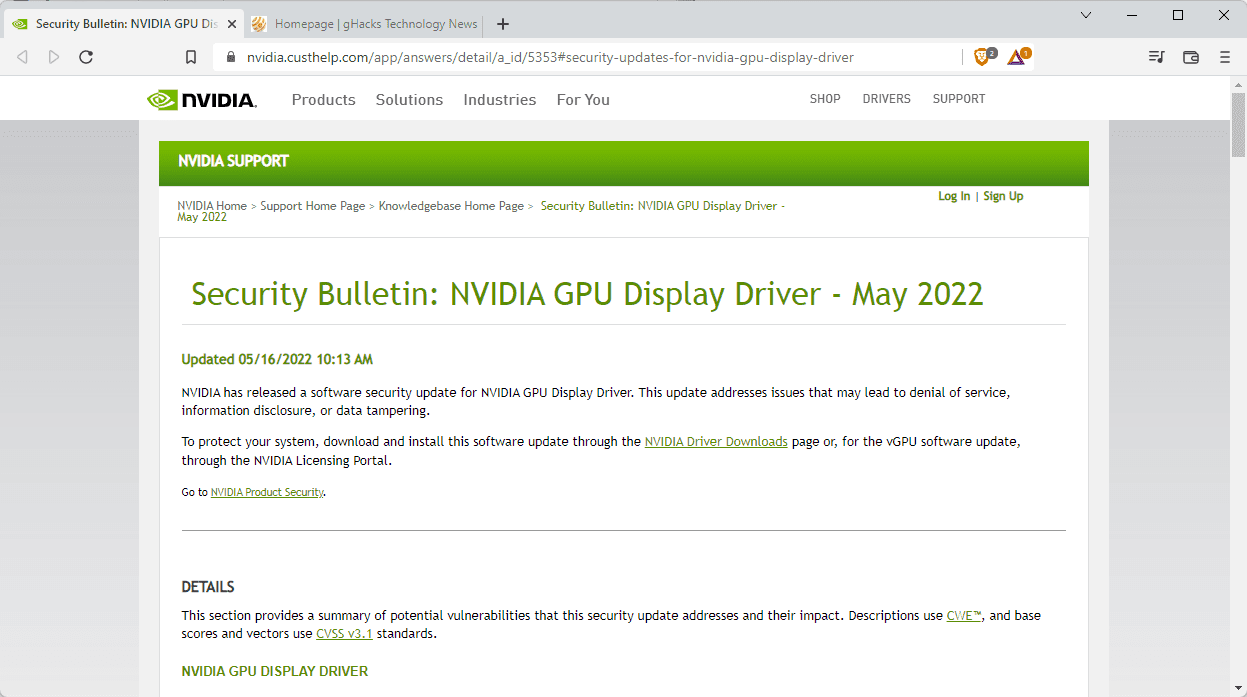
If you are unsure whether your system is protected, you can verify your currently installed driver version through the NVIDIA Control Panel or the system settings menu in your respective OS. The following steps are recommended for all users:
- Check your current version: Open the NVIDIA Control Panel and select “System Information” from the help menu to view the driver version string.
- Download the latest update: Navigate to the official driver repository to ensure you are downloading from a verified source.
- Perform a clean installation: During the installation process, selecting the “Perform a clean installation” option can help remove residual files from older, insecure drivers.
- Enable automatic updates: Ensure that your management software is configured to check for updates regularly to minimize the window of exposure to newly discovered threats.
The Importance of Driver Maintenance
While many users associate driver updates primarily with gaming performance—such as frame rate improvements or support for new titles—the security aspect is equally critical. In the modern era of computing, the GPU is no longer just a graphics renderer; We see a powerful processor utilized for AI acceleration, video encoding, and complex data visualization. The attack surface of GPU drivers has grown significantly.
By regularly patching these vulnerabilities, NVIDIA works to close the gaps that could be exploited by sophisticated malware or remote access tools. Staying informed via the NVIDIA Security Bulletin archive is a recommended practice for system administrators and power users who need to maintain a secure technical environment. If you operate in a professional or enterprise capacity, ensure that your IT department has reviewed the latest security advisories to deploy these updates across your network systematically.
For further information on specific vulnerability identifiers (CVEs) and the exact impact on your hardware, please refer to the official security documentation provided by the manufacturer. Security remains an ongoing process, and these updates represent the latest checkpoint in the continuous effort to protect users from emerging digital risks. We encourage readers to check their system drivers today and share this guidance with others to ensure collective digital safety. Comments and questions regarding your experience with the update process are welcome below.
Related reading