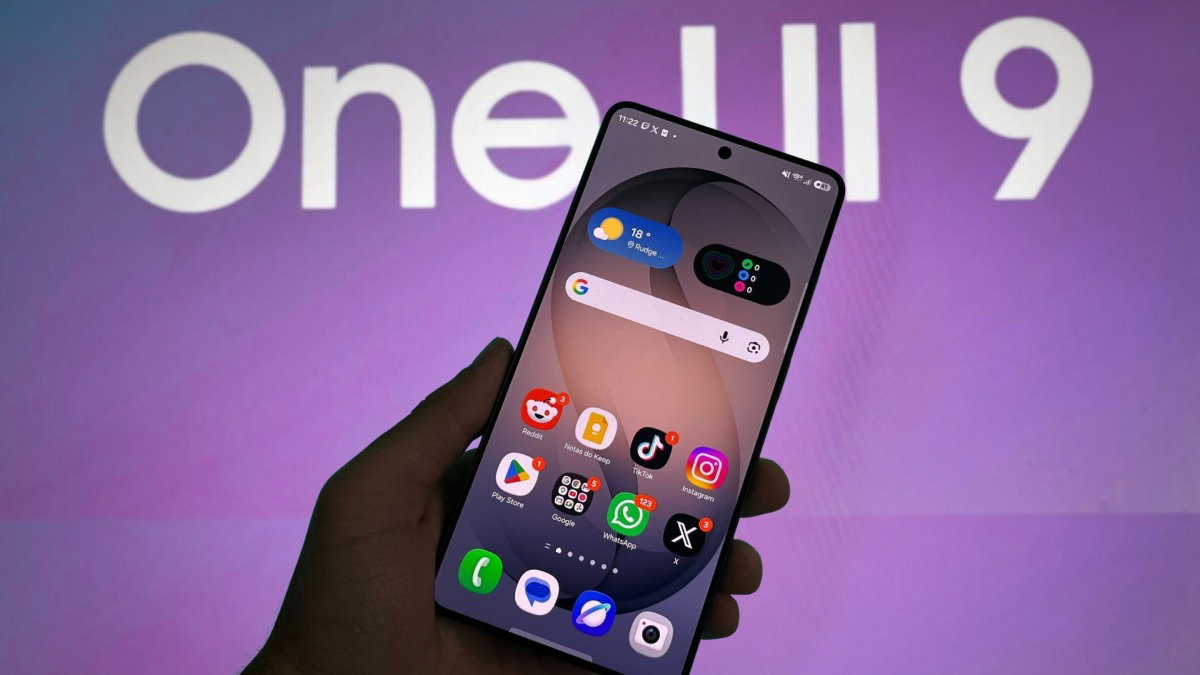
Samsung is preparing to roll out One UI 9, a major software update that introduces a fundamentally different approach to mobile notifications. Unlike previous iterations that focused primarily on aesthetic refinements and minor functional tweaks, One UI 9 prioritizes notification visibility and urgency, employing artificial intelligence to dynamically assess which alerts warrant immediate attention. This marks a deliberate shift toward making critical notifications harder to ignore—a feature that could significantly alter how users engage with their devices.
The update builds on Samsung’s long-standing commitment to refining its user interface, but One UI 9 represents the most substantial change to the notification system since the introduction of One UI 3.1 in 2020. With smartphone users receiving an average of 46 notifications per day, according to a 2025 study by Statista, Samsung is addressing a growing challenge: how to ensure important messages stand out without overwhelming users.
While Samsung has not yet announced an official release date for One UI 9, industry insiders and early beta testers suggest the update will debut in the third quarter of 2026, initially targeting flagship devices like the Galaxy S24 series and Galaxy Z Fold 5. The update is expected to trickle down to mid-range and older models within six months, following Samsung’s typical rollout cadence.
Visual Demo: One UI 9’s New Notification System
Note: This is a conceptual representation of the new notification behaviors in One UI 9. Official screenshots will be available upon public release.
Three Ways One UI 9 Will Make Notifications Harder to Ignore
1. AI-Powered Notification Prioritization
At the heart of One UI 9’s notification overhaul is an advanced AI system designed to evaluate the context and importance of incoming alerts. Unlike traditional systems that prioritize based on sender or app type, Samsung’s new approach uses machine learning to analyze:
- User behavior patterns: Which notifications the user typically engages with most frequently
- Time sensitivity: Whether the notification relates to time-critical events (e.g., calendar reminders, delivery updates)
- Content relevance: The substance of the message itself, using natural language processing to identify urgency cues
For example, a missed call from a frequently contacted number might trigger a more persistent notification than a routine social media update. This dynamic prioritization aims to reduce notification fatigue by ensuring users only see what’s genuinely important to them.
“The goal is to create a notification experience that feels personal rather than intrusive. By understanding each user’s unique patterns, we can make sure critical messages stand out without overwhelming them with irrelevant alerts.”
2. Dynamic Pop-Up Behaviors
One UI 9 introduces what Samsung calls “Adaptive Notification Display,” a system that modifies how notifications appear based on their assessed importance. Key changes include:

- Persistent pop-ups: High-priority notifications will now remain visible on-screen until acknowledged, rather than disappearing after a few seconds
- Expanded notification panels: Critical alerts will temporarily expand to show more context without requiring users to tap through
- Visual urgency indicators: A new color-coded system will highlight the importance level of each notification (green for low priority, yellow for medium, red for critical)
This represents a departure from Android’s traditional notification behavior, where all alerts follow similar display rules regardless of importance. The change is designed to give users immediate visual cues about which messages require their attention.
3. Contextual Notification Grouping
To combat notification overload, One UI 9 will implement smarter grouping of related alerts. Instead of showing each message individually, the system will:
- Bundle similar notifications (e.g., multiple messages from the same chat thread)
- Provide summary views for less urgent updates (e.g., “You have 3 new emails”)
- Offer quick-action buttons within grouped notifications to handle multiple messages at once
This feature is particularly valuable for users who receive numerous messages from the same apps throughout the day. By consolidating similar alerts, Samsung aims to reduce the overall number of interruptions while still ensuring important messages get seen.
How This Will Change Your Smartphone Experience
The most immediate impact of One UI 9’s notification system will be a more proactive relationship between users and their devices. While the changes are designed to make important messages harder to miss, they also introduce new considerations:
Key Takeaways: What One UI 9 Means for Users
- More visible critical alerts: Important notifications will be harder to dismiss accidentally, which could be beneficial for time-sensitive messages but may also lead to frustration with persistent alerts
- Reduced notification fatigue: AI prioritization should help users focus on relevant messages, potentially decreasing the overall number of interruptions
- New customization options: Users will be able to adjust the sensitivity of the AI prioritization system to better match their preferences
- Potential battery impact: The more sophisticated AI processing behind notification prioritization may increase background activity and battery usage
- Gradual rollout: The update will first appear on newer devices, with older models receiving it in subsequent months
For businesses and developers, these changes present both opportunities and challenges. Apps that rely on notification engagement may see improved visibility for important updates, while those that send high volumes of less critical messages might need to adapt their notification strategies. Samsung has indicated that developers will have access to new APIs for building more context-aware notification experiences.
Customizing One UI 9’s Notification System
Recognizing that different users have different needs, Samsung has built extensive customization options into One UI 9’s notification system. Key adjustable features include:
- Priority levels: Users can designate which apps and contact types should receive high-priority treatment
- Display duration: Control how long persistent notifications remain visible before disappearing
- Sound and vibration patterns: Customize audio and haptic feedback for different priority levels
- AI sensitivity: Adjust how aggressively the system learns and applies notification priorities
- Quick responses: Set up canned responses for high-priority notifications without opening the app
These customization options will be accessible through a newly redesigned notification settings panel, which Samsung has promised to make more intuitive and visually appealing than previous versions.
Addressing Potential Concerns
While One UI 9’s notification improvements offer clear benefits, they also raise several questions that Samsung will need to address:

- Notification overload: Could the system’s emphasis on visibility lead to more interruptions rather than fewer?
- Privacy implications: How will Samsung’s AI system analyze notification content without compromising user privacy?
- Battery impact: Will the more sophisticated processing required for AI prioritization noticeably affect battery life?
- Accessibility: Will the new persistent notifications create challenges for users with cognitive disabilities?
Samsung has stated that it will conduct extensive user testing before finalizing the notification system’s behavior, with particular attention to these potential concerns. The company has also emphasized that all customization options will be opt-in, allowing users to maintain their preferred notification settings if they choose.
When Can You Expect One UI 9?
Based on Samsung’s historical update patterns and recent beta testing cycles, here’s what users can expect:
- Beta testing: Likely to begin in June 2026, with early access for registered Samsung members
- Official release: Expected in late July or early August 2026 for flagship devices
- Rollout timeline:
- Galaxy S24 series: First to receive the update
- Galaxy Z Fold 5 and Z Flip 5: Within 2 weeks of initial release
- Galaxy A series (A54, A74, etc.): September 2026
- Older models (Galaxy S23, Note 20 series): October 2026
Users can check for update availability by navigating to Settings > Software update > Download and install. Samsung has also committed to providing detailed release notes for each device model to help users understand the new features.
What do you think about Samsung’s new approach to notifications? Will you adjust your notification settings to take advantage of the AI prioritization, or do you prefer the current system? Share your thoughts in the comments below or join the discussion on our social media channels.
Don’t miss our upcoming deep dive into how One UI 9’s notification system compares to iOS 18’s new alert features—coming soon to World Today Journal.