
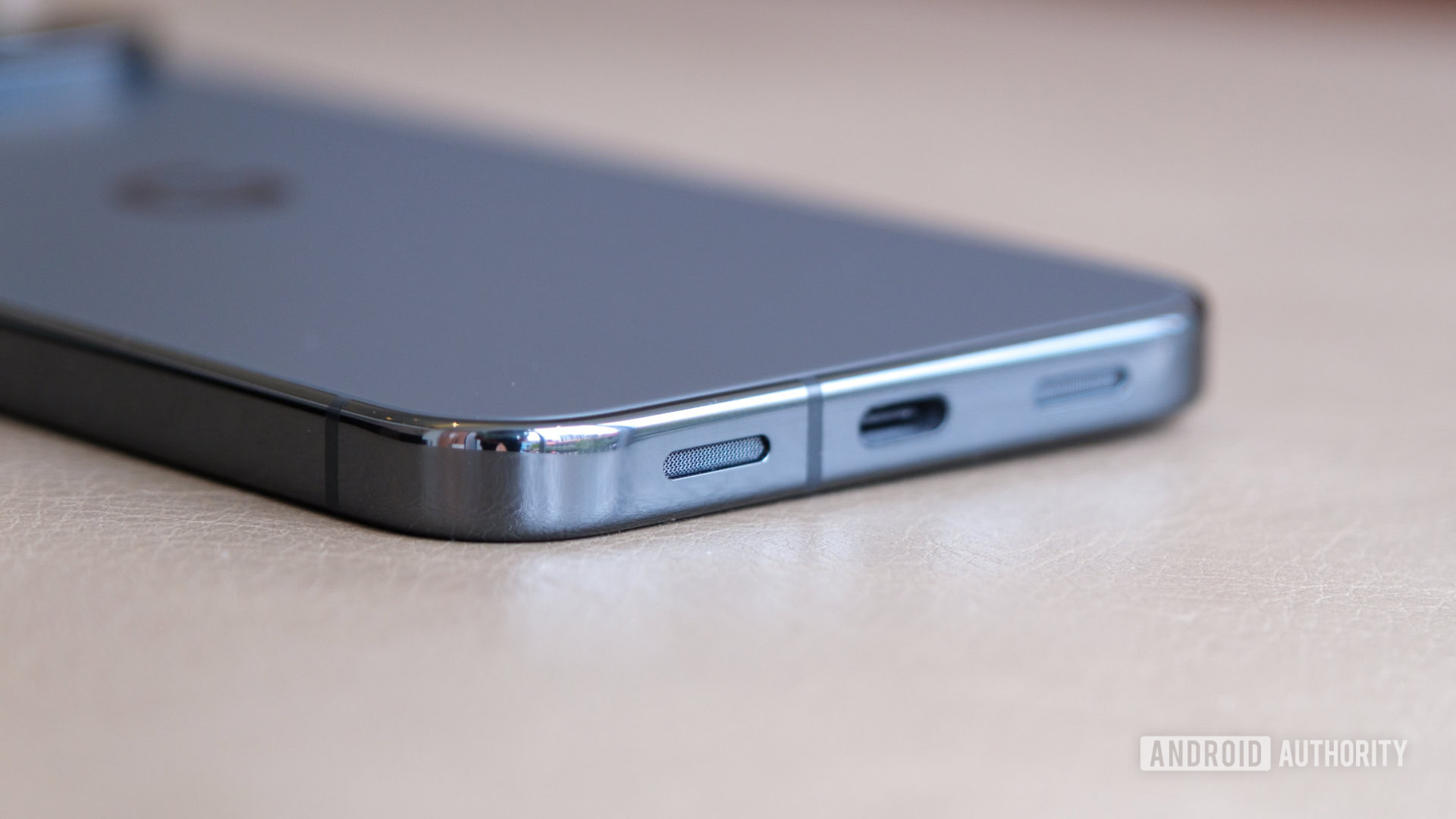
Pixel 10 Pro XL: A Potential Audio Hiccup for Right-handed Users
A recent design change in the upcoming Pixel 10 Pro XL introduces an interesting, and possibly frustrating, side effect for many users. The latest iteration swaps the positions of the microphone and speaker. While seemingly a minor adjustment, it impacts audio recording, particularly for those who hold their phone in landscape mode.
Specifically, the microphone has moved to the location previously occupied by the speaker on the left side of the device. This placement means right-handed users are now more prone to accidentally covering the microphone with their palm while filming videos.Consequently, you might experience muffled or uneven audio during recordings.
What Does This Mean for You?
Let’s break down the implications:
* Accidental Muffling: Your grip,natural in landscape orientation,coudl obstruct the microphone.
* Reduced Audio Quality: Covered microphones translate to quieter, less clear sound in your videos.
* Right-handed Impact: This issue primarily affects users who naturally hold their phone with their right hand.
A Simple,Though Not Ideal,Solution
Fortunately,a quick workaround exists. Rotating your phone 180 degrees will position the microphone away from your hand.However,this isn’t the most ergonomic solution. It can feel awkward and unnatural,especially if you’re accustomed to a specific grip.
Is This a Dealbreaker?
No, this isn’t a catastrophic flaw. It’s a subtle design quirk that’s good to be aware of. If you’re a right-handed Pixel 10 Pro XL user who frequently records videos, simply being mindful of your grip will mitigate the issue.
Ultimately, understanding this potential audio issue allows you to proactively adjust your technique and ensure your videos sound as good as they look. It’s a small adjustment for potentially important improvements in your content’s audio quality.





