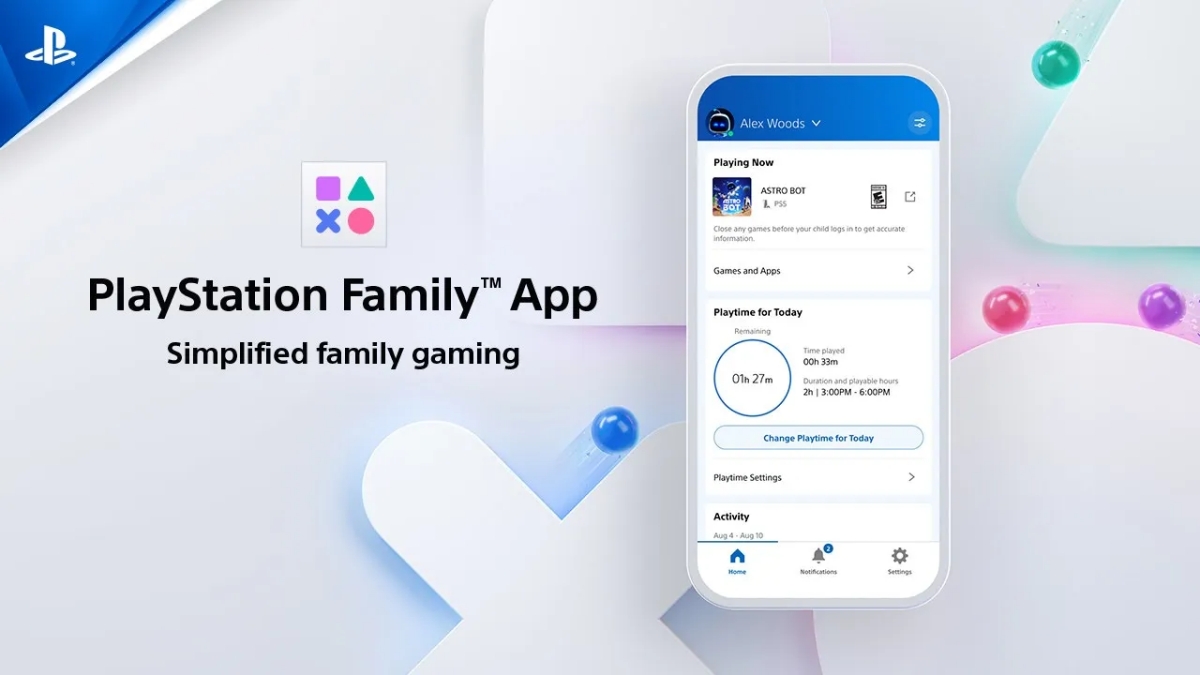
Safeguarding Your Child’s Digital World: A Guide to the PlayStation Family App
As a parent, navigating the world of video games with your children can feel daunting. You want them to enjoy the fun and learning opportunities gaming offers, but also want to ensure their safety and responsible digital habits. fortunately,sony’s PlayStation Family app provides a robust set of tools to help you do just that.
This app isn’t just about restrictions; it’s about empowering you to create a positive and controlled gaming experience for your kids. Let’s explore how it works and why it’s a valuable resource for modern families.
Why Parental controls Matter in Gaming
Gaming is incredibly popular, and it’s evolving rapidly. It’s no longer simply about the games themselves. Online interactions, in-app purchases, and exposure to possibly inappropriate content are all realities you need to address.
Consider these common concerns:
* Age-Appropriate Content: Ensuring your child isn’t exposed to violence, mature themes, or unsuitable language.
* Online Safety: Protecting them from unwanted contact or interactions with strangers.
* Spending Control: Preventing accidental or unauthorized purchases within games.
* Time Management: Helping them balance gaming with other important activities.
The PlayStation Family app directly addresses these concerns, giving you peace of mind.
Diving into the PlayStation Family App Features
The app offers a thorough suite of controls, customizable to your family’s needs and your child’s age. Here’s a breakdown of key features:
* Content Filtering: This is a cornerstone of the app. you can select pre-set filters based on age, or create custom filters to block specific games based on their ESRB rating.
* Privacy Settings: Control who can see your child’s profile, communicate with them, and what information they can share.
* Playtime Management: Set daily or weekly playtime limits to encourage a healthy balance.
* Spending Limits: Establish a monthly spending limit for the PlayStation Store, preventing unexpected bills. You can also add funds as needed.
* Connection & Social Features: Manage how your child connects with friends and utilizes social features within games.
These features aren’t just about saying “no.” They’re about teaching responsible digital citizenship and fostering open dialogue.
Setting Up the App: A Simple Process
Getting started is straightforward. The PlayStation Family app is available for both iOS and Android devices (iOS 14+ and Android 8+ required).
- Download and Install: Grab the app from the Apple App Store or Google Play Store.
- Link Accounts: Connect your PlayStation Network account to your child’s account.
- Customize Settings: Explore the various controls and tailor them to your child’s age and maturity level.
- Ongoing Monitoring: Regularly review settings and adjust as your child grows and their gaming habits evolve.
remember, these controls are a starting point. Open conversations with your child about online safety and responsible gaming are crucial.
Beyond Restrictions: Fostering a Positive gaming Experience
The PlayStation Family app isn’t just about limiting access. It’s also a fantastic tool for introducing your children to the world of gaming in a safe and controlled manner.
Consider using gaming as a reward for good behavior – completing homework, helping with chores, or demonstrating kindness. this can be a positive way to motivate them and create shared experiences. The app’s content filters ensure they’re discovering age-appropriate games, and you can explore titles together.
Is Parental Control Worth It?
Absolutely.In a digital landscape filled with potential risks, proactive parental controls are essential. The PlayStation Family app offers a powerful and user-friendly solution for safeguarding your child’s gaming experience. It’s an investment in their safety,well-being,and responsible digital habits.
Ultimately, the goal is to empower your children to enjoy the benefits of gaming while protecting them from its potential pitfalls. The
Worth a look