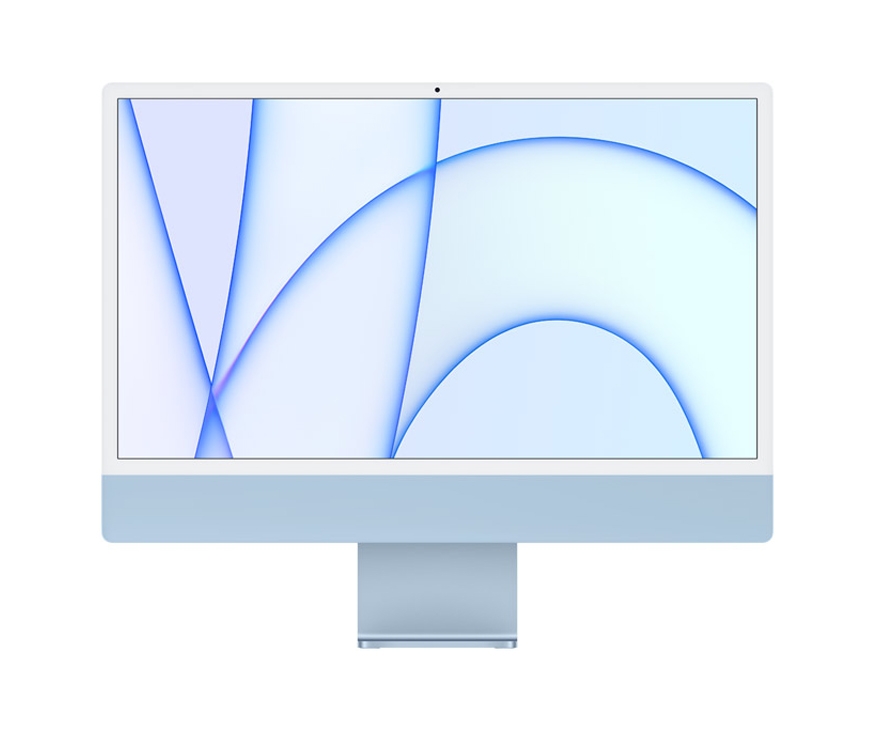
The Apple iMac 24 (4-port) M1 configuration featuring 16GB of RAM and a 1TB SSD in Blue, particularly models maintained in excellent secondary-market condition with 12 months of warranty coverage, occupies a distinct sweet spot for creative professionals and home offices seeking desktop power without purchasing brand-new hardware. Launched originally by Apple Inc. in April 2021 as part of the radical redesign of its all-in-one desktop lineup, this specific 4-port variant leverages the Apple M1 system-on-a-chip to deliver silent performance, a striking 4.5K Retina display, and expanded connectivity compared to its entry-level counterpart.
Buying pre-owned or refurbished tech requires looking closely at technical specifications, physical condition tiers, and included support. The four-port M1 iMac model includes two Thunderbolt / USB 4 ports alongside two standard USB 3 ports, a detail that separates it significantly from the two-port base model which lacks the latter two connections and a keyboard with Touch ID. For buyers evaluating a 2021 Blue unit carrying a 12-month warranty, understanding how this machine holds up years after its initial debut provides crucial context for modern desktop investments.
Hardware Specifications and Performance Benchmarks
At the heart of the 24-inch iMac is the M1 chip, which houses an 8-core CPU and an 8-core GPU in the four-port configuration, paired here with 16GB of unified memory and a 1TB solid-state drive. According to hardware testing and specifications detailed by Apple’s official technical documentation, the unified memory architecture allows the CPU and GPU to share data efficiently, speeding up applications ranging from Xcode compilation to Adobe Creative Cloud workflows. The 16GB RAM upgrade represents a notable step up from the base 8GB model, offering greater headroom for multitasking, running virtual machines, or handling large photo and video libraries.
Storage performance on the 1TB SSD matches high standards for NVMe-based drives integrated directly onto the logic board, yielding read and write speeds that easily sustain 4K video editing. Unlike Intel-based predecessors, the M1 iMac operates with barely audible thermal management, relying on two small fans that rarely spin up under standard productivity loads. The striking 4.5K Retina display boasts a 4480-by-2520 resolution at 218 pixels per inch, supporting 500 nits of brightness and P3 wide color, making it an accurate canvas for colorists and designers working in managed color spaces.
Evaluating Condition Grades and Warranty Protection
When secondary-market sellers or specialized refurbishers categorize a machine as “eccellente” (excellent) condition, it generally signifies a device with minimal to no cosmetic blemishes on the aluminum chassis or glass panel, accompanied by fully tested internal components. Unlike private peer-to-peer sales where hardware comes “as-is,” buying certified refurbished equipment with a 12-month commercial warranty bridges the gap between used-market savings and retail peace of mind. Consumer protection standards in the European Union and various international jurisdictions require vendors offering commercial warranties to clearly define what is covered—typically hardware defects and component failures, excluding accidental damage or normal battery degradation.
The inclusion of a 12-month warranty on a 2021 machine reassures buyers concerned about long-term reliability. Hardware longevity for Apple Silicon Macs has proven robust, with the M1 architecture continuing to receive full operating system updates and security patches. Furthermore, checking whether peripherals such as the Magic Keyboard with Touch ID and the Magic Mouse are included in the bundle remains essential, as acquiring genuine Apple color-matched accessories separately can add substantial cost.
Connectivity and Ecosystem Integration
The presence of four ports on the back of the chassis—two Thunderbolt/USB 4 ports supporting data transfers up to 40Gb/s and two USB 3 ports up to 10Gb/s—solves one of the primary criticisms leveled against the entry-level M1 iMac. Users can connect high-speed external storage arrays, legacy peripherals, and external displays without immediately resorting to dongles or hubs. Gigabit Ethernet, routed through the external power brick rather than the computer body itself, keeps the desktop cable management remarkably clean.
Audio and video capabilities remain among the standout features of this generation. The machine incorporates a six-speaker sound system with force-canceling woofers supporting Spatial Audio when playing music or video with Dolby Atmos, alongside a studio-quality three-mic array. The 1050p FaceTime HD camera, powered by the M1 image signal processor, provides computational video improvements that automatically adjust exposure and white balance in varied lighting conditions.
Next Steps for Prospective Buyers
Shoppers considering a pre-owned or refurbished 24-inch M1 iMac should verify the exact vendor terms, confirm the health status of the internal SSD via diagnostic tools upon delivery, and ensure the machine has been properly unlinked from the previous owner’s iCloud account to avoid Activation Lock hurdles. Official support documentation and troubleshooting guides remain accessible directly through Apple Support. Readers are encouraged to share their experiences with Apple Silicon desktops or ask questions about hardware configurations in the comments below.