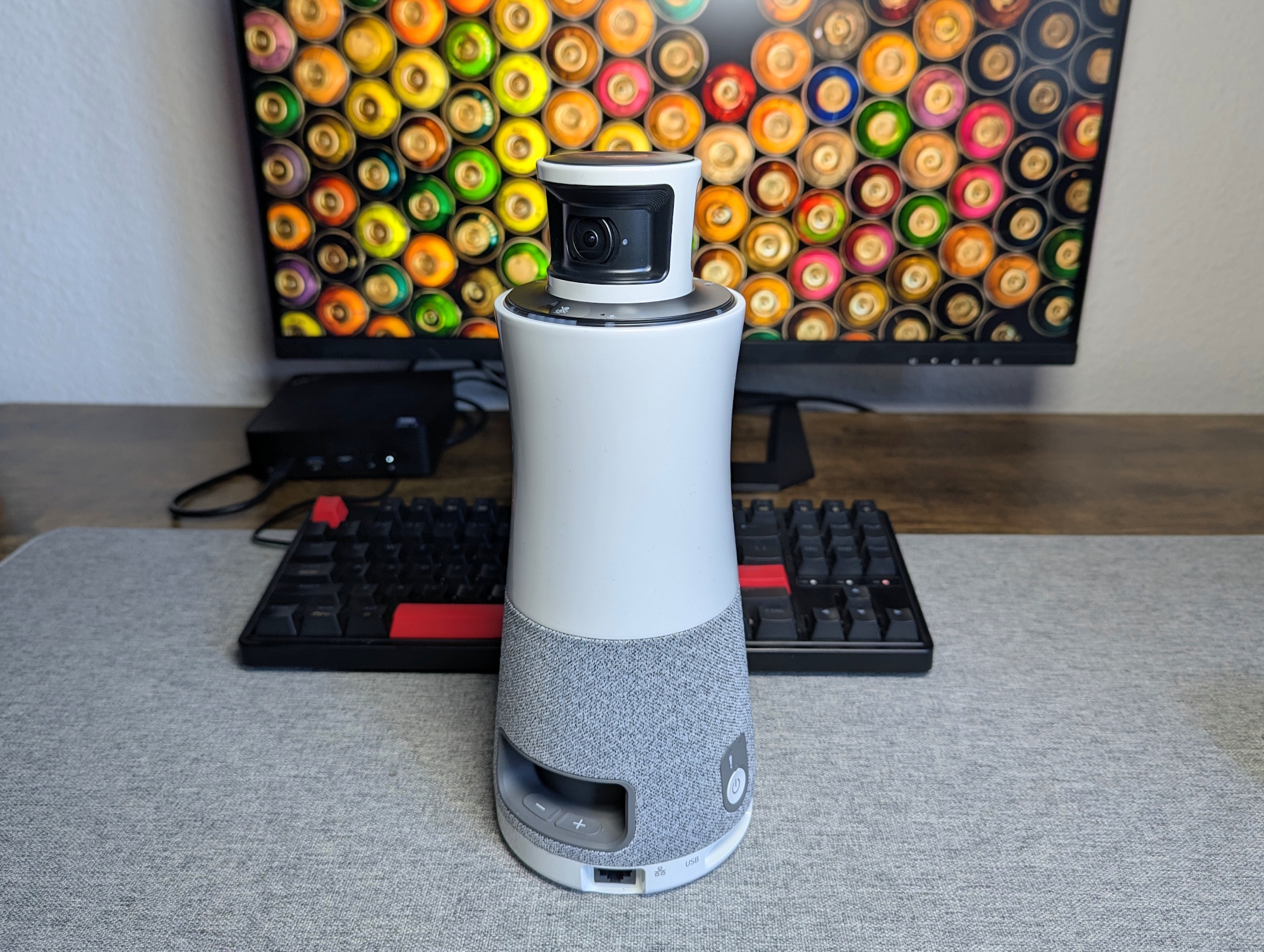
The hybrid work model has accelerated demand for sophisticated video conferencing solutions, moving beyond basic connectivity to encompass immersive experiences. Ricoh’s Meeting 360 Hub aims to deliver just that – a comprehensive, all-in-one system designed to enhance collaboration for teams using platforms like Microsoft Teams, Zoom, and others. But does it live up to the promise of seamless, intelligent meetings? Initial assessments suggest the system offers compelling features, particularly its speaker tracking capabilities, but performance can be significantly impacted by the environment.
The Meeting 360 Hub isn’t simply a webcam; it’s an integrated system designed to address common pain points in virtual meetings, such as difficulty seeing and hearing all participants clearly. It combines a high-definition camera with intelligent audio processing and automatic speaker tracking, aiming to create a more engaging and productive experience. This is particularly relevant as remote and hybrid work arrangements become increasingly prevalent, with a recent study by Gallup indicating that over 50% of U.S. Workers are working remotely at least some of the time. Gallup’s State of the Global Workplace report highlights the ongoing shift in work patterns and the need for effective collaboration tools.
How the Ricoh Meeting 360 Hub Works
At the heart of the Ricoh Meeting 360 Hub is its ability to automatically identify and focus on the active speaker. This is achieved through a combination of audio and video analysis. The system analyzes sound sources to determine who is speaking and then uses the camera to zoom in on that person, providing a clearer view for remote participants. This feature is intended to mimic the natural dynamics of in-person meetings, where attention shifts to the person currently addressing the group. The system boasts a video range of 3.6 meters (approximately 11.8 feet), according to Ricoh.
However, the effectiveness of this speaker tracking isn’t uniform. Reports indicate that the system performs best in uncluttered environments. In more complex spaces, such as a typical kitchen with numerous objects – shelves, appliances, and furniture – the camera can struggle to accurately identify the speaker. In one test scenario, the system failed to recognize a speaker at a distance of 1.5 meters (approximately 4.9 feet) within a kitchen setting, despite there being only one person speaking. This suggests that the system’s algorithms can be overwhelmed by visual complexity. A well-organized conference room, conversely, presented no such issues.
Zoom Quality and Latency Concerns
The Meeting 360 Hub relies on digital zoom, meaning that when the camera zooms in on a speaker, it’s digitally magnifying the image rather than using optical zoom. This can result in a loss of image quality, particularly when zooming in on individuals seated further away. If someone is positioned at the far end of a room, the image can appear small and somewhat blurry. This limitation suggests the system is best suited for smaller conference rooms where participants are seated relatively close together. For larger seminar-style settings with participants spread out, the performance may be less satisfactory.
Beyond image quality, latency – the delay between what happens in the real world and what is displayed on screen – is another area of concern. Testing revealed a noticeable lag in several scenarios, with the speaker’s visual representation appearing slightly out of sync with their audio. While the delay doesn’t completely disrupt the flow of conversation, it is perceptible and could be distracting for some users. This latency is a common challenge in video conferencing systems, stemming from the time it takes to process and transmit audio and video data.
Integration and Compatibility
The Ricoh Meeting 360 Hub is designed to integrate seamlessly with popular video conferencing platforms, including Microsoft Teams and Zoom. This compatibility allows users to leverage the system’s features within their existing workflows without requiring significant changes to their setup. The system’s ability to work with established platforms is a key advantage, as it avoids the need for users to learn a new interface or migrate their existing meetings.
However, the system’s reliance on these platforms also means that its functionality is limited by the capabilities of those platforms. For example, the speaker tracking feature may not be fully supported by all video conferencing applications. Users should verify compatibility with their preferred platforms before purchasing the system. Microsoft Teams, with its widespread adoption in enterprise environments, currently holds a significant market share in the unified communications space, according to Statista. Statista’s data on Microsoft Teams active users demonstrates the platform’s prominence and the importance of seamless integration for devices like the Ricoh Meeting 360 Hub.
Potential Applications and Target Audience
The Ricoh Meeting 360 Hub is likely to appeal to businesses of all sizes that are looking to improve the quality and effectiveness of their virtual meetings. Small and medium-sized businesses (SMBs) may find the system particularly attractive, as it offers a relatively affordable way to enhance collaboration without requiring a significant investment in infrastructure. Larger enterprises may also benefit from the system, particularly in smaller meeting rooms or huddle spaces.
Specific use cases include:
- Hybrid Meetings: Facilitating more engaging and inclusive meetings for both in-person and remote participants.
- Remote Training: Delivering more effective training sessions by ensuring that all participants can clearly see and hear the instructor.
- Client Presentations: Creating a more professional and polished impression during client presentations.
- Team Collaboration: Enhancing team collaboration by providing a more natural and immersive meeting experience.
Key Takeaways
- The Ricoh Meeting 360 Hub offers automatic speaker tracking and aims to improve video conferencing experiences.
- Performance is significantly affected by the environment; uncluttered rooms yield the best results.
- Digital zoom can lead to reduced image quality, particularly at longer distances.
- Noticeable latency may be present, potentially impacting synchronization between audio and video.
- Seamless integration with platforms like Microsoft Teams and Zoom is a key benefit.
As the future of work continues to evolve, the demand for innovative video conferencing solutions will only increase. The Ricoh Meeting 360 Hub represents a step forward in this direction, offering a compelling set of features that can enhance collaboration and productivity. However, potential buyers should carefully consider the system’s limitations, particularly its sensitivity to environmental factors and the potential for latency, before making a purchase.
Ricoh has not yet announced specific pricing or availability details for all regions. Keep an eye on Ricoh’s official website for the latest updates and product information. We will continue to monitor developments in the video conferencing space and provide updates as they become available. What are your experiences with all-in-one meeting solutions? Share your thoughts in the comments below.
Worth a look