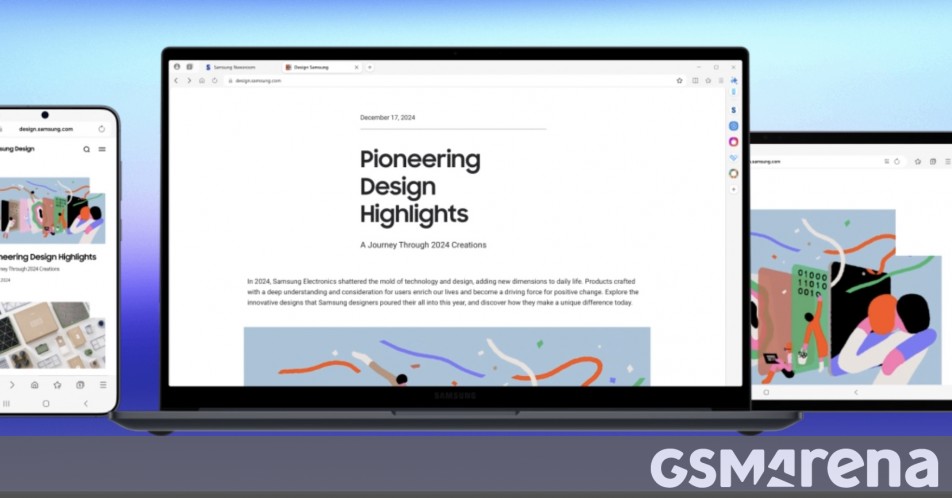
Samsung Internet Browser Expands to PC: A Deep Dive into Seamless cross-Device Browsing
As of October 30, 2025, at 09:07:31, samsung is extending its popular mobile browsing experience to the desktop, launching a beta program for its Samsung Internet browser on Windows PCs. This move signifies a growing trend towards unified digital ecosystems, allowing users to effortlessly transition between smartphones, tablets, and computers.The initial rollout, currently available in Korea and the United States, promises a ‘seamless, connected browsing experience’ – but what does this truly mean for users, and how does it stack up against established PC browsers like Chrome, Firefox, and Edge? This article provides an in-depth exploration of samsung’s latest offering, its features, potential benefits, and what it signals for the future of web browsing.
The Rise of Cross-device Continuity & Samsung’s Strategy
For years, users have juggled multiple browsers, each with its own set of bookmarks, history, and settings. This fragmentation can be frustrating. The demand for a unified browsing experience is rising, fueled by the increasing number of devices people own and use daily.A recent study by Deloitte (Q3 2025) found that the average US household now owns 22 connected devices. Samsung is strategically positioning itself to capitalize on this trend by offering a consistent browsing experience across its ecosystem.
The pre-installed nature of Samsung Internet on Galaxy smartphones has already established a loyal user base. Extending this browser to Windows PCs isn’t simply about offering another option; it’s about strengthening user lock-in and providing a compelling reason to remain within the Samsung ecosystem. This is a tactic mirrored by Apple with Safari and iCloud syncing, and increasingly by google with Chrome and its associated services.
Key features & Functionality of Samsung Internet for PC
The beta version of Samsung Internet for Windows 10 and Windows 11 boasts several key features designed to enhance user productivity and convenience:
* Seamless Syncing: This is arguably the most significant feature. Users can synchronize bookmarks, browsing history, passwords, and even open tabs between their Samsung smartphones and PCs. Imagine starting a research session on your phone during your commute and seamlessly continuing it on your desktop when you arrive at the office.
* Galaxy AI Integration: Samsung is leveraging its galaxy AI platform to power features like “Browsing Assist.” While specific details are still emerging, this is expected to include AI-powered summarization of web pages, intelligent tab grouping, and potentially even AI-driven content recommendations. This aligns with the broader trend of integrating AI into everyday browsing experiences, as seen with Microsoft Edge’s Copilot.
* Enhanced Privacy Features: Samsung Internet has long been recognized for its privacy-focused features, including content blockers and tracking protection. These features are expected to be carried over to the PC version, offering users greater control over their online data.
* User Interface & customization: The PC version closely mirrors the design language of the mobile browser, providing a familiar experience for existing Samsung Internet users. customization options, such as themes and extensions, are also expected to be available.
How Does Samsung Internet Compare to Existing PC Browsers?
| Feature | samsung Internet (Beta) | Google Chrome | Mozilla Firefox | Microsoft Edge |
|---|---|---|---|---|
| Cross-Device Sync | Excellent (Samsung Eco) | Good (Google) | Limited | Good (Microsoft) |
| AI integration | High (Galaxy AI) | Moderate | Emerging | High (Copilot) |
| Privacy | Very Good | Moderate | Good | Moderate |
| Performance | Promising | Good | Good | Good |
| Extensions | Developing | Extensive | Extensive | growing |
*Data