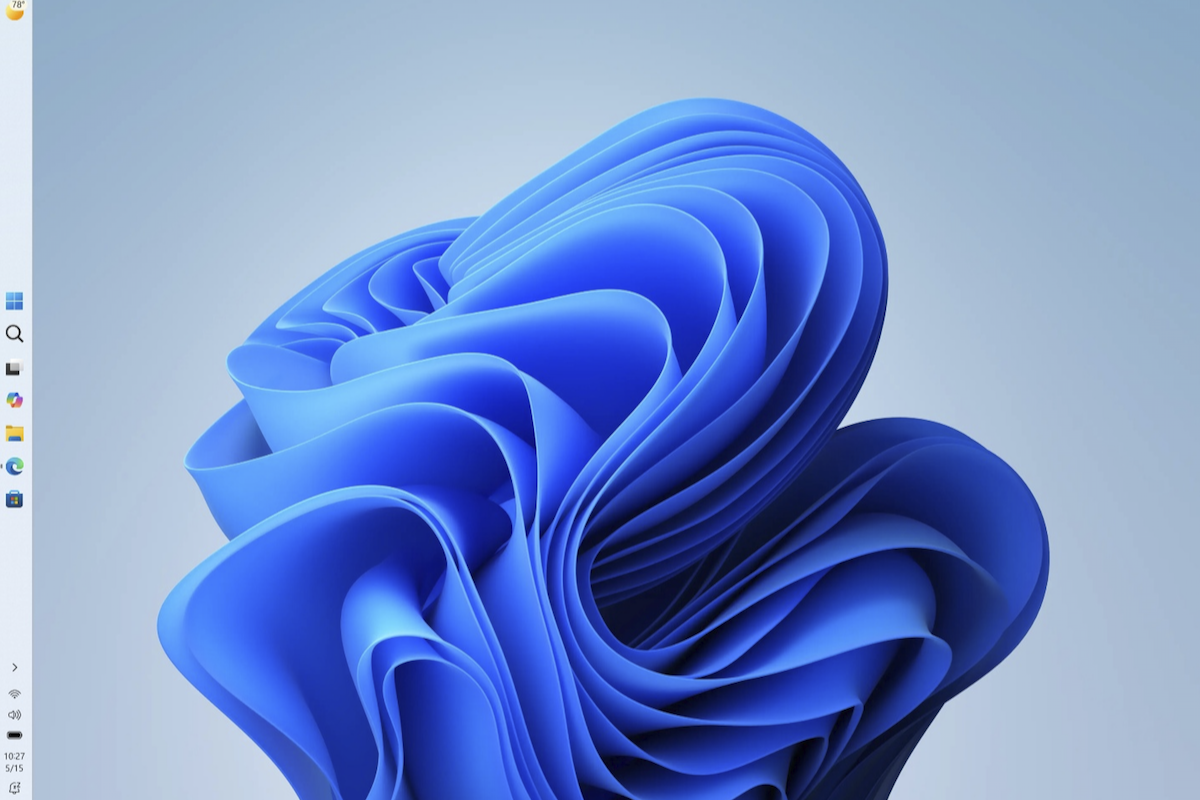
Windows 11 Taskbar Customization Is Coming Back—Here’s When and How to Get It
San Francisco, USA — Windows 11 users who’ve longed for the ability to move and resize their taskbar will finally get their wish. Microsoft has confirmed plans to restore these customization options in an upcoming update, with testing already underway through the Windows Insider Program. The changes, which will allow the taskbar to be positioned on any screen edge and adjusted in size, are part of broader quality improvements Microsoft is prioritizing for the operating system.
This development marks a significant return to form for Windows 11, which initially removed many of these customization features when it launched in 2021. The update is expected to roll out to the general public in summer 2026, according to verified sources within Microsoft’s Windows Insider Program. For power users and those who prefer tailored desktop layouts, this could be one of the most anticipated updates since the operating system’s release.
But what exactly does this mean for users? How will the taskbar changes work, and who will get them first? Below, we break down everything confirmed so far—including how to test the new features now and what to expect when the update arrives.
Key Takeaways
- Taskbar flexibility: Users will soon be able to place the taskbar on any screen edge (top, bottom, left, or right) and adjust its size.
- Insider access: The feature is already being tested through the Windows Insider Program, with a public rollout expected in summer 2026.
- Hardware requirements: Compatibility depends on meeting Windows 11’s system specifications, including x64 processors (Arm-based PCs are excluded).
- Quality focus: Microsoft has labeled this a high-priority quality improvement, suggesting stability and performance will be key.
- No forced changes: The taskbar will default to its current position, giving users full control over whether to adopt the new customization options.
What’s Changing in Windows 11’s Taskbar?
For years, Windows users have relied on the ability to drag their taskbar to any screen edge and resize it to fit their workflow. Windows 10 preserved these options, but Windows 11—when it launched in October 2021—locked the taskbar to the bottom of the screen by default and removed manual resizing capabilities. This decision frustrated many users, particularly those who preferred the taskbar on the left or top of their displays for multi-monitor setups or vertical orientations.
Now, Microsoft is reversing course. According to verified updates from the Windows Blog, the company has prioritized restoring these customization features as part of its quality improvement initiatives. The changes will include:

- Positioning: The taskbar can be moved to the top, bottom, left, or right of any display.
- Resizing: Users will be able to adjust the taskbar’s height and width to their preference.
- Default behavior: The taskbar will retain its current position by default, ensuring no forced layout changes for existing users.
The update is being developed under Microsoft’s quality improvement umbrella, which suggests a focus on stability and performance rather than introducing new features. This aligns with Microsoft’s recent emphasis on refining Windows 11’s core functionality, as seen in updates like the Driver Quality Initiative announced at WinHEC 2026.
Why Is Microsoft Making This Change?
While Microsoft hasn’t issued a public statement explaining the reversal, industry analysts and Windows Insiders speculate that the decision stems from:
- User feedback: Surveys and community forums have consistently ranked taskbar customization as a top-requested feature since Windows 11’s launch.
- Competitive pressure: macOS and Linux distributions have long offered similar flexibility, and Microsoft may be aiming to align Windows 11 more closely with these platforms.
- Quality over features: Microsoft has increasingly focused on polishing Windows 11’s core experience, addressing long-standing usability gaps.
Linda Park’s Insight: “This update is a win for users who’ve felt constrained by Windows 11’s rigid design. It’s also a smart move by Microsoft—restoring customization without adding complexity aligns with their current strategy of incremental, quality-driven improvements. For power users, this could be the most meaningful change since the introduction of Snap Layouts.”
When Will the Taskbar Update Arrive?
The taskbar customization features are currently being tested through the Windows Insider Program, with early reports suggesting the update will begin rolling out to the general public in summer 2026. However, Microsoft has not yet announced an exact release date.
For those eager to try the new features now, here’s how to participate in the Insider Program:
- Join the Windows Insider Program: Enroll your PC at Microsoft’s Insider site.
- Select the appropriate channel: Choose the Dev Channel for early access to experimental features or the Beta Channel for more stable previews.
- Update your system: Once enrolled, check for updates in Settings > Windows Update > Windows Insider Program.
- Test and provide feedback: Microsoft encourages Insiders to report bugs or suggest improvements through the Feedback Hub.
Important Note: While the Insider Program offers early access, these builds may contain bugs or instability. Users should back up their data before testing.
Who Will Get the Update?
The taskbar customization update will be available to all Windows 11 users, but there are a few key considerations:
- Hardware compatibility: The update requires PCs that meet Windows 11’s system specifications, including:
- x64 or ARM64 processors (note: Arm-based PCs are excluded from the Windows 11 Installation Assistant, as confirmed by Microsoft’s official download page).
- At least 9 GB of free disk space for the installation.
- Windows 10, version 2004 or higher (for upgrade paths).
Users on older hardware or unsupported processors (e.g., some ARM devices) may need to wait for additional updates or consider upgrading their systems.
What Else Is Changing in Windows 11?
While the taskbar update is the most visible change, Microsoft has been quietly refining Windows 11 in other areas. Recent developments include:

- AI Integration: Microsoft has been expanding AI capabilities across Windows 11, including features like Copilot+ PCs, which bring advanced AI tools directly into the operating system.
- Gaming Improvements: Updates like Xbox Mode for PC gamers and Auto SR (super resolution) preview have enhanced performance for Windows 11 gaming setups.
- Accessibility: Microsoft continues to invest in accessibility, with updates like AI-powered tools for users with disabilities.
These updates suggest that Microsoft is taking a balanced approach—addressing user feedback while also pushing forward with innovative features like AI and gaming enhancements.
How to Prepare for the Taskbar Update
If you’re eager to customize your taskbar once the update arrives, here’s what you can do now:
- Check your hardware: Ensure your PC meets Windows 11’s requirements. Use Microsoft’s PC Health Check tool to verify compatibility.
- Backup your data: While the update is unlikely to cause data loss, it’s always wise to back up important files before major system changes.
- Join the Insider Program (optional): If you’re comfortable testing pre-release software, enroll in the Windows Insider Program to try the new taskbar features early.
- Stay updated: Follow Microsoft’s official Windows Blog for announcements about the update’s release timeline.
What So for Windows 11 Users
The return of taskbar customization is more than just a cosmetic change—it reflects Microsoft’s growing responsiveness to user feedback. For many, this update will restore a sense of control and personalization that was lost with Windows 11’s initial design.
For power users: The ability to reposition and resize the taskbar will improve workflows, especially for those using multi-monitor setups or vertical orientations.
For casual users: While the taskbar will default to its current position, the option to customize will be available for those who want it, without disrupting existing setups.
For businesses: IT administrators may need to test the update in controlled environments to ensure compatibility with enterprise policies and software.
Microsoft’s decision to prioritize this feature also signals a shift toward incremental, user-driven improvements rather than radical redesigns. This approach could help Windows 11 regain some of the flexibility and customization that users have missed since its launch.
Next Steps: What’s Coming After the Taskbar Update?
While the taskbar update is a major step forward, Microsoft has other initiatives in the pipeline. Key areas to watch include:
- Further AI integration: Expect more AI-driven features, particularly in productivity and creativity tools.
- Performance optimizations: Microsoft has hinted at potential performance improvements in future updates, including faster startup times and reduced resource usage.
- Accessibility enhancements: Ongoing work in this area could bring even more tools for users with disabilities.
The next major checkpoint for Windows 11 updates will likely be tied to Microsoft’s WinHEC 2026 event, where the company often announces broader roadmaps. For now, users should monitor the Windows Blog and Insider Program for further details on the taskbar update’s rollout.
Frequently Asked Questions
1. Will the taskbar update break my current setup?
The taskbar will default to its current position, so existing layouts should remain unchanged. Customization will be optional, giving you full control over whether to adopt the new features.
2. Can I move the taskbar on an Arm-based PC?
No. The Windows 11 Installation Assistant and taskbar customization features are currently limited to x64 processors. Arm-based PCs are excluded from this update.
3. How do I join the Windows Insider Program?
Visit Microsoft’s Insider site, enroll your PC, and select either the Dev or Beta channel to receive early updates.
4. Will this update require a clean install of Windows 11?
No. The taskbar customization update will be delivered as a standard Windows Update, so you won’t need to reinstall the operating system.
5. What if I don’t like the new taskbar options?
You can easily revert to the default settings. Microsoft has emphasized that customization will be optional, and your current taskbar position will remain unchanged unless you manually adjust it.
What Do You Think?
Will you be customizing your taskbar once the update arrives? Share your thoughts in the comments below—or let us know if there are other Windows 11 features you’d like to see restored. And if you’re already testing the Insider build, we’d love to hear your feedback!
For more updates on Windows 11 and other tech news, subscribe to World Today Journal and follow us on Twitter and LinkedIn.
Worth a look