
Selecting the 16 best Apple Watch faces to try in 2026 involves balancing high-density data visualization with the aesthetic customization features introduced in recent watchOS updates. According to Apple’s official documentation on user interface design, watch faces—or “complications”—are intended to provide at-a-glance access to specific metrics, including heart rate, weather patterns, and calendar events, tailored to the user’s daily workflow.
As of early 2026, the Apple Watch lineup, including the Series 11 and Ultra 3, supports a wide array of modular and graphical displays. These faces allow users to prioritize information based on their professional or personal needs. For those managing complex schedules, high-information faces remain the industry standard for productivity. For others, minimalist or artistic options serve as a way to reduce digital fatigue while maintaining essential connectivity.
Optimizing Workflow with Modular and Data-Heavy Faces
For professionals who require constant access to multiple data points, the “Modular Ultra” and “Modular” faces remain the most effective choices. These layouts are designed to house up to seven or eight complications simultaneously, allowing users to track stocks, upcoming meetings, and activity rings on a single screen. Apple notes that these faces are optimized for the larger displays found on the Ultra-series devices, which provide increased screen real estate for complex data sets (Apple Support: Customize your Apple Watch face).

The “Infograph” face also continues to be a staple for power users. It offers a circular design that maximizes the amount of information shown without compromising readability. When configured correctly, users can view UV index, precipitation, and heart rate variability without needing to open individual apps. This design philosophy aligns with the broader move toward “glanceable” computing, where the goal is to minimize interaction time while maximizing the utility of the hardware.
Balancing Aesthetics and Functionality
Not every use case requires maximum data density. For users prioritizing visual appeal or minimalist aesthetics, the “Typography” and “California” faces provide a sophisticated alternative. The Typography face, introduced to highlight custom font weights and styles, offers a clean interface that pairs well with professional attire. According to design reviews from industry analysts, these faces function effectively by limiting the number of active complications, which in turn reduces visual clutter during a standard workday.
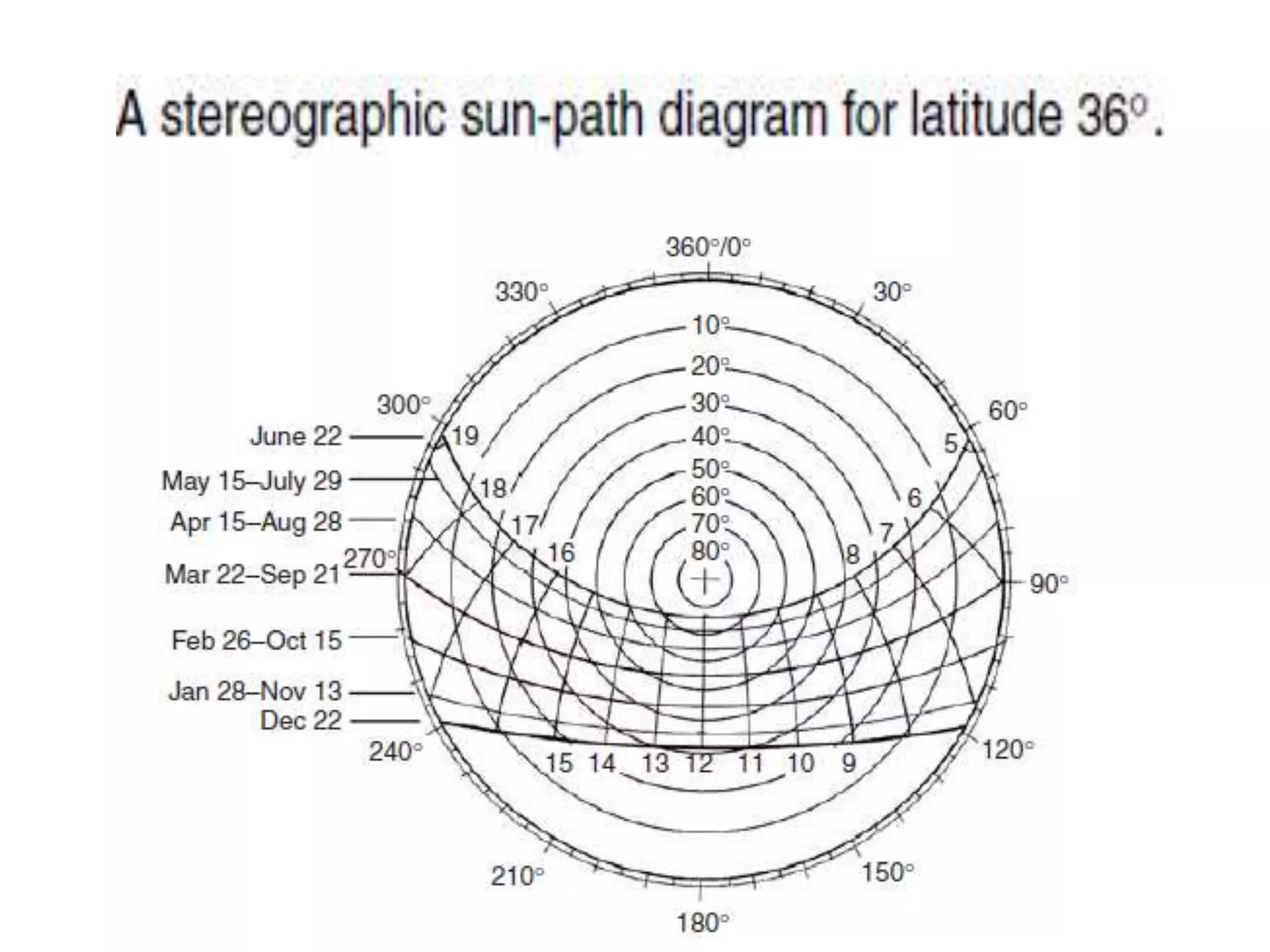
The “Solar Graph” and “Astronomy” faces provide a different kind of utility by tracking celestial movements and sun positioning. While these are often viewed as decorative, they are frequently used by photographers and outdoor enthusiasts to plan activities around natural light availability. These faces demonstrate Apple’s commitment to integrating environmental data directly into the user experience, a trend that has persisted across multiple iterations of watchOS.
Selecting the Right Face for Your Daily Routine
Choosing the right watch face often comes down to the specific context of the user’s day. A common strategy among power users is to utilize the “Face Switching” feature, which allows for a quick swipe between different configurations. For instance, a user might maintain a “Modular” face during business hours to track emails and calendar alerts, then switch to a “Photos” or “Unity” face for leisure time to minimize work-related notifications (Apple WatchOS Feature Availability Guide).
To customize these faces, users must long-press the current watch face on their device and select the “Edit” button. From there, the digital crown can be used to scroll through available complications, allowing for a high degree of personalization. Apple’s developer guidelines encourage third-party app creators to build complications that integrate seamlessly into these native faces, ensuring that the ecosystem remains cohesive as new hardware is released.
Future Developments and Official Updates
As of mid-2026, Apple continues to push updates that enhance the performance and battery efficiency of these watch faces. Users looking for the latest information on new face designs and compatibility should monitor the official Apple Newsroom for announcements regarding upcoming software versions. These updates often include new complications that support emerging health sensors and expanded integration with smart home devices.
The diversity of faces available reflects the evolving nature of the Apple Watch from a simple notification device to a comprehensive health and productivity tool. Whether one chooses the information-dense layout of the Modular face or the subtle elegance of the Metropolitan design, the ability to tailor the interface remains a defining characteristic of the platform. We encourage readers to experiment with different combinations to find the layout that best supports their personal efficiency. Please share your favorite configuration in the comments below.
Worth a look