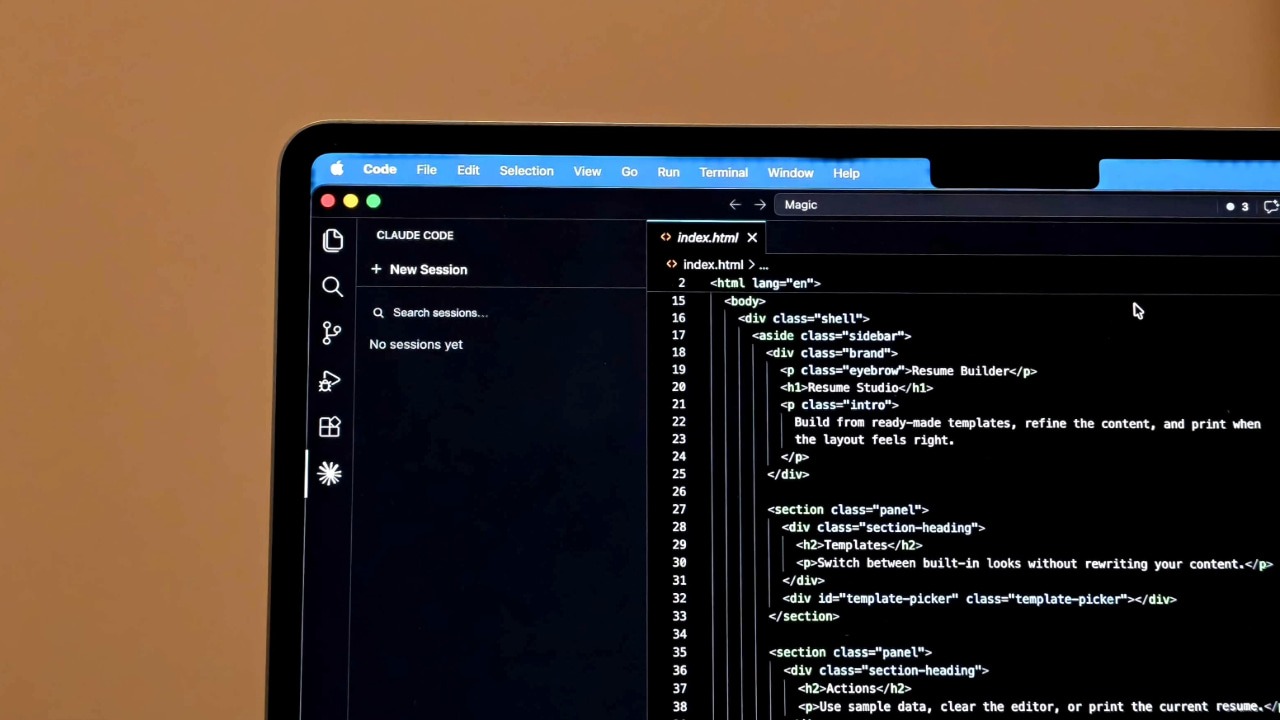
San Francisco, CA – For software developers constantly seeking efficiency gains, the choice of coding assistant can be pivotal. Recent experiences suggest a compelling shift is underway, with many developers finding that swapping out Anthropic’s Claude Code for OpenAI’s Codex offers a surprisingly smooth and productive upgrade. While Claude Code has been a popular choice, the integration of Codex through the new plugin, codex-plugin-cc, appears to be winning over users with its speed, cost-effectiveness, and streamlined workflow.
The appeal of Codex lies in its ability to be directly integrated into existing Claude Code environments. This isn’t about replacing one large language model (LLM) with another in isolation; it’s about augmenting the Claude Code experience with a powerful, specialized tool for code review and task delegation. The codex-plugin-cc, released in March 2026, allows developers to leverage Codex’s capabilities directly within their familiar Claude Code workflow, eliminating the necessitate to constantly switch between different platforms. This integration addresses a key pain point for developers: context switching, which can significantly disrupt focus and productivity.
Codex Plugin: A Seamless Integration for Claude Code Users
The codex-plugin-cc plugin, available on GitHub, simplifies the process of incorporating Codex into Claude Code. The plugin’s repository details the installation process, which involves adding the marketplace in Claude Code using the command /plugin marketplace add openai/codex-plugin-cc, followed by installing the plugin itself with /plugin install codex@openai-codex. A subsequent /reload-plugins command ensures the system recognizes the new functionality. The plugin then offers a suite of slash commands, including /codex:review for standard code reviews, /codex:adversarial-review for more challenging security audits, and commands for managing background jobs like /codex:rescue, /codex:status, /codex:result, and /codex:cancel.
According to the plugin documentation, users require either a ChatGPT subscription (including the free tier) or an OpenAI API key to utilize Codex. Usage contributes to existing Codex usage limits. The plugin essentially wraps the local Codex CLI and app server, inheriting existing authentication, configuration, and environment variables. This means developers don’t need to reconfigure Codex separately; it seamlessly integrates with their existing setup. For users who don’t have Codex installed, the plugin can even offer to install it automatically using npm, further simplifying the process.
Why Developers Are Switching: Speed, Cost, and Workflow
The primary drivers behind the shift towards Codex appear to be performance and cost. Developers are reporting faster code review times and lower token usage compared to relying solely on Claude Code. Token usage is a critical factor, as LLM services typically charge based on the number of tokens processed. Lower token consumption translates directly into cost savings, particularly for developers working on large projects or those who frequently utilize code review tools. The ability to run Codex reviews in the background, using the --background flag, further enhances workflow efficiency, allowing developers to continue working on other tasks while the review is in progress.
The /codex:review command provides a standard code review, comparable to running a review directly within the Codex environment. For more rigorous analysis, the /codex:adversarial-review command allows developers to challenge specific decisions or identify potential security vulnerabilities. This feature is particularly valuable for projects where code security is paramount. The ability to delegate tasks to Codex using commands like /codex:rescue offers another layer of efficiency, allowing developers to offload repetitive or time-consuming tasks to the AI assistant.
Beyond Basic Review: Adversarial Testing and Task Delegation
The /codex:adversarial-review function is a standout feature, offering a more proactive approach to code quality. Instead of simply identifying potential issues, this command actively challenges the code, attempting to uncover hidden bugs or security flaws. What we have is a significant advantage over traditional code review methods, which often rely on human reviewers to spot potential problems. The adversarial review process can be particularly useful for identifying edge cases or vulnerabilities that might be missed during standard testing.
the task delegation capabilities of Codex, facilitated by commands like /codex:rescue, allow developers to offload specific coding tasks to the AI assistant. This can free up developers to focus on more complex or creative aspects of their work. The plugin’s ability to manage background jobs ensures that these delegated tasks are processed efficiently without disrupting the developer’s workflow. The /codex:status and /codex:result commands provide real-time updates on the progress and outcome of these background tasks.
Installation and Setup: A Step-by-Step Guide
Setting up the Codex plugin for Claude Code is a straightforward process, as outlined in a recent post by Jim Clyde Monge on AlphaSignal.ai. The guide details the following steps:
- Add the plugin marketplace to Claude Code using the command:
/plugin marketplace add openai/codex-plugin-cc - Install the plugin using the command:
/plugin install codex@openai-codex - Choose the desired scope for the plugin installation (user, project, or local).
- Run the command:
/codex:setupto verify the installation and ensure Codex is ready. - If Codex is not installed, the plugin may offer to install it automatically using npm. Alternatively, developers can install it manually using the command:
npm install -g @openai/codex - If Codex is installed but not logged in, run:
!codex login
After completing these steps, developers should see the available slash commands listed below the codex:codex-rescue subagent in the /agents menu. A simple first run can be initiated with the command: /codex:review --background /codex:status /codex:result.
Key Takeaways
- The codex-plugin-cc plugin seamlessly integrates OpenAI’s Codex into Claude Code, enhancing code review and task delegation capabilities.
- Developers are reporting faster review times and lower token usage with Codex compared to relying solely on Claude Code.
- The plugin offers a range of slash commands for managing code reviews, adversarial testing, and background jobs.
- Installation is straightforward, with options for automatic or manual Codex installation.
The integration of Codex into Claude Code represents a significant step forward in developer productivity. By combining the strengths of both platforms, developers can streamline their workflows, reduce costs, and improve the quality of their code. As more developers adopt this approach, we can expect to see further innovation in the field of AI-assisted software development. The next step in the evolution of this integration will likely focus on refining the adversarial review process and expanding the range of tasks that can be effectively delegated to Codex.
What are your experiences with using AI coding assistants? Share your thoughts and insights in the comments below. Don’t forget to share this article with your fellow developers!
Related reading