Nolen Jonker
2026-02-05 18:30:00
Adobe software used to be the place you’d turn to if you wanted to create anything worthwhile. Or at least, that’s what people, including myself, assumed. However, there’s a whole world of options that don’t cost a fortune and don’t keep you tied to the cloud or proprietary formats. Ever since canceling my Adobe subscriptions, I’ve been able to continue working on the same projects using my new open-source graphics stack.
And the stack keeps growing and evolving because I love nothing more than trying out new editing software. If I had to recommend my top finds to someone who’s either new to editing or just canceled their Adobe subscriptions, here’s what’s worth trying…
Adobe alternatives for vector design and painting
Penpot: Replaces Adobe XD, Illustrator, and Photoshop
Penpot has been one of my top graphics tools this past year. I discovered it when looking for open-source alternatives to Figma, and it’s practically a mirror of it. Penpot is primarily for UX designers who create wireframes, UI designs, and prototypes, though you can use it for more artistic or practical cases too, such as social media banners and posters. It would mostly be a direct replacement for the discontinued Adobe XD, but can also stand in for Illustrator or even some Photoshop projects.
Penpot is fully open-source and also browser-based, plus, you can self-host it. It supports standard vector formats like SVG, and has everything for the full UX/UI pipeline, such as components, reusable assets, tokens, grids, and constraints, which all work similarly to Figma. You also get versioning, multi-user editing, a plugin ecosystem, and dev-handoff.
Inkscape: Replaces Illustrator

Inkscape is my go-to open-source alternative for Illustrator. It’s a full-featured vector editor for creating illustrations, logos, icons, and some complex artwork. It’s a desktop app that runs on Mac, Windows, and Linux, making it accessible on most devices. For anyone familiar with Illustrator, the interface takes some getting used to, but the tools are all there: node editing, bezier curves, gradients, text on path, and other advanced path operations.
It’s fully open-source and supports standard vector formats like SVG natively, plus it can import AI, PDF, and EPS files. It also has layers, object grouping, symbols, and reusable styles, which makes managing complex projects easier. While it doesn’t have collaboration built in, you can combine it with Git or file-syncing services to version assets across a team, which makes it suitable for professional vector work.
Krita: Replaces Photoshop and Fresco
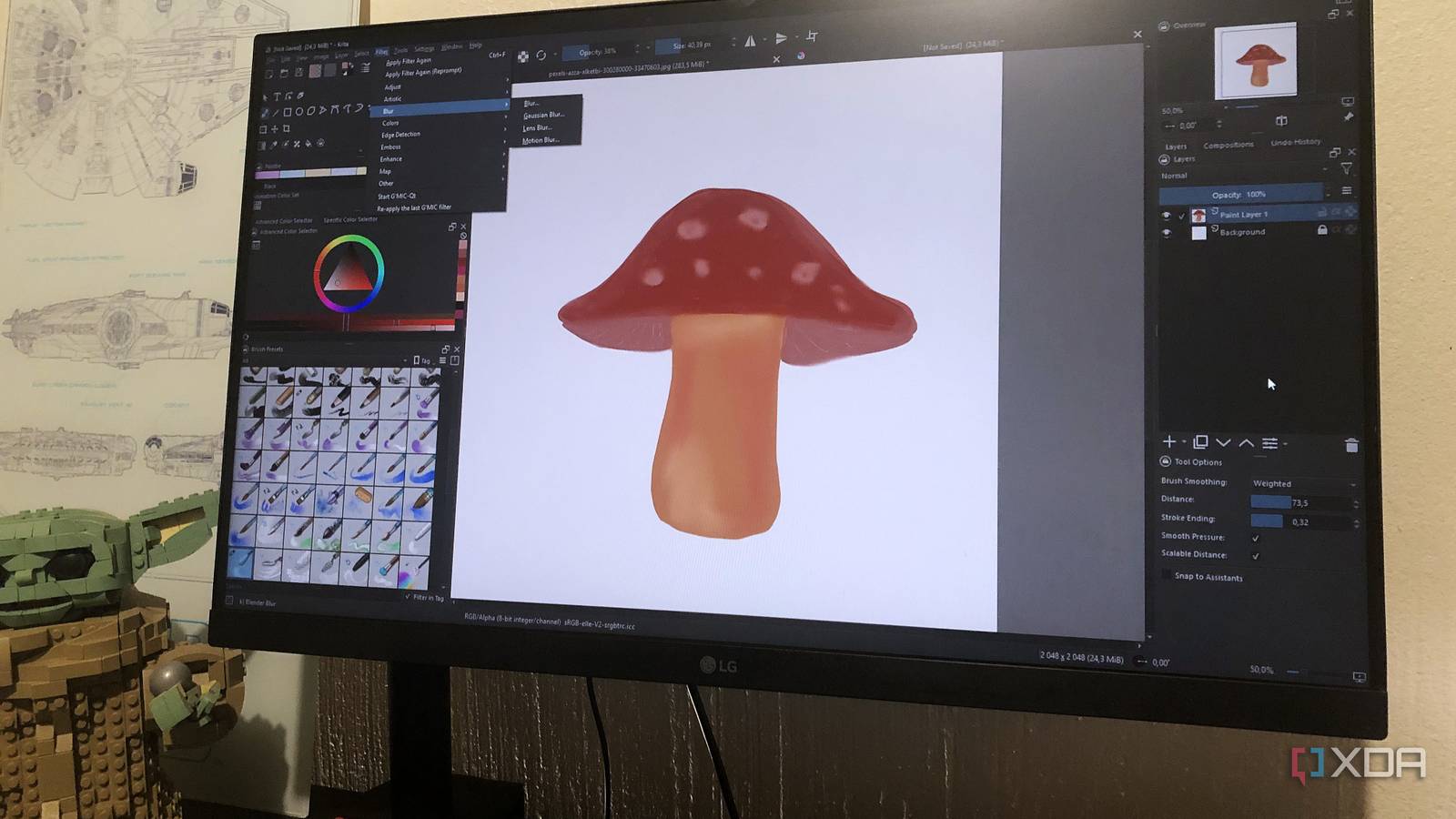
Krita is the first tool I’d point to if you’re replacing Photoshop for art or Fresco for painting and drawing. Adobe did make Fresco entirely free, but it’s still a closed-source and proprietary tool, plus it’s not available on Linux, while Krita is cross-platform. It’s built with illustrators, digital artists, and comic creators in mind, so the focus is very much on brushes, textures, and drawing performance rather than photo manipulation first. If you use Photoshop mainly for painting or sketching, then Krita covers that ground comfortably.
Krita supports PSD files (but not if they have vector layers or certain advanced Photoshop features) as well as standard raster formats like PNG, JPG, and TIFF. You get layer modes, masks, non-destructive filters, custom brushes, and stabilizers for line work.
Adobe alternatives for image editing and RAW files
GIMP: Replaces Photoshop
GIMP isn’t usually my first recommendation as a Photoshop alternative. Even with the recent updates, it’s still a bit clunky and takes some getting used to, plus it’s not a one-to-one match for Photoshop the way Photopea or Affinity are. But as far as open-source editors go, GIMP is the most powerful there is. It’s a raster editor aimed at photo manipulation, retouching, and general image editing.
It handles layers, selections, masks, blend modes, and color adjustments. And it supports common formats like PNG, JPG, TIFF, and PSD (though PSD files can sometimes break), and it can work with high-bit-depth images for more serious work. It has a massive plugin library and also supports scripting, which lets you automate repetitive edits. It’s not the smoothest or most modern-feeling editor, but if you need a capable open-source editor, GIMP still sets the bar.
If you want open-source tools that are more approachable and are willing to sacrifice some advanced features, I recommend checking out Bitmappery, PhotoDemon, or Photoflare.
Darktable: Replaces Lightroom

Darktable is the open-source tool I’d recommend to anyone who works with RAW files on the regular. It’s completely non-destructive, so your RAW files stay untouched while all edits are stored as adjustable instructions. The interface is split into clear stages for culling, editing, and exporting, which makes it easier to manage large photo libraries.
Speaking of, Darktable also has photo management features such as tagging and rating, plus it lets you edit and export in batches, which makes it a perfect for professional photographers looking for an open-source option. Darktable supports a wide range of RAW formats and includes controls for color correction, exposure, tone mapping, and masking tools.
If Darktable isn’t your thing, I recommend checking out RawTherapee or its fork ART (Another RawTherapee).
Adobe alternatives for video editing, motion graphics, and VFX
Kdenlive: Replaces Premiere Pro
Kdenlive would be one of my first recommendations as an open-source Premiere Pro alternative. It’s a very comprehensive timeline-based, multi-layer video editor, and it’s built for real editing work, not just trims and cuts. Keyframes, effects, and transitions behave the way you’d expect them to if you’re coming from Premiere. The interface is a tad old-school-looking, but it’s functional.
Kdenlive is powered by FFmpeg and MLT, which means it supports a huge range of video and audio formats. You’ve got proxy editing for heavier footage, nested sequences, color controls, a great effects stack, audio mixing, and GPU acceleration depending on your setup. It’s fully open-source and runs on Windows, Mac, and Linux.
I would also place Shotcut and OpenShot in the same camp as Kdenlive. Both have similar functions and, while not a complete replacement for Premiere, they can handle complex projects.
Natron: Replaces After Effects

Natron is the closest you’ll get to an open-source replacement for After Effects. Pikimov and DaVinci Resolve are probably better if you’re looking for familiarity or power, but they’re both closed-source. Natron is node-based rather than layer-based, which can feel alien at first, but I feel like that structure actually makes visual effects easier to handle and less fragile over time.
It’s built around OpenFX and supports a wide range of pro-grade plugins. It also works with high-bit-depth color and supports EXR and other production formats. You get rotoscoping, keying, tracking, time-based effects, and a viewer that’s meant for inspecting pixels and not just previewing motion. Natron runs on Windows, Mac, and Linux, is fully open-source, and I would say it’s more of a serious compositing tool than a general-purpose motion graphics tool.
Creative Cloud isn’t necessary anymore
Dropping Adobe doesn’t necessarily limit what you can create, it will just force you to be more intentional with what you include in your graphics stack. This open-source kit covers the same ground as Adobe’s lineup, from image editing to complex VFX, with the added benefit of transparency and more control over my data.
Worth a look