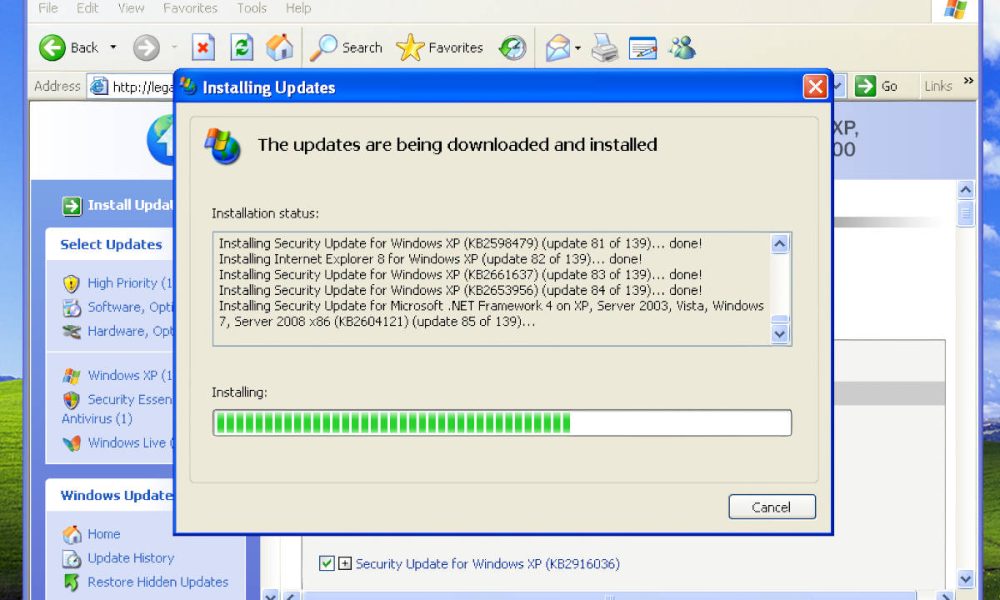
Legacy Update is a third-party tool designed to restore access to the Windows Update service for legacy operating systems, including Windows 95, Windows 98, Windows 2000, and Windows XP. The project acts as a bridge, allowing older machines to connect to modern servers to download necessary system updates, drivers, and security patches that are no longer officially supported by Microsoft.
For users maintaining vintage hardware or running legacy software in virtual machines, the discontinuation of official update servers has long been a barrier to basic system stability. Legacy Update functions by reconfiguring the Windows Update client on these older platforms to communicate with a custom backend, effectively bypassing the defunct infrastructure that previously handled these requests. By modernizing the communication protocols, the tool enables these legacy systems to reach out and retrieve updates that would otherwise be inaccessible.
Restoring Functionality to Legacy Windows Environments
The primary utility of Legacy Update lies in its ability to simplify the setup of older operating systems. Historically, performing a fresh install of Windows XP or Windows 2000 required manually locating, downloading, and installing dozens of individual patches and Service Packs. This process was not only time-consuming but also prone to errors if updates were installed in the incorrect sequence. According to the project’s documentation, Legacy Update automates this retrieval process, providing a familiar interface that mimics the original Windows Update experience while pulling files from a curated, secure repository.

It is important to note that while this tool restores the ability to fetch files, it does not officially extend the support lifecycle of these operating systems. Microsoft officially ended extended support for Windows XP in April 2014, and support for earlier versions concluded years prior, as noted in the Microsoft Lifecycle FAQ. Users operating these systems remain vulnerable to modern security threats, as the patches provided through Legacy Update are limited to those released during the original support windows. The tool is primarily intended for hobbyists, retro-computing enthusiasts, and specialized industrial applications where legacy hardware remains a necessity.
Security Considerations and Technical Implementation
From a technical perspective, Legacy Update addresses a significant cryptographic hurdle: the transition from older, insecure Transport Layer Security (TLS) versions to modern standards. Many legacy Windows Update clients were hardcoded to use protocols like SSL 3.0 or TLS 1.0, which are now widely considered insecure and are rejected by most modern web servers. The Legacy Update installer includes components to update the root certificates and communication libraries on the host system, allowing it to establish secure connections to the backend server.
The project maintains a repository of official Microsoft updates, ensuring that the files delivered to the client are authentic. By centralizing these files, the tool eliminates the risk of downloading modified or malicious installers from unreliable third-party archives. For those interested in the technical specifics, the project is often discussed within the broader context of the WinWorldPC community, a repository dedicated to the preservation of abandonware and legacy software. Users are encouraged to verify the integrity of any downloaded components by checking against known file hashes, a standard practice for managing software on older platforms.
The Future of Retro-Computing
The development of tools like Legacy Update reflects a growing interest in digital preservation and the maintenance of historical computing environments. As hardware ages, the ability to keep these systems functional—whether for gaming, archival research, or legacy software compatibility—depends on community-driven initiatives that fill the gap left by original manufacturers. Because Microsoft has transitioned its focus to cloud-based services and modern OS iterations like Windows 11, the burden of maintaining legacy infrastructure has shifted to the user community.

The project remains an active, community-led effort. Users should monitor the official Legacy Update website for periodic releases, as the developers continue to refine the compatibility layers and expand the library of available updates. While no further official support dates have been announced by Microsoft for the legacy OS versions in question, the ongoing reliance on these systems in niche sectors ensures that interest in such restoration tools will persist. Readers who have experience with the tool or are currently managing legacy systems are encouraged to share their insights or troubleshooting tips in the comments section below.
Keep reading