
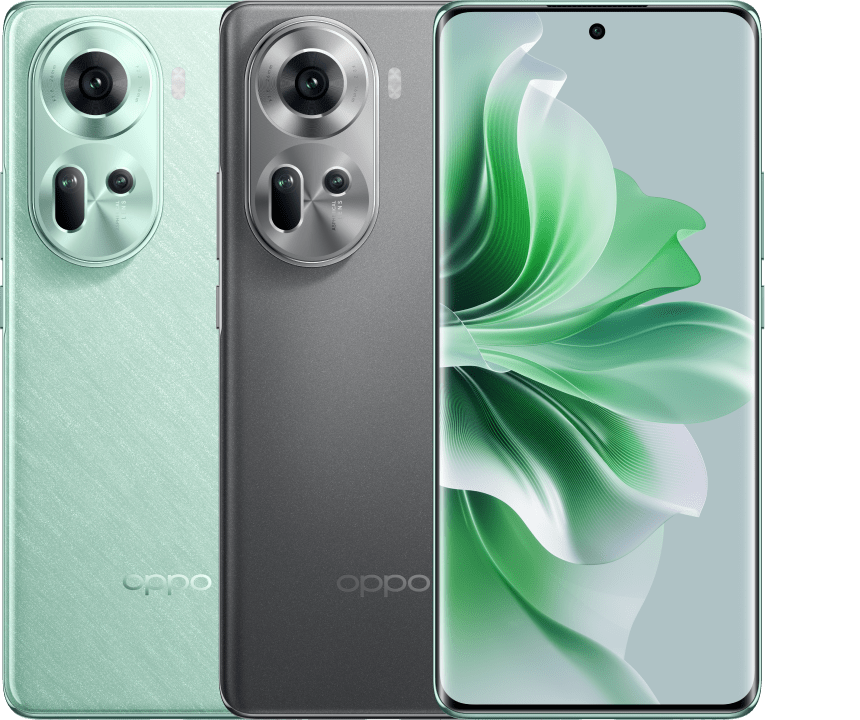
OPPO has expanded the capabilities of its “App Cloner” feature, now allowing users to create up to three instances of supported applications on select devices. This update, integrated into recent ColorOS firmware releases, provides users with greater flexibility for managing multiple accounts on a single handset. The enhancement is part of a broader push by the manufacturer to improve multitasking efficiency and software usability across its product lineup, including the OPPO Reno11 A.
The App Cloner feature, a staple of the ColorOS ecosystem, was previously limited to creating a single duplicate of an installed application. By increasing this limit to three, OPPO allows users to log into three separate accounts for communication or social media apps simultaneously. According to official OPPO support documentation, this functionality is managed through the device’s security and privacy settings, though availability depends on the specific app’s compatibility with the cloning framework.
Understanding the App Cloner Expansion
The primary benefit of the increased cloning capacity is the ability to compartmentalize digital activity. For users who maintain distinct profiles—such as personal, work, and secondary accounts—this update eliminates the need to constantly sign out and sign back in. The system functions by creating a sandbox environment for each clone, ensuring that data, cache, and login credentials remain isolated from the primary application instance. This architectural approach is designed to maintain system stability while providing users with a streamlined interface for account management.
While the feature has been updated, it remains subject to developer restrictions. Not all applications are compatible with App Cloner; developers must explicitly allow their apps to be duplicated. Users can verify which of their installed apps support this function by navigating to the “App Cloner” menu within the device’s system settings. As of mid-2026, this feature is being rolled out as part of comprehensive software updates aimed at optimizing performance and feature parity across the OPPO global smartphone portfolio.
Software Updates and Device Compatibility
The recent expansion of the App Cloner feature coincides with large-scale firmware updates for models such as the OPPO Reno11 A. These updates often include security patches, performance optimizations, and, in this instance, expanded utility for core system features. Manufacturers typically release these updates in waves, meaning the availability of the three-app limit may vary by region and specific carrier requirements. Users are encouraged to check their device’s “Software Update” section under settings to ensure they are running the latest version of ColorOS.
Beyond the cloning limit, these firmware updates often address underlying system processes that manage background tasks and memory allocation. By refining how the OS handles multiple instances of a single application, OPPO aims to reduce potential battery drain and memory pressure, which are common concerns when running multiple active sessions of data-intensive apps. According to technical specifications provided by OPPO Japan, maintaining the latest software version is essential for optimal hardware-software integration.
How to Manage App Clones on Your Device
To utilize the updated App Cloner feature, users should follow a standard path within the ColorOS interface. Once the latest firmware is installed, navigate to Settings, select Apps, and then tap on App Cloner. From this menu, you will see a list of installed applications that support the cloning functionality. Tapping on an app will reveal the option to create additional instances. If the feature is active, you will be able to toggle the creation of up to two additional clones, bringing the total to three.
It is important to note that cloning an application effectively duplicates the storage requirements for that app’s data. While modern smartphones with higher storage capacities handle this comfortably, users with entry-level devices or limited internal memory should monitor their storage usage. If an application is uninstalled, all associated clones will be removed, and their respective data will be erased from the device. Users seeking further guidance on managing app permissions or data storage can consult the official OPPO help center for detailed tutorials and troubleshooting steps.
Future updates regarding device compatibility and feature rollouts will be communicated through official channels. Users should keep an eye on their device notifications for the next scheduled software maintenance window. We invite readers to share their experiences with the updated App Cloner feature in the comments section below.
Related reading