
Enhanced Call management in Android Auto: A Deep Dive into Google’s Latest Features (Updated September 30, 2025)
the modern driver faces a constant barrage of distractions, and unwanted phone calls rank high among them. Google is tackling this head-on, extending two powerful Pixel-exclusive features – Call Screen and Call Notes – to Android Auto. This update, announced on September 29, 2025, promises a safer and more productive driving experience. This article provides a comprehensive overview of thes features, thier implications, and what drivers can expect. We’ll explore the technology behind them, potential use cases, and how they compare to existing call management solutions.
Understanding the Problem: The Rise of Spam & The Need for Hands-Free Solutions
before diving into the specifics, it’s crucial to understand the context. According to a recent report by RoboKiller (August 2025), spam calls increased by 15% year-over-year, costing Americans an estimated $40.5 billion in 2024. Beyond financial scams, these calls are a significant distraction while driving.Hands-free technology is no longer a luxury; it’s a safety imperative. Drivers are increasingly seeking solutions that filter out unwanted calls and provide concise summaries of crucial conversations, allowing them to stay focused on the road. This is where Google’s latest Android Auto integration steps in.
Call Screen: Your AI-Powered Gatekeeper
Did You Know? Call Screen, originally launched on Pixel devices in 2018, has successfully screened over 1 billion calls, substantially reducing spam and unwanted interruptions for Pixel users.
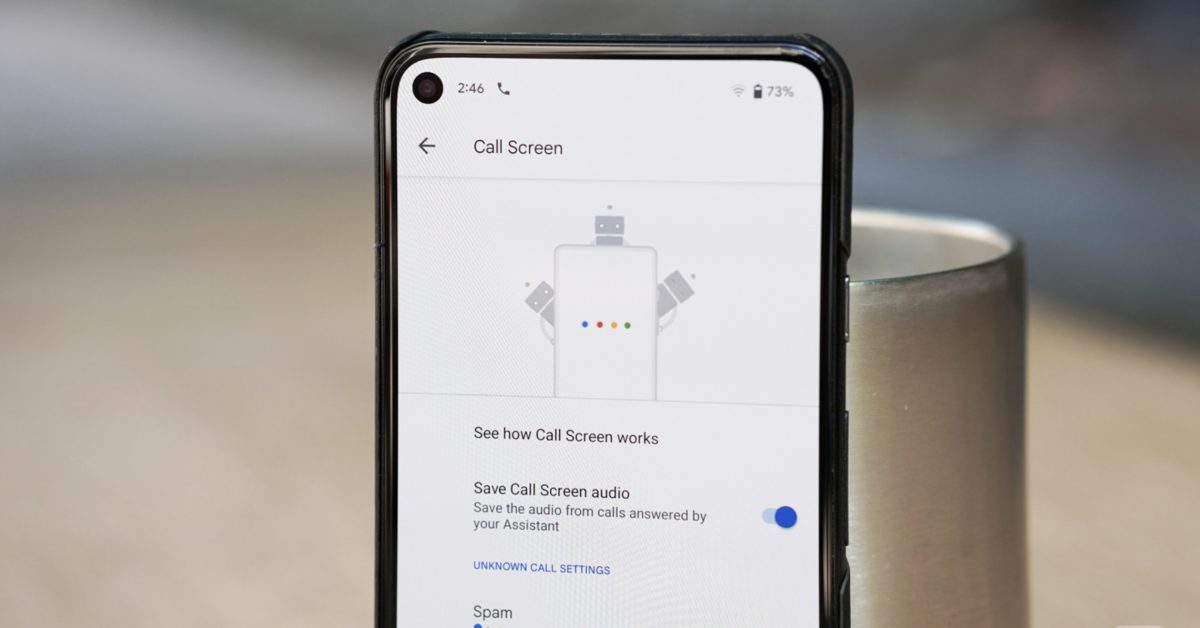
Call Screen is arguably one of the most innovative features to come out of Google’s Pixel line. It leverages Google Assistant to answer unknown calls for you. The Assistant engages the caller in a natural-sounding conversation, asking them to state their name and the purpose of their call. You, the driver, receive a real-time transcript of the conversation on your Android auto display. This allows you to quickly assess the call’s legitimacy without ever picking up the phone.
How it Works (Technical Details):
* Speech-to-Text: Google’s advanced speech recognition technology transcribes the caller’s responses in real-time.
* Natural Language Processing (NLP): NLP algorithms analyze the transcript to identify keywords and phrases indicative of spam or legitimate inquiries.
* AI-Driven Filtering: Based on the analysis, Call Screen categorizes the call and presents you with options: answer, decline, or mark as spam.
* Privacy Considerations: Google emphasizes that call audio is processed securely on-device whenever possible, minimizing data transmission.
Real-World Request: Imagine you’re driving to an important meeting. An unfamiliar number calls. Instead of fumbling for your phone, Call screen intercepts the call. The Assistant asks, “What’s the purpose of your call?” The transcript appears on your Android Auto screen: “Regarding your car’s extended warranty…” You immediately know it’s spam and can safely decline.
Call Notes: Gemini Summarizes Your Conversations on the Go
Pro Tip: To maximize the effectiveness of Call notes, clearly state key data during your calls.This will help Gemini generate more accurate and useful summaries.
The second key feature, Call Notes, utilizes Google’s Gemini AI model to automatically take notes during your phone calls within Android Auto. This is a game-changer for drivers who frequently receive important calls while on the road. instead of trying to juggle a conversation and mental notes, Gemini captures key details, action items, and decisions made during the call.
How it Works (Technical Details):
* Real-Time Transcription: Gemini transcribes the entire phone conversation in real-time.
* Semantic Analysis: The AI analyzes the transcript to identify key entities, topics, and action items.
* Summary Generation: Gemini generates a concise, bullet-point summary of the call, highlighting the most critically important information.
* Accessibility: The summary is readily available on your Android Auto display after the call ends, and can also be accessed through your Google account history.
Case Study: A real estate agent, Sarah, spends a significant portion of her day on the phone with clients. Using Call Notes,





![Master Lock Comanche: Race Time, Weather & How to Watch | [Year] Update](https://static.ffx.io/images/$zoom_0.2255%2C$multiply_0.7554%2C$ratio_1.777778%2C$width_1059%2C$x_0%2C$y_96/t_crop_custom/q_86%2Cf_auto/t_metro_live_no_age_social_wm/b4e1b09bb615e0153cc25354ea2585416d875df0 "Master Lock Comanche: Race Time, Weather & How to Watch | [Year] Update")


