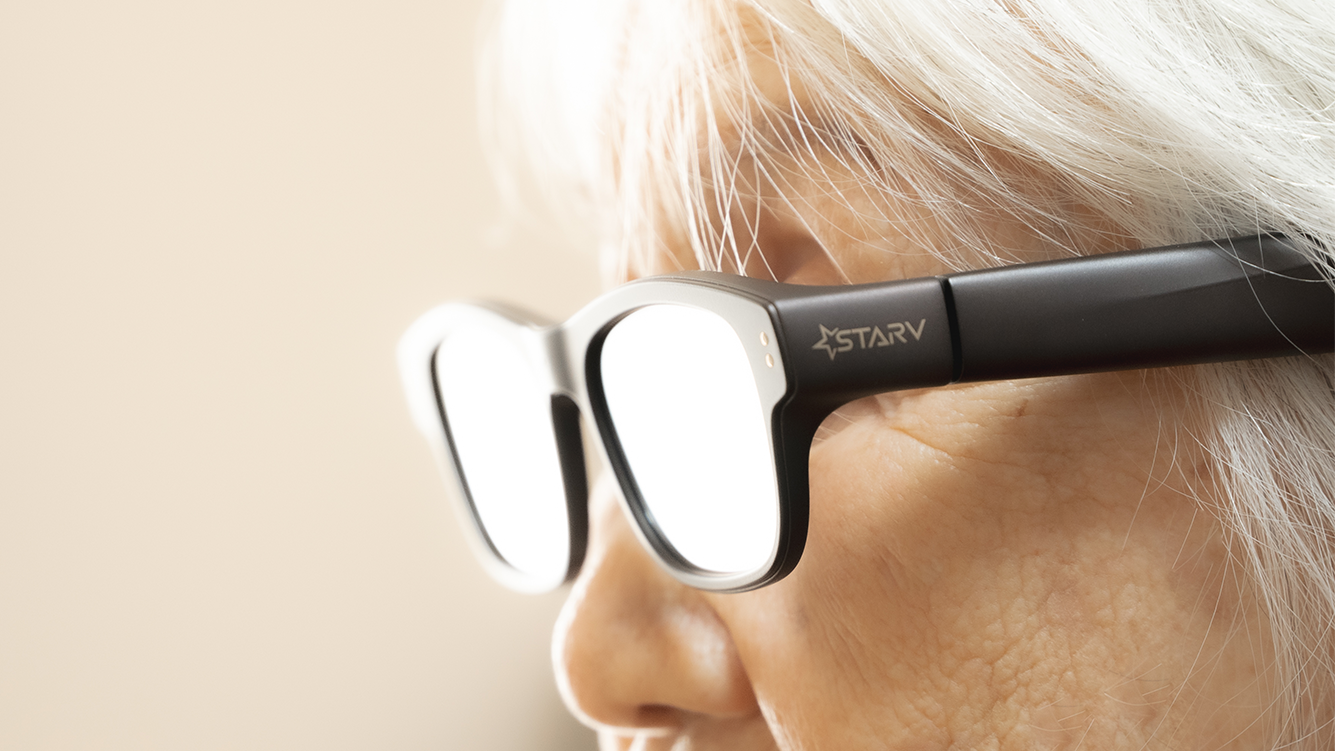
The StarV Air2 smart glasses, developed by Meizu under its StarV brand, have drawn attention for their blend of everyday wearability and augmented reality features. Weighing 44 grams with a black seagull-frame design, the device is positioned as a daily-use wearable rather than a bulky headset. Its core functions include real-time translation across 13 languages, voice-to-text note-taking, meeting summarization, AR navigation, and teleprompter-style cue display, all controlled via a scroll wheel and button on the right temple. Audio output comes from non-bone-conduction speakers embedded in the temples, and charging is handled through a USB-C port at the tip of the same arm.
These specifications were confirmed in a hands-on evaluation published by Techritual in April 2025, which noted the glasses’ optical projection system uses monochromatic green light with a peak brightness of 2000 nits. The review highlighted strengths in translation accuracy and responsiveness, particularly for travelers and international meetings, while cautioning against use during driving due to focal distance and brightness limitations in varying light conditions. The nose bridge was measured to bear 0.2 newtons of force on a standard head model, with temple clamping force averaging 1 newton—values described as within normal tolerances for comfort across Asian facial structures.
When considering whether such devices can serve as effective assistive technology for older adults, several factors emerge from verified user experiences and technical assessments. The StarV Air2’s voice recognition system enables hands-free operation, which may benefit users with limited dexterity. Its AI-powered summary function captures spoken content during meetings or conversations and converts it into structured text notes—a feature that could support memory retention or reduce cognitive load in complex discussions. However, the same Techritual review found that Mandarin speech recognition accuracy remained inconsistent, especially in multi-speaker environments, limiting reliability for formal use cases.
For aging populations, ease of use is critical. The StarV Air2 requires pairing with a smartphone and optional smart ring for full functionality, introducing layers of setup that may pose barriers for less tech-savvy users. The interface relies on subtle touch gestures and voice commands, neither of which are explicitly designed with accessibility presets such as enlarged UI elements, audio feedback customization, or simplified menu structures. While the glasses resemble conventional eyewear—potentially reducing stigma associated with assistive tech—their dependence on precise head positioning for optimal display clarity may conflict with natural head tremors or posture variations common in older users.
Battery life, though not detailed in the available sources, is a practical concern for all-day wear. The USB-C charging port suggests standard rechargeable lithium-ion cells, but no official endurance figures were provided in the Techritual or Meizu Taiwan product pages consulted. Without transparent data on operational time per charge, it is difficult to assess suitability for extended use in caregiving or daily routine support scenarios.
From a safety standpoint, the device emits low-intensity green light within the visible spectrum, posing no known ocular hazard under normal use. However, the near-virtual image focus—reported as uncomfortably close for prolonged viewing—could contribute to eye strain, particularly in users with presbyopia or reduced accommodative ability. The monochromatic display, while effective for text and basic icons, lacks color contrast that might aid users with low vision or color sensitivity issues.
In professional settings, the StarV Air2 has demonstrated utility as a discreet productivity tool. Users reporting on platforms like roomie.tw have described unexpected benefits during business travel, where real-time translation and voice note capture streamlined cross-lingual communication and reduced reliance on separate devices or interpreters. The teleprompter function, though noted to cause visible eye movement when reading scripts, allows for smoother delivery of prepared remarks—an advantage in presentations or client meetings.
These insights suggest that while the StarV Air2 is not specifically engineered as an assistive device for seniors, certain features—particularly voice-activated note-taking and translation—could offer ancillary benefits in specific contexts. Real-world adoption would depend on individual technical comfort, visual acuity, and the availability of caregiver or family support for initial setup and troubleshooting. Unlike dedicated medical or accessibility wearables, the StarV Air2 does not currently advertise fall detection, emergency alerts, medication reminders, or integration with health monitoring platforms.
For older adults considering smart glasses as a technological aid, experts recommend prioritizing devices with proven accessibility certifications, intuitive onboarding, and clear data privacy policies. The StarV Air2’s strengths lie in its lightweight design and niche productivity features rather than broad-spectrum assistive functionality. As the market evolves, future iterations may better address the needs of aging users through improved voice interface reliability, adaptive display settings, and simplified ecosystems—potentially transforming devices like the StarV Air2 from productivity enhancers into genuine tools for independent living.
As of now, no official announcements regarding accessibility-focused updates or senior-oriented versions of the StarV Air2 have been made by Meizu or StarV. Consumers seeking the latest information should consult the company’s official Taiwan website or authorized distributors for product specifications, user manuals, and support resources.
What are your experiences with wearable tech for aging parents or relatives? Have smart glasses improved communication or daily independence in your household? Share your thoughts in the comments below, and consider sharing this article with others exploring technology as a support tool for older adults.
Keep reading