
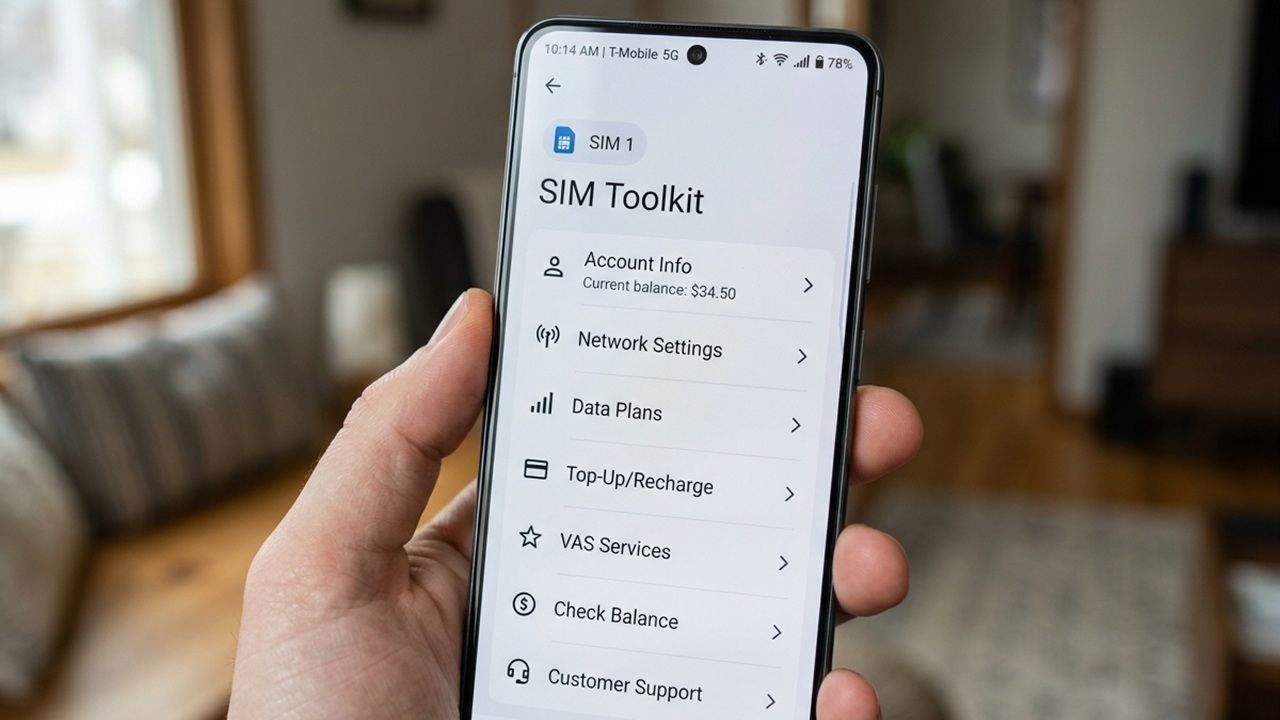
For most smartphone users, there is a peculiar, often overlooked icon tucked away in the app drawer: the SIM Toolkit. It usually sports a generic icon and a name that sounds more like a technical manual than a useful application. In an era of sleek interfaces and cloud-integrated ecosystems, this app often feels like a digital fossil—a remnant of the early 2000s that persists simply because the operating system refuses to let it go.
However, dismissing the SIM Toolkit app as a useless relic is a mistake that can become painfully apparent the moment you step off a plane in a foreign country or find yourself in a region with erratic cellular coverage. While it may look empty or outdated, this application serves as the primary interface between your device’s hardware and the complex infrastructure of your mobile network operator.
Far from being a redundant piece of software, the SIM Toolkit is a fundamental bridge. It allows your phone to communicate with cellular towers using protocols that exist beneath the layer of your standard operating system. When your high-speed data fails and your favorite carrier app won’t load, the SIM Toolkit often remains the only reliable way to manage your account, activate essential services, and maintain a connection to the world.
Understanding how this tool works—and why it remains critical—requires a look at the invisible handshake that happens every time you power on your device. From the security of your identity to the logistics of international roaming, the SIM Toolkit is the silent operator ensuring your device is recognized by the global telecommunications grid.
What Exactly is the SIM Toolkit?
To understand the toolkit, one must first distinguish between the SIM card itself and the software it carries. A Subscriber Identity Module (SIM) is an integrated circuit—a smart card—that securely stores the International Mobile Subscriber Identity (IMSI) number and the related authentication keys. This data is what tells a cell tower who you are and whether you are authorized to access the network.
The SIM Toolkit, often abbreviated as STK (SIM Application Toolkit), is a set of software instructions pre-installed directly onto that SIM card by the network operator. Unlike a standard app downloaded from the Google Play Store or Apple App Store, the STK is not part of the phone’s Android or iOS software. it is hosted on the SIM’s own microprocessor.
Because the STK resides on the card, it can function independently of the phone’s main operating system. This architecture allows network operators to push value-added services—such as balance inquiries, prepaid top-ups, or specialized network settings—directly to the user without requiring a software update to the handset itself. While many of these functions have migrated to modern mobile apps, the toolkit remains as a fail-safe and a compatibility layer for global networks.
The Technical Handshake: How Your Phone Connects
The process of connecting to a cellular network is a sophisticated security exchange. The moment a device is powered on, the SIM card transmits its unique IMSI number to the nearest cell tower. This number is then verified against the operator’s Home Location Register (HLR), a central database that manages subscriber data.

The SIM Toolkit facilitates the “intelligence” of this interaction. It uses a communication protocol known as USSD (Unstructured Supplementary Service Data). Unlike SMS, which is a “store-and-forward” service, USSD creates a real-time session between the mobile device and the network’s computers. This represents why, when you open the SIM Toolkit and select a menu option, the response is almost instantaneous.
This real-time connection is critical for security and authentication. By utilizing encryption algorithms stored on the SIM, the network ensures that the device is legitimate and prevents unauthorized access to the cellular grid. This layer of security is what allows your phone to transition seamlessly between different towers as you move, a process known as handover, without dropping your call or losing your data connection.
Why the SIM Toolkit is a Lifesaver During Roaming
The true value of the SIM Toolkit becomes evident during international travel. When you enter a new country, your phone must “roam,” meaning it connects to a local partner network instead of your home operator. In an ideal scenario, this happens automatically. However, network mismatches, incorrect APN (Access Point Name) settings, or registration failures can leave a traveler with a “No Service” indicator and no way to communicate.
In these scenarios, standard carrier apps are useless because they require a data connection to function. The SIM Toolkit, however, operates on the signaling channel—the same path used for basic voice calls and SMS. This means you can often access the STK menu even when your mobile data is completely non-functional.
Through the SIM Toolkit, users can often perform critical recovery actions, such as:
- Manual Network Selection: In some regions, the toolkit allows users to force the SIM to register with a specific roaming partner that provides better coverage.
- Roaming Activation: Users can manually trigger roaming packages or “activate” their line for international use via USSD menus when they cannot access an online portal.
- Balance Management: For prepaid users, the toolkit is often the only way to check remaining credit or add funds while abroad to avoid a total service blackout.
- Emergency Operator Contact: Some operators embed direct-dial shortcuts or service requests within the toolkit for travelers in distress.
For the modern traveler, knowing how to navigate this menu can be the difference between spending hours hunting for hotel Wi-Fi and having a working phone within minutes of landing.
The Evolution: From Physical Toolkits to eSIM
As the industry shifts toward eSIM technology, the nature of the SIM Toolkit is evolving. An eSIM (embedded SIM) removes the physical plastic card and replaces it with a programmable chip soldered directly onto the device’s motherboard. However, the logic of the SIM Toolkit remains.
The “toolkit” functionality is now being integrated into the device’s cellular settings and the operator’s remote provisioning systems. While the separate “SIM Toolkit” app may eventually disappear from our app drawers, the underlying ability for a network operator to push specific service menus and authentication protocols to a device is still essential for global interoperability.
The transition to eSIMs actually enhances the “lifesaver” aspect of the toolkit. Users can now download new network profiles over the air, effectively updating their “toolkit” without needing a physical card replacement. This makes switching carriers during long-term travel faster and more reliable, though the fundamental reliance on network-side authentication remains the same.
Practical Tips for Using Your SIM Toolkit
While you may not need the SIM Toolkit daily, it is worth knowing how to find and use it before an emergency strikes. Because every carrier customizes their toolkit, the menu options will vary, but the general logic is consistent.
On Android devices, the SIM Toolkit is typically found in the app drawer, often listed under a name like “SIM Toolkit,” “Services,” or the name of your carrier (e.g., “SIM ToolKit Vi” or “T-Mobile Services”). On iOS, it is located under Settings > Cellular > SIM Applications.
If you find yourself without a data connection while traveling, try these steps:
- Open the SIM Toolkit app.
- Look for menus labeled “Roaming,” “Network Settings,” or “Account Management.”
- Use the USSD-based menus to check your status or activate a roaming plan.
- If the menu is empty, try restarting your device to force a new “handshake” with the local tower, which may trigger the toolkit to populate with local partner options.
It is also important to note that some services within the SIM Toolkit may carry small fees, especially when used internationally. Always check the menu descriptions for any mention of charges before confirming a service request.
The Bottom Line on Cellular Connectivity
The SIM Toolkit app is a prime example of “invisible technology.” It is an application that we are taught to ignore because it doesn’t fit the aesthetic of the modern smartphone. Yet, it performs the heavy lifting of identity verification and network negotiation that allows the rest of our apps to function.
By serving as a direct line to the network operator that bypasses the need for a data connection, the STK provides a critical safety net. Whether you are managing a prepaid account in a developing market or trying to regain signal in a foreign city, the SIM Toolkit is the most powerful tool on your phone that you probably never use.
As we move toward a more connected world with 5G and eSIMs, the interface may change, but the necessity of a dedicated, network-level control mechanism will persist. The next time you see that generic icon in your app drawer, remember that it isn’t just a relic—it’s your phone’s ultimate fallback plan.
The next major shift in this space will likely involve the full integration of these toolkit services into the device’s native OS settings, reducing the need for a standalone app while maintaining the robust USSD functionality. For now, keeping an eye on your SIM Toolkit is a smart move for any frequent traveler.
Do you have a story about a time a hidden phone feature saved your trip? Share your experience in the comments below or let us know which “useless” app you’ve discovered is actually essential.