
Modern network-connected printers often represent the most significant security vulnerability within a home or small office network because they function as full-featured computers with persistent storage. While users typically view these devices as simple hardware for document production, security researchers and federal agencies have repeatedly warned that modern all-in-one printers—which handle scanning, copying, and faxing—operate on complex embedded systems that can serve as entry points for unauthorized network access.
According to the Cybersecurity and Infrastructure Security Agency (CISA), network-enabled peripherals often lack the rigorous patching cycles associated with traditional computing hardware. Because these devices manage sensitive data such as scanned documents, tax forms, and proprietary contracts, they are increasingly targeted by threat actors seeking to pivot from a printer into the broader local network. Protecting your home network requires recognizing that your printer is not just an appliance, but a node on your network that demands the same security protocols as a laptop or smartphone.
How Printers Become Security Liabilities
The primary security risk stems from the fact that modern printers are essentially computers running specialized operating systems, often referred to as firmware. Many of these devices come with default administrative credentials that are publicly documented, allowing attackers to gain control over the machine if it is exposed to the open internet. The Federal Bureau of Investigation (FBI) has long advised that users should never leave devices with default passwords, as these are the first points of entry for automated botnets scanning for vulnerable hardware.

Furthermore, printers often store copies of recently processed documents in their internal memory or hard drives. If an attacker gains access to the printer’s web-based management interface, they may be able to retrieve these cached files. In a 2020 report, the National Institute of Standards and Technology (NIST) highlighted that printers often lack encryption for data at rest, meaning that even deleted files may be recoverable by sophisticated actors who gain physical or remote access to the device’s storage media.
Common Vulnerabilities in Consumer Hardware
Most consumer-grade printers are designed for ease of installation rather than hardened security. Many models ship with protocols like Universal Plug and Play (UPnP) enabled by default, which can automatically open ports on a home router to bypass firewall protections. This configuration makes the printer reachable from the internet, a practice that security experts at the Electronic Frontier Foundation (EFF) strongly discourage for any device that does not strictly require such access.
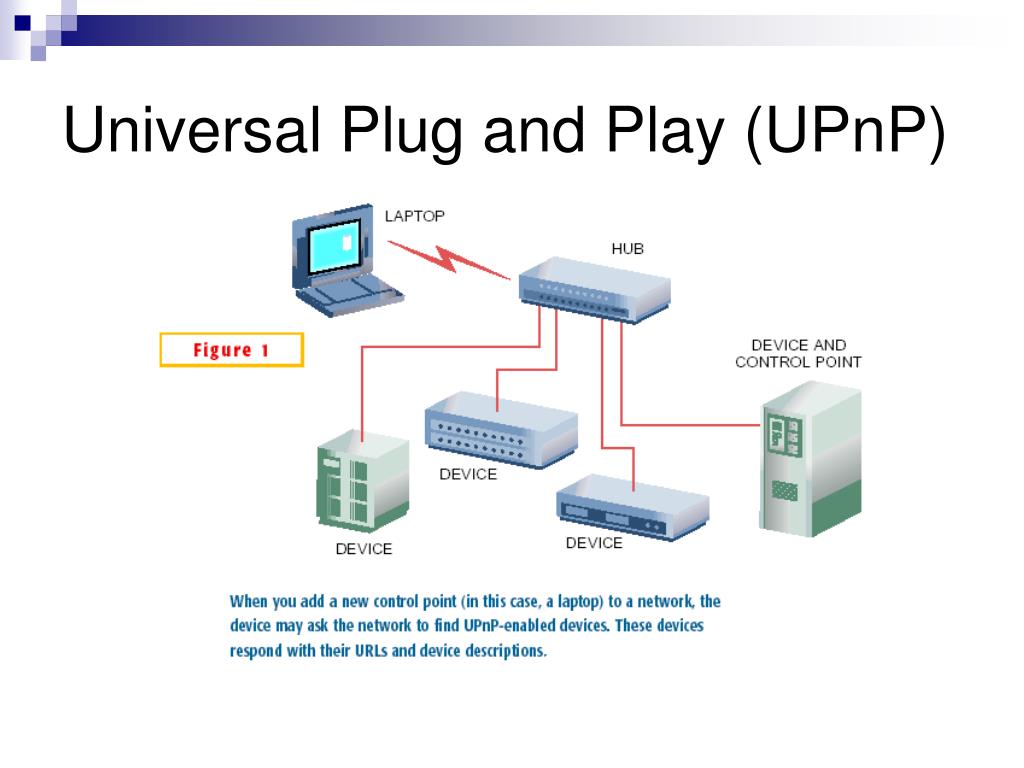
Another common risk is the use of outdated firmware. Unlike modern operating systems that update automatically, printer firmware often requires manual intervention from the user to identify and apply security patches. If a manufacturer discovers a vulnerability—such as a buffer overflow that allows for remote code execution—it is only useful if the end-user visits the support website to download and install the update. Without these updates, the device remains susceptible to exploits that were identified and patched by the manufacturer months or even years prior.
Steps to Secure Your Printing Environment
Securing a printer begins with changing the default administrative password immediately upon setup. If the device is connected to a home network, it should be isolated behind a firewall, and users should disable unnecessary features such as remote printing services or guest access portals. The Federal Trade Commission (FTC) recommends that consumers regularly review the settings of all internet-connected devices to ensure that only essential services are active.
To further reduce risk, users can implement the following practices:
- Disable UPnP: Ensure your router is not automatically exposing your printer to the public internet.
- Update Firmware: Check the manufacturer’s official support page at least quarterly for security patches.
- Use a Guest Network: If your router supports it, place your printer on a separate guest network to isolate it from your main computers and personal data.
- Clear Storage: If the printer has a hard drive, use the “disk wipe” or “secure erase” function before disposing of the device or selling it.
These measures are essential because, unlike a desktop computer where security software is common, printers rarely support traditional antivirus or endpoint detection tools. The responsibility for configuration rests entirely with the owner.
What Happens Next?
As the “Internet of Things” (IoT) continues to expand, manufacturers are facing increased pressure from regulatory bodies to adopt security-by-design principles. The White House recently initiated a voluntary cybersecurity labeling program to help consumers identify devices that meet basic security standards, though adoption across the printer industry remains inconsistent. Users should continue to monitor manufacturer support portals for security bulletins related to their specific model numbers. If you have questions about specific device vulnerabilities, you can check the National Vulnerability Database (NVD) to see if your hardware has been the subject of recent security disclosures.

Readers are encouraged to verify their current printer settings today and share this guide with others who may be relying on default configurations. Stay tuned for further updates on IoT security standards as new industry regulations are finalized.
Related reading