
We have all experienced the frustration of a sudden signal drop during a critical Zoom call or the dreaded “buffering” icon while streaming a film in the bedroom. In the quest for seamless connectivity, the internet often becomes a breeding ground for “life hacks”—quick, low-cost fixes that promise professional results with minimal effort. From rearranging furniture to placing household objects on hardware, the desire to boost Wi-Fi signal strength has led to a surge of viral advice that blends a grain of scientific truth with a significant amount of myth.
Among the most peculiar trends currently circulating are suggestions to place common household items, such as coins or aluminum foil, on or around wireless routers. While these tips often travel quickly across social media platforms, the reality of wireless networking is governed by the laws of physics and electromagnetic wave propagation. Not every “hack” is created equal; some are based on the principles of signal reflection, while others are entirely devoid of technical merit.
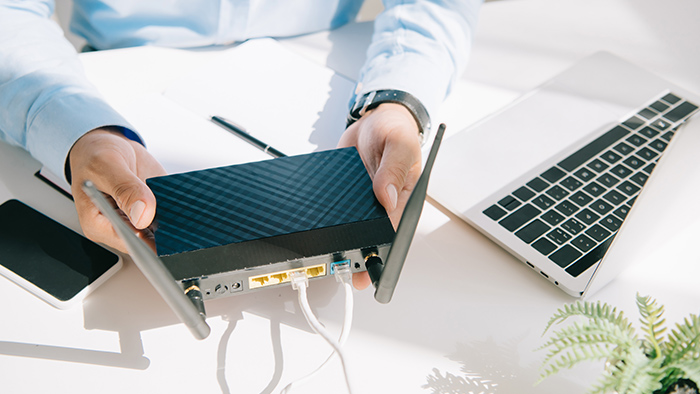
Understanding whether these methods actually work requires a look at how routers broadcast data. Most home routers use omnidirectional antennas, meaning they push signals out in all directions to cover as much area as possible. When we attempt to “boost” this signal using external materials, we are usually not increasing the power of the router—which is limited by hardware and regulatory standards—but rather attempting to redirect the existing energy toward a specific area of the home.
As the Chief Editor of Business at World Today Journal, I have observed how the shift toward remote work and the “home office” economy has transformed reliable internet from a luxury into a critical piece of business infrastructure. For the modern professional, a dead zone isn’t just an inconvenience; We see a productivity leak. Distinguishing between legitimate network optimization and digital folklore is essential for anyone looking to maintain a stable and efficient digital workspace.
The Coin Myth: Why a Single Piece of Currency Won’t Save Your Connection
One of the more persistent myths suggests that placing a coin on top of a Wi-Fi router can improve signal strength or stability. From a technical standpoint, this claim lacks a scientific foundation. To influence a radio frequency (RF) signal, an object must typically be large enough to act as a reflector or shaped specifically to act as an antenna or a waveguide. A standard coin, regardless of the metal it is composed of, is far too small to meaningfully alter the path of Wi-Fi signals, which operate on 2.4 GHz and 5 GHz frequencies.
Wi-Fi signals have specific wavelengths—roughly 12 centimeters for 2.4 GHz. For an object to reflect or focus these waves effectively, its dimensions generally need to be proportional to the wavelength. A coin does not possess the surface area or the parabolic curvature required to redirect these waves toward a device. At best, a coin sitting on a plastic router casing is an inert piece of metal; at worst, if it were to somehow interfere with the internal antenna placement (which is unlikely given the external housing), it could theoretically cause a minor disruption, though this is rarely seen in practice.
The persistence of the “coin hack” is a classic example of confirmation bias. A user might place a coin on their router, and coincidentally, their internet speed improves because of a decrease in external network congestion or a temporary stabilization of their Internet Service Provider’s (ISP) line. They attribute the improvement to the coin, and the myth spreads. In reality, there is no documented evidence in network engineering to suggest that a coin provides any measurable gain in signal strength or throughput.
The Science of Aluminum Foil: Directional Reflection
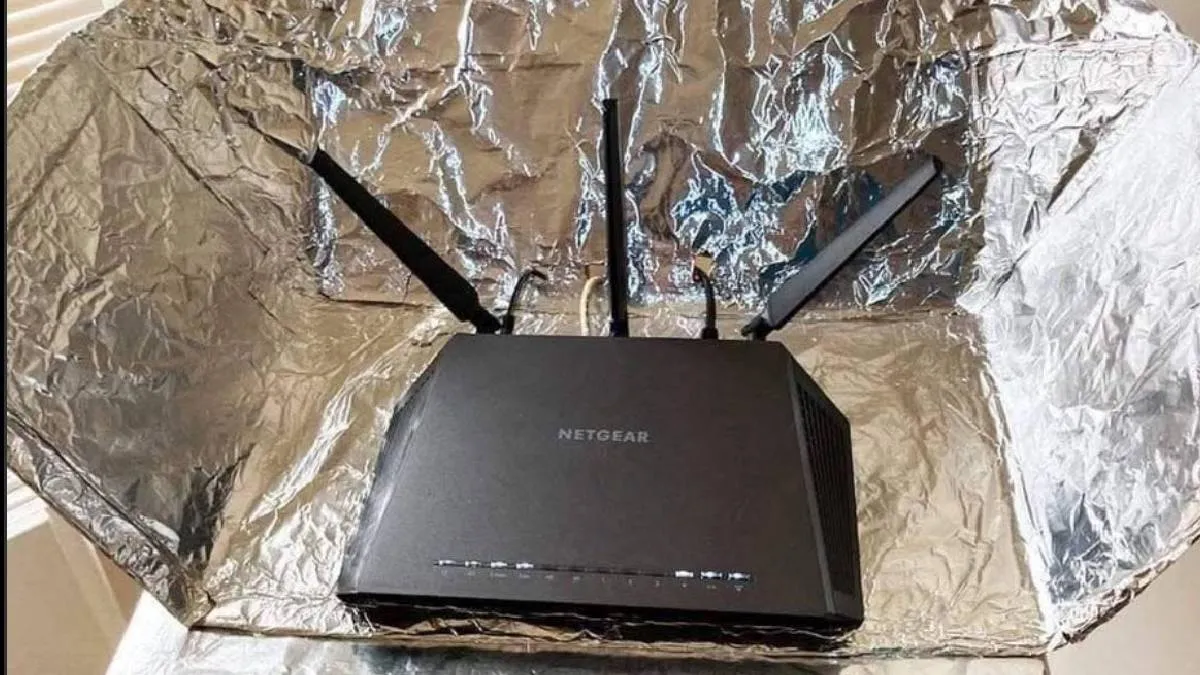
Unlike the coin myth, the use of aluminum foil is based on a legitimate scientific principle: the reflection of electromagnetic waves. Metal surfaces are conductive and reflect radio waves rather than allowing them to pass through. By placing a curved piece of aluminum foil behind a router’s antenna, you are essentially creating a makeshift parabolic reflector.
When a router broadcasts in all directions, a significant portion of the signal is wasted by being sent into walls or outside the home. A curved foil shield captures the waves that would have traveled in the opposite direction and reflects them back toward the center of the room. This can effectively concentrate the signal in one specific direction, potentially increasing the signal-to-noise ratio in a “dead zone” and improving stability for devices located in that direct line of sight.
However, it is important to understand the trade-offs. Because you are redirecting the signal, you are inherently reducing the coverage in the area behind the foil. If your router is centrally located and you need coverage throughout the entire house, adding a foil reflector will actually create new dead zones. This “hack” is only useful for users who have a directional need—for example, if the router is pushed against an exterior wall and the user wants to push more signal into the interior of the living space.
While this method can provide a marginal improvement in specific scenarios, it is a primitive solution. Professional-grade directional antennas use precisely calculated curvatures and high-quality materials to achieve these results without the signal degradation that can occur with haphazardly placed kitchen foil. For those seeking a permanent solution, investing in hardware designed for signal steering is far more effective than a DIY foil experiment.
Professional Alternatives for Network Optimization
For those operating a home business or managing a high-bandwidth household, relying on foil or myths is an inefficient use of time. There are several verified, industry-standard methods to optimize a wireless network that provide consistent and measurable results.
Strategic Router Placement
The most impactful change a user can make is the physical location of the router. Wi-Fi signals are attenuated (weakened) by physical obstacles. Dense materials like concrete, brick, and metal are the biggest offenders. Placing a router in a central, elevated position—such as on a shelf rather than on the floor or tucked inside a cabinet—allows the signal to travel more freely. Avoiding placement near other electronics, such as microwaves or cordless phones, also reduces electromagnetic interference.
Channel Management and Frequency Selection
Most routers operate on two main bands: 2.4 GHz and 5 GHz. The 2.4 GHz band has a longer range and penetrates walls more effectively but is slower and more prone to interference from other household devices. The 5 GHz band offers significantly faster speeds but has a shorter range. Switching a high-demand device (like a work laptop) to the 5 GHz band, or using a router that supports “band steering” to automatically assign the best frequency, can dramatically improve performance. Using a Wi-Fi analyzer tool to find a less congested channel can reduce interference from neighboring networks.
Mesh Networking Systems
For larger homes where a single router cannot provide adequate coverage, mesh systems are the gold standard. Unlike traditional range extenders, which often create a second, slower network and cut bandwidth in half, mesh systems use multiple nodes that communicate with each other to create a single, seamless fabric of connectivity. This eliminates dead zones by strategically placing nodes throughout the home, ensuring that a device always connects to the strongest available signal.
Hardware Upgrades and Wi-Fi Standards
Technology evolves rapidly. If you are using a router that is more than four or five years old, you may be using outdated standards like Wi-Fi 5 (802.11ac). Upgrading to a Wi-Fi 6 or 6E certified router provides not only faster peak speeds but also better efficiency in handling multiple devices simultaneously. This is particularly critical in the modern home, where smartphones, smart TVs, laptops, and IoT devices all compete for the same airwaves.
The Economic Impact of Connectivity in the Remote Era
From a business perspective, the pursuit of “Wi-Fi hacks” highlights a broader economic trend: the democratization of the professional workspace. When the home becomes the office, the quality of the local area network (LAN) becomes a direct factor in labor productivity. A fragmented connection leads to “micro-stresses” and lost time, which, when aggregated across a workforce, represents a tangible loss in efficiency.
The cost of a high-quality mesh system or a Wi-Fi 6 router—typically ranging from $150 to $500—is a negligible investment compared to the cost of lost productivity or the stress of unreliable communication during high-stakes business interactions. For entrepreneurs and freelancers, treating home networking as a business expense rather than a household utility is a strategic move that ensures professional reliability.
as we move toward more data-intensive applications, such as augmented reality (AR) for collaboration and high-definition video conferencing, the demand for low-latency connections will only grow. The “foil and coin” era of networking is a relic of a time when we had few devices and low bandwidth requirements. Today’s digital economy demands infrastructure that is stable, scalable, and based on engineering rather than anecdote.
Key Takeaways for Improving Your Connection
- Ignore the Coin: Placing a coin on a router has no scientific basis and will not improve your internet speed or signal strength.
- Foil is Directional, Not a Boost: Aluminum foil can reflect signals to a specific area, but it does not create more signal and may create new dead zones elsewhere.
- Prioritize Placement: Move your router to a central, elevated location away from walls and other electronic interference.
- Use the Right Band: Use 5 GHz for speed and proximity, and 2.4 GHz for range and penetrating walls.
- Invest in Infrastructure: For consistent coverage in large spaces, replace single routers with modern mesh networking systems or Wi-Fi 6 hardware.
While the allure of a “free” fix is strong, the most reliable path to better connectivity is through a combination of strategic placement and updated hardware. The next time you see a viral tip suggesting a household object can fix your internet, remember that radio waves follow the laws of physics, not the trends of social media.
For those looking to audit their current setup, the first step is often a simple signal map of the home using a free Wi-Fi analyzer app to identify exactly where the drops occur. Once the dead zones are mapped, you can decide whether a simple move of the router or a hardware upgrade is the necessary next step.
We invite our readers to share their experiences with home networking in the comments below. Have you found a legitimate way to optimize your home office, or have you fallen for one of the internet’s many connectivity myths? Share your thoughts and join the conversation.
Keep reading